
Does a Plant Identifier App Work for Real Plant Owners?
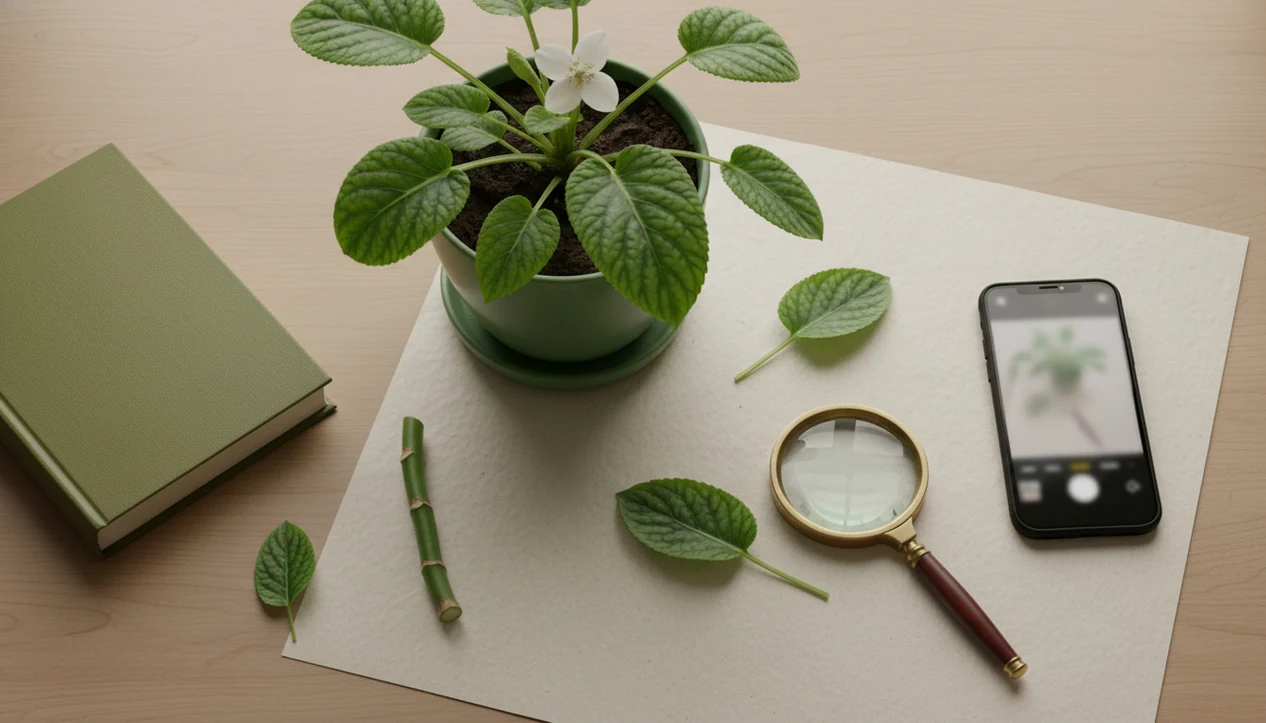
Yes, does plant identifier app work has a practical answer: it can work well as a first-pass tool, but accuracy depends on the photo, plant type, app quality, and risk level. Use it to narrow the ID, spot likely care problems, and decide what to check next, but confirm toxic plants, invasive weeds, edible plants, and serious disease issues with trusted sources.
A plant identifier app is a photo-based tool that suggests likely plant names and may provide care, watering, pest, or disease troubleshooting guidance for plant owners.
- Plant ID apps are most reliable for common plants photographed clearly with leaves, flowers, stems, or multiple angles.
- Independent studies show wide plant app accuracy differences, from about one-third correct in weaker tools to 70–80% or higher in stronger tests.
- Use app results for triage, not as the only source for pet toxicity, edible plants, invasive species, or severe plant disease decisions.
Plant Identifier App Accuracy in Real Tests
Plant apps work, but not perfectly or equally. The answer depends on whether you need a broad genus match, an exact species name, or a safe action today.
A Rutgers University tree app study found the strongest tools reached 97.3% genus accuracy and 83.9% species accuracy from leaf photos, while some apps fell to 40.9% species accuracy, as summarized by University of Illinois Extension source. Genus means the larger plant group, like Acer for maples. Species means the narrower ID, which is harder and often matters for toxicity, invasiveness, or exact care.
Michigan State weed science testing found the top app identified plants correctly 76% of the time, or 88% when partially correct helpful answers counted. Apple Visual Lookup reached 36% correct in the same evaluation source.
That gap is the real story. A clear leaf photo can help; a blurry stem at dusk can mislead fast.
Five Facts About Plant App Accuracy and Reliability
Plant app accuracy is strongest when the plant is common, the photo is clear, and the user treats the result as a likely match. Plant id app reliability drops when the plant is rare, young, damaged, or shown from one weak angle.
- The strongest apps can be very useful at genus-level ID, especially from leaf photos.
- Species-level identification is harder because look-alike plants can share leaf shape, color, and growth habit.
- Photo quality, plant part, and lighting strongly affect the result; yellow kitchen light at 10 p.m. is a repeat offender.
- Apps usually perform better on common ornamentals, weeds, and well-represented plants than rare regional species.
- Safety-critical answers require confirmation from university, government, extension, poison-control, veterinary, or expert sources.
For everyday care, genus may be enough to adjust light or watering. For a mystery berry near a child’s play area, it is not enough.
Before You Use a Plant Identifier App
Before you scan, decide what kind of answer you need. A plant app is fine for low-risk care clues, but it should not be treated as final proof for food, toxicity, invasive weeds, or serious treatment decisions.
- Decide whether the next action is ordinary care or safety-critical. Moving a houseplant closer to a window is different from deciding a berry is edible or a plant is safe beside a cat bed.
- Gather more than one plant part before opening the app. Leaves help, but flowers, fruit, bark, stems, and whole-plant shape often make the match less fragile.
- Check what evidence is actually available. If the plant is not blooming, has no fruit, or only shows damaged leaves, expect a weaker answer.
- Note the context before you scan: location, season, indoor light, pot size, humidity, soil moisture, and recent watering can all explain what the photo cannot.
- Treat risky categories as leads only. Do not use a scan as the final word on edible plants, toxic plants, invasive species, or disease problems that could spread or cost money.
This small pause makes the app more useful and keeps one confident-looking result from doing too much work.
Plant Recognition Models Behind the Photo
Plant recognition models compare visible plant features in a photo with labeled image datasets, then rank likely matches rather than proving certainty. The app is making a visual probability call, not inspecting DNA.
How plant identifier apps work: image recognition systems turn photo clues into image embeddings, which are mathematical summaries of patterns such as leaf shape, veins, flowers, bark, color, and growth habit. In plain terms, the app looks for plants in its database that “look most like” your photo.
A peer-reviewed review of image-based plant identification explains that model performance depends on the quality, scale, and representativeness of labeled training images, which is why rare, regional, or seasonal plants can be harder to identify source.
Disease diagnosis is even messier. White powder on squash leaves may suggest powdery mildew, but brown tips can come from watering stress, salts, low humidity, pests, or nutrient issues. Care recommendations depend on the assumed ID, so a wrong ID can produce wrong watering, light, pruning, or treatment advice.
Five Steps for Better Plant Identifier App Results
Better photos cannot make plant app accuracy certain, but they reduce avoidable mistakes. The most reliable workflow is to give the app multiple clues, then compare the result against real plant context.
- Photograph the plant in bright natural light, not under tinted indoor bulbs or deep shade.
- Capture leaves, flowers, stems, whole plant shape, and symptoms if the plant looks unhealthy.
- Review the top matches instead of accepting only the first result.
- Compare the app result with growth habit, season, region, potting mix, and recent watering.
- Verify risky answers before acting on toxicity, invasive status, edible use, or disease treatment.
Most bad scans we review show one pretty leaf and nothing else. Add the stem, pot, soil surface, and scale. If you want a deeper photo workflow, the how to identify plants with phone guide covers angles and lighting in more detail.
Retake the photo if the first answer feels off.
Best Use Cases for Plant ID App Reliability
Plant ID apps are most useful when the decision is low-risk and the goal is to narrow the plant, not settle a high-stakes question. For common houseplants and garden volunteers, they can save a lot of guessing.
- New houseplants: Use an app when a plant tag is faded by sun, missing from a nursery pot, or tossed with the sleeve.
- Volunteer seedlings: Apps can help separate likely weeds from seedlings mixed with volunteer tomatoes.
- Care basics: A likely match can guide light, watering, humidity, pruning, and repotting checks.
- Pest and disease triage: Treat symptom suggestions as a care step, not a cure.
A good AI plant identifier, disease diagnosis, and personalized plant care app for houseplants and garden plants should deliver likely matches and next steps, not guaranteed confirmation from one image.
Plant Identifier App Results That Need Confirmation
Low-risk care decisions can often start with app guidance, but safety-critical decisions need confirmation. Use the table as a quick yes/no rule before you act.
| Situation | Is app guidance enough? | What to do next |
|---|---|---|
| Adjusting light for a common pothos or philodendron | Usually yes | Compare leaf shape, growth habit, and room light before moving it |
| Watering a likely succulent or tropical houseplant | Usually yes | Check soil moisture, pot drainage, and recent watering |
| Pet or child toxicity | No | Confirm with reputable toxicity databases, a veterinarian, poison-control resource, or extension source |
| Invasive weed decision | No | Check local extension, state agriculture, or government plant databases |
| Serious crop or garden disease | No | Use university extension, lab testing, or a professional when stakes are high |
| Edible foraging | No | Never use any plant app as the only source for edible plant decisions |
For confidence language, a plant id confidence score can help you decide whether the app result is a starting point or something to verify immediately.
Common Myths About Plant ID App Reliability
The risky myth is that one quick photo can give a final answer. A safer rule is to use the app result as a starting point, then compare the leaf shape, stem, and growth habit.
Another myth says that if several apps agree, the ID must be right. That can happen, but apps may share similar image sources or assumptions and repeat the same mistake.
AI also cannot diagnose every plant disease from one image. A gnat cloud above damp potting mix points toward moisture problems, but yellow leaves may still have several causes.
The pet-safety myth is the one we worry about most. If an app does not flag toxicity, that does not prove the plant is safe for pets or children. Check against a regional or veterinary source before placing a floor planter beside a dog bowl.
Photo Checklist for Higher Plant App Accuracy
A plant app can only judge the visual evidence you give it. Sharp, well-lit photos improve the odds of a useful likely match.
Use this checklist before scanning:
- Take sharp images without motion blur.
- Move clutter out of the background when possible.
- Photograph more than one angle and more than one plant part.
- Include leaves, stems, flowers, bark, fruit, or whole plant shape when available.
- Add close-ups of spots, webbing, powder, holes, or sticky residue for pest questions.
- Clean dust from leaves before photographing indoor plants.
- Move the plant out of harsh shadow, then take a second photo in natural light.
Better input cannot guarantee a correct ID. It can, however, prevent the obvious miss where a sunburn patch on a rubber plant gets treated like a disease.
Common Mistakes That Lower Plant App Accuracy
Most poor plant app results come from thin evidence, not from the app being useless. The fix is to avoid making one image carry the whole identification.
- Show the plant’s structure, not just one attractive leaf. Include the stem, leaf arrangement, pot or ground view, and whole silhouette when you can.
- Use neutral, bright light. Warm indoor bulbs, shiny glare on waxy leaves, and deep porch shade can all change color and hide texture.
- Compare the top few matches before choosing one. Look for differences in leaf spacing, growth habit, flower shape, bark, or whether the plant climbs, trails, clumps, or forms a shrub.
- Add context in your own judgment. Region, season, plant age, and whether it is a seedling, mature houseplant, vine, tree, or rosette can rule out a confident-looking wrong answer.
- Treat disease suggestions as leads. One photo of brown edges or yellow leaves should start a care check for watering, light, pests, humidity, and soil, not confirm a diagnosis by itself.
If the result feels too neat for the evidence you gave, rescan with better photos before acting.
Limitations
Plant identification apps are useful, but their limits matter most when the answer changes safety, treatment, or cost. The weaker cases are predictable once you know what image recognition can and cannot see.
- Apps can be less accurate for rare plants, grasses, seedlings, hybrids, regional species, and close look-alikes.
- Bark-only, damaged, blurry, or partial photos often produce weak matches.
- Training data can bias results toward common plants or regions represented in the app database.
- Image-only disease diagnosis can confuse overwatering, nutrient deficiency, pest damage, fungal disease, and environmental stress.
- Apps do not replace expert confirmation, lab testing, or extension services for serious disease, invasive status, toxicity, or crop decisions.
- A wrong ID can lead to wrong watering, light, pruning, repotting, or treatment advice.
- Multiple apps may repeat the same mistake if their image sources or assumptions overlap.
These tools are strongest when the user keeps checking context. If the result affects pets, food, crops, or local ecosystems, slow down.
FAQ
How accurate are plant ID apps?
Plant ID app accuracy varies by app, photo quality, plant type, and whether you need genus-level or species-level identification. Strong apps can perform well on common plants, but weaker tools and poor photos can produce unreliable matches.
Can a plant app identify plant diseases?
A plant app can flag likely disease or pest symptoms from visible clues. It may confuse look-alike causes such as overwatering, nutrient deficiency, pests, and pathogens, so serious problems need confirmation.
What photos work best for plant identifier apps?
The best photos are sharp, well-lit images showing leaves, flowers, stems, whole plant shape, and any symptoms. Multiple angles usually work better than one close-up leaf photo.
Can plant apps identify weeds in my yard?
Many plant apps can identify common weeds and volunteer plants. Confirm invasive status and treatment decisions with local extension, state agriculture, or government plant databases.
Can a plant app tell me if a plant is toxic?
A plant app may provide toxicity warnings, but those results should always be verified with authoritative pet, poison, veterinary, or extension sources. Do not rely on an app alone for child or pet safety.
Why do different plant apps give different answers?
Different apps use different training data, recognition models, plant coverage, and ranking systems. The same photo may also be interpreted differently if key plant parts are missing.
Is genus-level plant identification enough for care advice?
Genus-level ID is often enough for basic light, watering, and humidity guidance for common houseplants. Species-level ID matters more for toxicity, edible use, invasive status, and specialized care.
Should I trust a plant app result from one photo?
Do not trust one photo as final when the decision is risky. Take multiple photos, compare the app result against plant traits, and verify toxic, edible, invasive, or disease-related answers with trusted sources.