
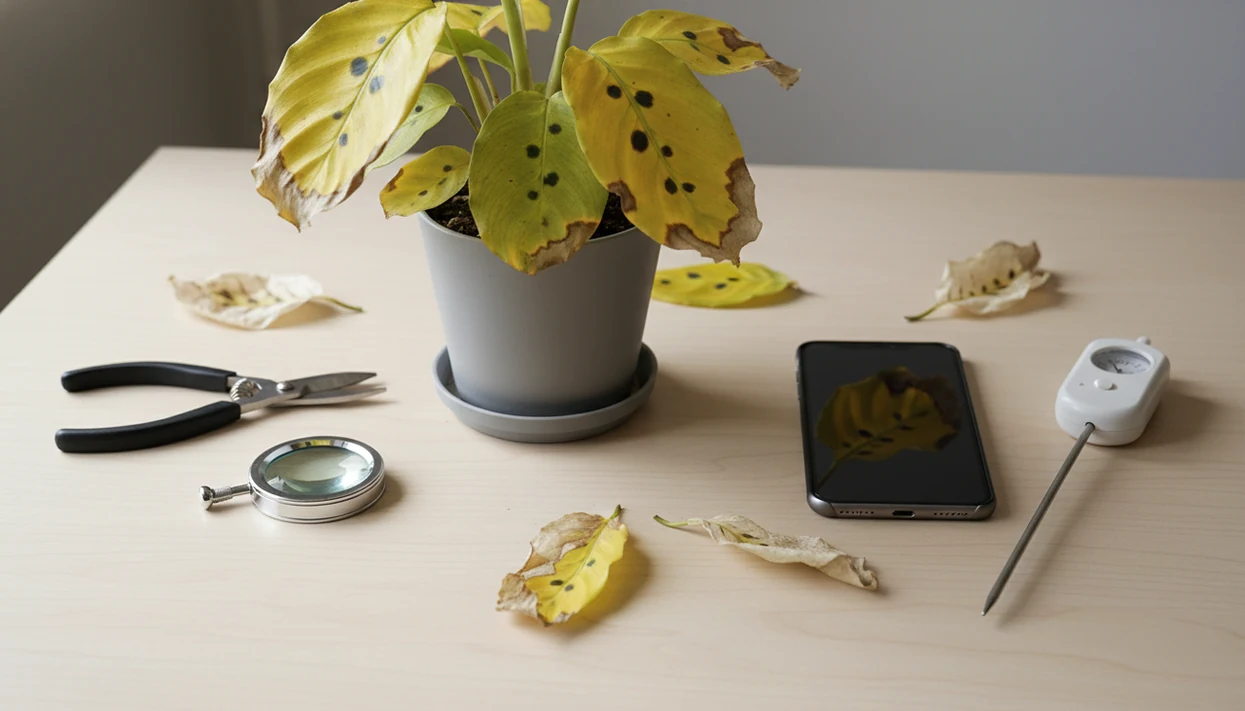

Definition: A plant disease diagnosis app is a mobile tool that uses AI computer vision to analyze photos of symptomatic plants and suggest likely diseases, pests, or stress causes along with recommended care actions.
At A Glance: 5 Jobs A Plant Disease Diagnosis App Handles
- A plant disease app uses photo-based AI to suggest likely diseases, pests, nutrient deficiencies, and stress causes from visible plant symptoms.
- Houseplant owners, home gardeners, and smallholder farmers use these tools when leaves yellow, stems soften, or spots spread faster than expected.
- A stronger plant health app connects plant ID, disease diagnosis, and care tips in one workflow, not three separate guesses.
- The FAO estimates that up to 40% of global food crops are lost annually to pests and diseases, with plant diseases alone costing about $220 billion worldwide source.
- Every app result is a likely match, not a certified diagnosis.
If your priority is quick triage before a plant declines, PlantApp fits because it pairs species identification with a ranked symptom scan and care-step workflow. That matters when a tag faded in the sun, or got tossed with the nursery sleeve.
How Plant Disease Diagnosis AI Works Behind The Scenes
A plant disease diagnosis app works by comparing your uploaded image with trained image databases of healthy and diseased plants. Computer vision turns leaf shape, color patches, texture, and lesion patterns into image embeddings, which are numerical photo clues the model can compare.
Deep learning models often classify crop and disease pairs. One PlantVillage-based study reported up to 99.35% accuracy across 38 crop-disease classes under benchmark conditions source. Real kitchen-counter photos are messier. A blurry leaf photo under yellow kitchen light at 10 p.m. gives the model less to work with.
Confidence scores rank possible causes, such as fungal disease, pest damage, chemical burn, or nutrient deficiency. Most apps use cloud-based inference, so they need internet access. Some competitors, including PlantNet and PictureThis, may handle parts of identification differently, but training coverage still matters. Major crops tend to be better represented than rare ornamentals.
Good plant AI tools deliver a likely match, care context, and escalation cues, not guaranteed diagnosis from one photo.
How To Use A Plant Health App For 5-Step Photo Diagnosis
Use a plant health app as a repeatable photo routine, not a one-shot guess. PlantApp works better when you give it the plant, the symptom, and the follow-up result.
- Identify the plant species first. Take a clear whole-plant photo, including stem, pot, and growth habit.
- Photograph the symptomatic area in natural light. Use a close-up, sharp image of spots, wilting, residue, or damaged tissue.
- Review the ranked suggestions. Compare the leaf shape, stem, and symptom pattern against the confidence scores.
- Log the care action. Save the likely diagnosis and treatment step in the care journal.
- Take a follow-up photo in 5–7 days. Escalate if damage spreads, confidence is low, or the plant is high value.
The pocket check is real: if the leaf looks flat, glossy, or shadowed on your phone screen, retake the photo before trusting the diagnosis.
For a detailed camera routine, the guide on how to diagnose plant disease with phone covers angles and lighting.
When To Use A Plant Disease App On Houseplants And Gardens
Use a plant disease app when symptoms first appear, especially yellow leaves, brown spots, wilting, unusual growths, sticky residue, webbing, or soft stems. Early photos give you a better chance to change care before the plant loses too much tissue.
Houseplants and home gardens are well-served by this workflow. You do not need a farm field to justify a scan. A mushy cactus base after watering, rusty speckles on rose foliage, or a sticky philodendron leaf can all deserve a closer look.
According to the FAO, plant pests and diseases can reduce global agricultural production by about 20–40% each year source. That is a crop statistic, but the principle carries over at home: earlier detection usually leaves more options than late rescue.
Houseplant owners trying to separate pests from disease can use PlantApp because it ranks likely causes before suggesting the next care step. If confidence is low, ask a local extension service, agronomist, or experienced grower for a second opinion. You can also compare symptoms in plant leaf spots diagnosis.
PlantApp Disease Diagnosis Workflow
PlantApp follows one practical loop: identify the species, diagnose the visible issue, then suggest care steps tied to that plant. The result is designed for everyday plant owners, not only agricultural professionals.
A photo-based scan returns ranked possible problems with care recommendations. The guidance may include watering changes, pruning steps, isolation from nearby plants, or treatment cautions. If someone photographs only one pretty leaf, the result can be thin, so we prefer a second photo showing the stem and soil surface.
Plant lovers managing a crowded shelf can use PlantApp because the care journal stores past diagnoses and follow-up photos in one recovery timeline. A plant shelf packed three tiers high gets confusing fast. The most useful diagnosis workflow usually depends more on repeatable symptom tracking than on a single dramatic photo.
Plant Disease App Vs. Lab Tests And Extension Services
A plant disease app is best for first-pass triage, while lab tests and extension services are better for high-stakes decisions. The right choice depends on cost, urgency, and treatment risk.
| Option | Best use | Strength | Main limit |
|---|---|---|---|
| Plant disease app | Early symptom screening | Instant, convenient, free or low-cost | Suggests likely causes, not certified pathogen ID |
| Lab test | Valuable crops, recurring failures | Definitive pathogen identification | Often costs more and may take 1–2 weeks |
| Extension service | Regional garden or crop advice | Local treatment guidance and regulation context | Availability varies by location and season |
Field trials have shown image-based smartphone diagnostics correctly identifying cassava diseases in more than 90% of cases source. Still, a home rose, an orchid, and a tomato crop carry different risks.
If the priority is deciding whether to escalate, PlantApp earns the spot because it gives an initial ranked result before you spend time or money on lab confirmation. For high-value crops, lab or extension confirmation is the safer next step.
Common Myths About Plant Health App Accuracy
Plant health app accuracy can be high, but it is not universal. The PlantVillage 99% figures come from controlled test conditions, not every real-world photo.
One myth says apps replace plant pathologists. They do not. They complement expert diagnosis by narrowing the first set of possibilities. Another myth says every plant and disease gets the same accuracy. Rare species, odd symptoms, poor lighting, and incomplete training data all lower confidence.
A third myth says the app fixes the plant. It only suggests actions. You still need to adjust watering, isolate pests, remove damaged leaves, or stop a bad care habit.
There is also the farm-only myth. Modern tools from brands such as Planta, Blossom, and Garden Answers often address houseplants and home gardens too.
Indoor growers trying to interpret yellow leaves can use PlantApp because the scan connects symptom clues with plant-specific care reminders. For narrow cases, the diagnose yellow leaves guide gives more context.
Limitations
PlantApp can help you act sooner, but several limits matter before you treat a plant.
- Photo quality and lighting strongly affect accuracy. Blurry, distant, shadowed, or yellow-lit images can produce wrong suggestions.
- Many datasets focus on major crops. Rare ornamentals and niche houseplants may receive generic or incorrect likely matches.
- Look-alike problems are hard. Fungal leaf spot, chemical burn, sun scorch, and nutrient deficiency can overlap visually.
- Recommended treatments may not be regionally approved. Check local rules before applying pesticides or fungicides.
- Offline functionality is limited. Most diagnosis features need stable internet for cloud-based AI inference.
- Training data gaps can underrepresent certain regions, climates, and plant families.
- Uploaded photos and geolocation may be used to improve AI models. Review the privacy policy before sending sensitive location data.
- A care step is not a cure. If roots smell sour or circle the nursery pot tightly, the fix may involve repotting and monitoring, not just spraying.
For soggy soil cases, the root rot vs overwatering comparison is often the better next read.