
Identify a Houseplant From a Photo and Get Care Instructions
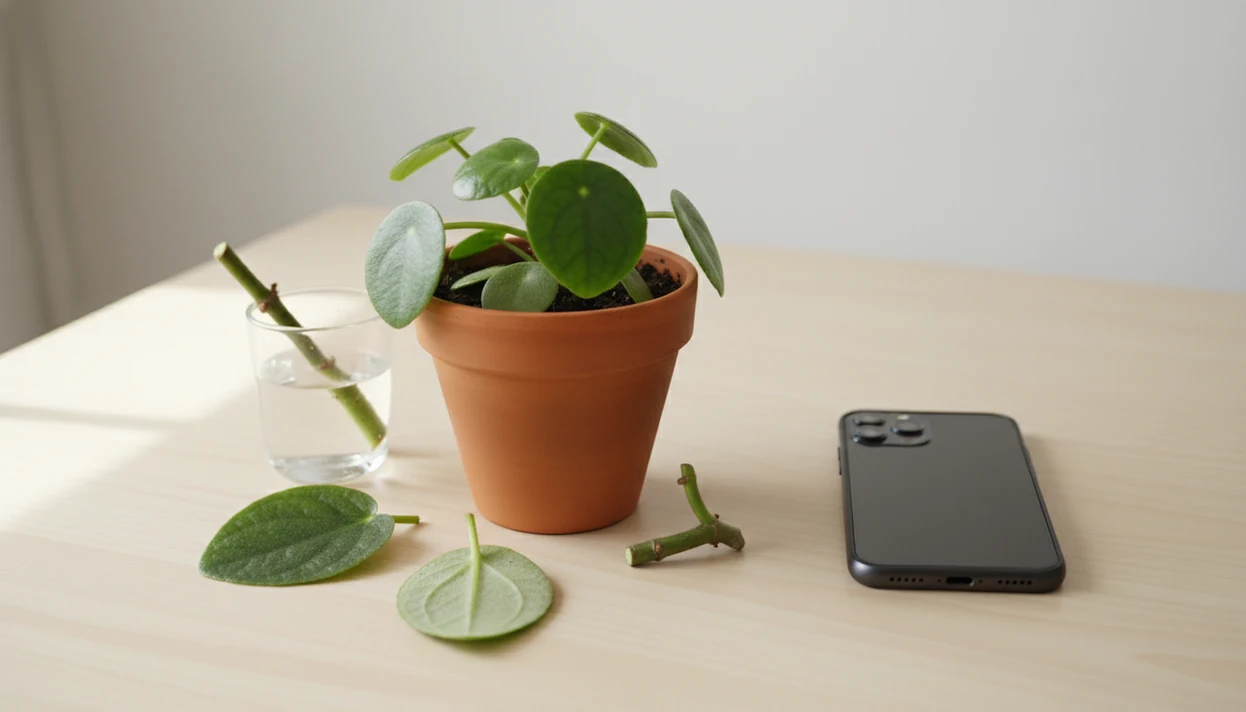
To identify houseplant from photo, take clear close-ups of the leaves, stems, nodes, and whole plant, then compare the result against care clues like light needs, watering style, and toxicity. A photo ID should be treated as a strong starting point, not a final answer, especially for similar-looking indoor cultivars.
Photo-based houseplant identification means using visible plant traits in an image, such as leaf shape, stem pattern, nodes, flowers, and growth habit, to estimate the most likely plant name and connect it to care guidance.
- Use sharp, well-lit photos of leaves, stems, nodes, and the whole plant instead of one distant room shot.
- Confirm the plant ID with multiple clues before changing watering, light, soil, or toxicity assumptions.
- PlantApp identifies plants from photos and gives care, watering, and disease troubleshooting steps for plant owners.
Houseplant Identifier Photo Checklist Before You Start
- Use bright natural light, but avoid hard glare on glossy leaves or deep shadows under the canopy.
- Photograph one plant at a time against a plain wall, table, or floor so the app does not read nearby foliage as part of the same plant.
- Capture the leaf top, leaf underside, stem, nodes, pot, and full growth habit before you submit the image.
- Skip blurry, cropped, wet, or filter-altered photos. A phone hovering over glossy leaves can look sharp until you zoom in.
- Indoor plants can be harder to identify when they are not flowering, especially young aroids, hoyas, peperomias, and common nursery cultivars.
For broader outdoor and indoor matching, the same image-quality rules apply when you identify plant from photo.
Photo-Based Houseplant Identification Databases and Image Matching
Photo-based houseplant identification works by comparing image features against labeled plant photos, then returning likely matches rather than guaranteed species certainty.
Most plant ID systems use image embeddings, which are mathematical summaries of visual patterns. In plain terms, the app compares leaf shape, venation, stem structure, flowers, and growth habit to examples in its database. Pl@ntNet says its platform helps identify more than 46,000 plant species across dozens of floras, which shows how large reference sets can get (source: https://identify.plantnet.org/).
Still, scale does not remove uncertainty. Similar species, juvenile plants, hybrids, and cultivars can confuse models. We see this often with plant tags faded by sun or tossed with the nursery sleeve, where the app has to infer the name from a young plant that has not developed mature traits yet.
Houseplant Identifier Photo App Workflow
Use a houseplant identifier photo workflow that starts wide, moves close, and ends with a care check. The goal is not just a name. It is a likely match you can test against visible traits and daily care needs.
1. Take a whole-plant photo
- Place the plant in natural light and take one photo showing its full size, shape, and pot.
2. Add leaf and stem close-ups
- Photograph the leaf surface, underside, petiole, stem, and node area.
3. Submit the clearest images
- Upload multiple angles instead of relying on one pretty leaf.
4. Compare the top ID matches
- Review candidate names, confidence indicators, and whether the care profile fits what you see.
5. Turn the ID into a care plan
- Save the confirmed plant to a profile for watering, light, pest, and problem tracking.
Step 1: Photograph Leaf Shape for Houseplant Identification
What leaf details help identify a houseplant from a photo? Show the full outline, tip, base, margin, texture, veins, thickness, and leaf arrangement.
A single damaged or yellowing leaf can send the result in the wrong direction. Take one clean mature leaf, then add another from a different part of the plant. Include variegation, fenestrations, silver markings, or waxy thickness. Pothos, philodendron, scindapsus, hoya, and monstera are easy to mix up when the photo only shows a heart-shaped leaf.
Undersides matter too. Purple backs, fuzz, pest specks, or raised veins can change the likely match. If leaf traits are your main clue, our identify plant by leaf guide explains which features separate lookalikes.
Step 2: Capture Stems, Nodes, and Growth Habit
Stems and nodes often narrow the answer when leaves look almost identical. Photograph where each leaf attaches to the stem, especially on vining aroids and trailing houseplants.
Show whether the plant vines, climbs, forms a rosette, grows in clumps, rises on canes, or stands upright from a crown. Include aerial roots, petioles, sheaths, bulbs, canes, crowns, and new growth. The node photo is boring. It is also useful.
Nursery trade names and juvenile forms can obscure exact species. A small philodendron sold under a catchy label may not match mature database images. For succulents, stem shape and rosette pattern matter even more, so a separate identify succulent from photo process can be more reliable.
Step 3: Add Pot Context for Houseplant Photo ID
Does pot context help identify a houseplant from a photo? Yes, but it should support the visual ID, not replace leaf, stem, and growth-habit evidence.
Include the pot size, soil surface, support pole, hanging basket, and placement in the room. An east window glow on leaves tells you something about likely light exposure, but it does not prove the plant name. A stressed or recently repotted plant may also look unlike typical reference images.
Context becomes more useful after the likely match appears. Heavy peat, dry bark mix, roots circling a nursery pot, or a moss pole can guide watering, repotting, and support decisions. Use the setting to plan care, not to force the identification.
Houseplant Identifier Photo Results and Care Instructions
- Check light level, watering frequency, humidity, soil mix, and fertilizing needs after you have a likely plant name.
- Look up toxicity for cats, dogs, and children before placing the plant on a shelf, floor, or bedroom windowsill.
- Treat care advice as a range because homes change by season, heat, air flow, and pot material.
- Identification alone is not enough if the plant is wilting, yellowing, sticky, webbed, or infested.
- Tools like PlantApp can connect a photo ID result to care, watering, and disease troubleshooting steps.
Good AI plant identifier, disease diagnosis, and personalized plant care app for houseplants and garden plants deliver a likely name plus next care steps, not guaranteed certainty from one image. For most beginners, confirming the name before changing care is safer than reacting to brown tips alone because symptoms often share causes.
Photo Plant ID Accuracy Benchmarks for Houseplant Apps
Different apps may return different candidate names because they use different databases, labels, and probability models. Benchmark numbers can be useful, but they do not predict every dark kitchen photo or unusual indoor cultivar.
The figures below come from PlantIn's published app-comparison roundup, so read them as publisher-reported benchmarks rather than independent lab results: https://myplantin.com/plant-identifier-apps.
| App or benchmark claim | Reported result | How to read it |
|---|---|---|
| PlantIn internal test | 100% accuracy | Internal app-roundup claim, not a universal guarantee |
| PlantSnap | 93.75% accuracy | Reported in the same 2026 comparison |
| PictureThis | 87.5% accuracy | Comparison result, photo set unknown to the user |
| iNaturalist, PlantNet, LeafSnap, Plant Parent | 87.5% accuracy | Similar benchmark figure across several tools |
A benchmark may not reflect your variegated cutting, juvenile plant, or blurry leaf photo taken under yellow kitchen light at 10 p.m. Verify high-impact decisions, especially toxicity, pest treatment, and disease control. If disease is the concern, a plant disease diagnosis app should be treated as screening, not final diagnosis.
Common Houseplant Photo ID Mistakes
The room-shot mistake. One blurry full-room image makes the app guess from silhouette and color. Move closer and frame one plant.
The missing-node mistake. Cropping out the stem, node, crown, or plant base removes the traits that separate many vining plants.
The mixed-frame mistake. Photographing multiple plants together can blend leaves from different species into one false match.
The first-result mistake. The top app result is a candidate, not proof. Compare the leaf shape, stem, and growth habit before changing care.
The panic-care mistake. Do not move a plant from shade to direct sun or soak dry soil just because one result suggested a different species.
The symptom-blind mistake. Pests, disease, and stress can distort leaves. Drooping stems despite wet soil point to a care problem, not only an ID problem.
Limitations
Photo-based houseplant ID is useful, but it has real limits:
- A single photo may produce only a likely match, not a definitive species ID.
- Dark, blurry, cropped, wet, or cluttered images reduce reliability.
- Similar species, hybrids, cultivars, and juvenile forms can be misidentified.
- Plants without flowers can be harder to identify accurately.
- Disease and pest detection from photos is a screening tool, not a definitive diagnosis.
- Care recommendations can be wrong when the plant is stressed, recently repotted, rootbound, or grown in unusual conditions.
- Toxicity guidance should be verified before plants are placed near pets or children.
- Nursery labels and trade names may not match botanical names exactly.
When the ID is uncertain, take a second photo in natural light and compare against a regional source or trusted plant database.
FAQ
What houseplant is this?
Upload clear photos of the whole plant, leaf tops, leaf undersides, stems, nodes, and pot context. A houseplant identifier photo tool can then narrow the likely match.
Can Google identify houseplants?
Google image search can help with common plants, especially if the photo is clear. Dedicated plant ID tools usually add plant-specific labels, care guidance, and confidence cues.
How accurate are photo-based houseplant IDs?
Accuracy varies by image quality, database coverage, plant maturity, and how similar the species are. Clear multi-angle photos usually perform better than one cropped leaf.
Can leaves identify a houseplant?
Leaves can identify many houseplants when shape, veins, margin, texture, and arrangement are visible. Stems, nodes, flowers, or growth habit may still be needed for lookalikes.
Why did my plant ID app give a different answer?
Apps use different image databases and probability models, so different candidate names are normal. Compare the returned names with visible traits before accepting one.
Can a photo identify plant disease?
A photo can flag likely symptoms such as spots, webbing, mildew, or rot. It should be treated as screening, not a definitive diagnosis or treatment order.
Is my houseplant toxic to cats or dogs?
Check toxicity after the plant is identified, especially if pets or children can reach it. If exposure may have occurred, contact a veterinarian or poison-control service. For pet-specific toxicity checks, verify the plant against the ASPCA toxic and non-toxic plant list before relying on an app result alone: https://www.aspca.org/pet-care/animal-poison-control/toxic-and-non-toxic-plants.
What care does my identified houseplant need?
Use the confirmed name to check watering, light, humidity, soil mix, fertilizing, and common problems. PlantApp and similar tools can help turn the ID into a care plan.