
Identify Succulent From Photo And Avoid Overwatering Mistakes
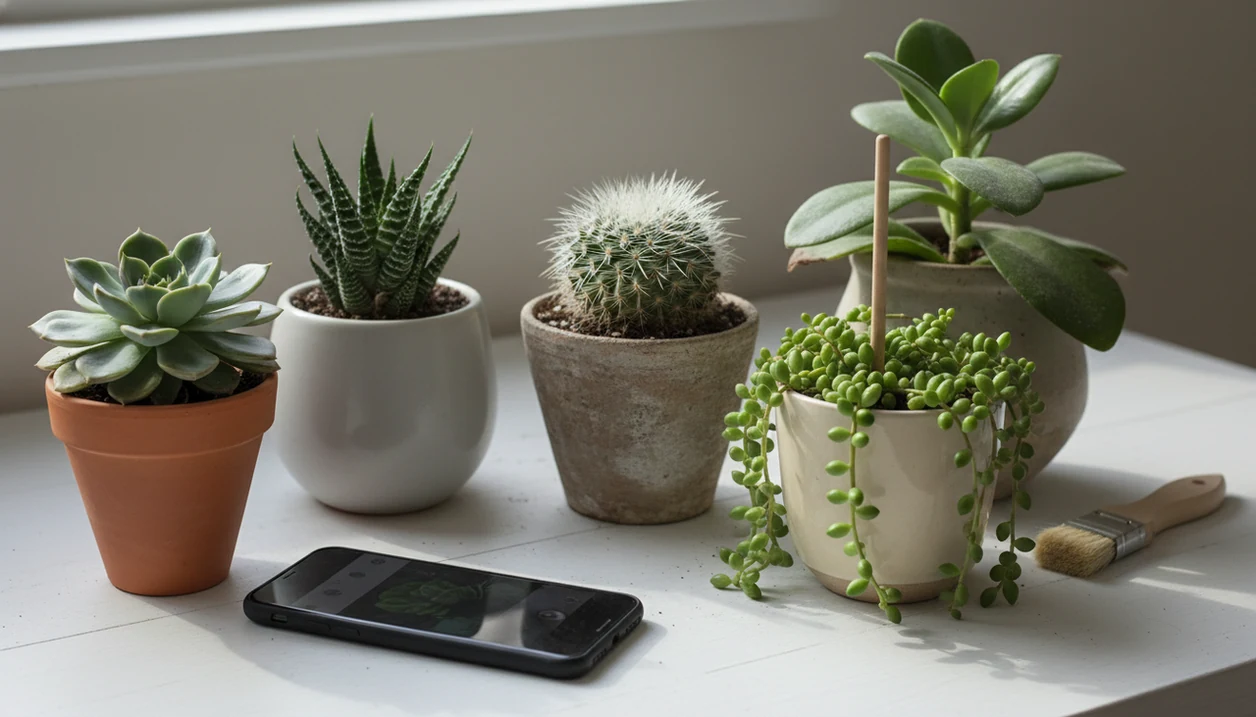
To identify succulent from photo, take clear shots of the rosette or stem shape, leaf thickness, offsets, spines, and flowers, then compare the app result with visible plant traits before changing care. A good photo usually gets you to the right genus or type, which is often enough to choose safer watering and light habits.
> A good succulent photo identifier should return likely matches, explain confidence limits, and connect the likely plant type to watering, light, and stress checks.
- Most succulent photo IDs are most reliable at the genus or type level, not always the exact cultivar.
- Use multiple photos: whole plant, leaf close-up, stem, offsets, flowers, and any stress symptoms.
- Translate the likely ID into care: rosette succulents, Haworthias, cacti, trailing Sedums, and Kalanchoes do not all want the same water and light.
Succulent Plant ID From A Photo: What The Result Really Means
Succulent plant ID from a photo usually means a best-fit match to a genus or type, not a guaranteed exact species or cultivar. The app may suggest Echeveria, Haworthia, Sedum, Aloe, Kalanchoe, or a cactus group based on visible photo clues.
That is still useful. A likely Echeveria tells you more about bright light and dry-down than the label “succulent” does. A likely Haworthia points toward gentler light and less intense sun.
Cultivar-level accuracy is harder because many nursery succulents have been hybridized, renamed, or sold with vague tags. We often see plant tags faded by sun or tossed with the nursery sleeve. Use the app result as a starting point, then compare the leaf shape, stem, and growth habit before changing water or light.
Before You Start: What To Photograph And Check
Before you start, set up the plant so the photo shows its real shape, not glare, dust, or stress distortion. A few quiet checks also keep you from “fixing” the plant before you know what it is.
- Clean your phone lens and move the pot into bright indirect daylight, such as near a window but out of harsh sun. Skip filters and strong yellow indoor light.
- Check the plant’s recent history before you shoot. Note whether it is wet, newly repotted, sunburned, blooming, dropping leaves, or leaning toward the glass.
- Photograph the whole pot first, including the plant’s height, spread, soil line, and any offsets. Do this before pulling leaves, unpotting roots, or brushing off useful surface clues.
- Keep the nursery tag in the frame or beside the pot, even if it only says “succulent,” “assorted,” or a vague trade name.
- Hold off on changing water, light, or soil until the likely ID is cross-checked against visible traits. The wrong quick move can turn a mild stress problem into scars, rot, or more stretching.
Succulent Identifier App Checklist For Clear Photos
A succulent identifier app works better when your photos show the whole plant and the small traits that separate similar genera. One pretty leaf is rarely enough, especially under yellow kitchen light at 10 p.m.
- Show the plant’s main form: rosette, trailing stem, upright stem, column, clump, or offset cluster.
- Capture leaf details: thickness, pointed tips, rounded tips, teeth, powdery farina, windowed areas, or surface texture.
- Include spines, flowers, flower stalks, offsets, and the soil line when they are visible.
- Add care clues such as stretching, wrinkling, mushy leaves, sunburn patches, compact growth, or leaning toward glass.
- Use bright indirect daylight and a plain background; blurry, filtered, or backlit photos lower confidence.
For broader plant-photo technique, the same principles apply when you identify plant from photo: show structure first, then close-ups.
How Photo-Based Succulent Identification Works
Photo-based succulent identification works by comparing your image with labeled plant-image patterns. AI models use visual features such as leaf arrangement, edge shape, color, spines, flower form, and growth habit. In plain terms, the model looks for a close visual neighborhood, then ranks likely matches.
Large curated datasets matter because the model needs many examples of the same plant from different angles, ages, and lighting conditions. The PlantCLEF 2015 dataset included more than 113,000 labeled images across 1,000 species, showing why scale helps plant recognition (https://www.imageclef.org/lifeclef/2015/plant). A PlantNet evaluation reported roughly 88–94% top-5 accuracy in tested conditions, meaning the correct species was often among the first five suggestions rather than always the first result (https://doi.org/10.3389/fpls.2022.876048).
Common ornamental succulents are usually easier than rare hybrids because they appear more often in training examples. The terracotta pot beside an open app is a familiar scene, but the database behind that result decides how useful the match is.
How To Use A Succulent Identifier App Correctly
Use a succulent identifier app as a structured check, not as a one-photo verdict. The goal is to reach a likely genus, then choose a care step, not a cure.
- Photograph the whole plant in natural light, including the pot and growth habit.
- Add close-ups of leaves, rosette center, stem, offsets, and flowers if present.
- Upload more than one angle to the app, especially if the plant is stretched or crowded.
- Compare the top suggestions against visible traits, not just the prettiest sample photo.
- Save the likely genus and match it to watering and light needs.
- Recheck the ID after flowering or new growth if confidence is low.
Tools such as PlantNet and PictureThis can help organize likely matches, but the useful output is the same: likely names, visible trait comparisons, and next care steps rather than certainty from one image.
Step 1: Match Rosette, Leaf, Stem, And Spine Traits
The fastest way to improve succulent plant id confidence is to match plant form before chasing species names. Rosette, trailing, upright, columnar, and clumping succulents narrow the field quickly.
- Echeveria rosettes: Look for a compact rose shape, thick leaves, and often a powdery farina that rubs off easily.
- Haworthia windowed leaves: Check for short clumps, translucent leaf tips, stripes, or firm triangular leaves.
- Aloe toothed leaves: Compare thicker upright leaves, toothed margins, and offsets around the base.
- Sedum trailing stems: Look for beadlike or plump leaves running along flexible stems.
- Cacti spines: Match areoles, spine clusters, ribs, pads, or columnar growth.
Flowers can be decisive, but houseplant photos often miss them. For succulent owners, morphology is often more useful than color because stress can turn leaves red, pale, or dull green.
Step 2: Translate Succulent Plant ID Into Watering And Light
A likely succulent ID becomes useful when it changes how you water, place, and watch the plant. Do not use one generic succulent schedule for every pot on the shelf.
Common Succulent ID Care Table
| Likely succulent group | Photo clues | Care implication |
|---|---|---|
| Echeveria / Graptopetalum | Rosette form, thick leaves, often powdery surface | Bright light, strong air flow, and full dry-down before watering |
| Haworthia / Gasteria | Compact clumps, windowed or patterned leaves | Tolerates lower light; avoid harsh afternoon sun |
| Cacti | Spines, ribs, pads, or columns | Strong light and sparse watering, especially in cool months |
| Aloe | Toothed leaves, offsets, upright or arching growth | Water after dry-down; adjust for season and pot depth |
| Kalanchoe | Fleshy leaves, upright stems, sometimes scalloped edges | Varies by species, light level, and blooming cycle |
A watering can dripping on a saucer is a small warning sign. If the mix still smells damp, wait. If leaf symptoms are the main concern, a plant disease diagnosis app can help separate likely rot, pests, and stress.
Step 3: Spot Wrong Succulent Identifier App Results
“Why does my succulent identifier app give the wrong result?” Usually, the photo is missing a key trait, or the plant’s stress is changing its shape and color.
Mismatch signals include a suggested plant with a different leaf arrangement, spine pattern, growth habit, flower shape, or mature size. Etiolation can make rosette plants look like trailing plants. Sunburn can bleach the surface. Rot can make firm leaves collapse into mush.
Try a new photo set before making big care changes. Include the whole plant, a side view, a stem close-up, and the soil surface. Compare another app result and check reputable guides, especially when the ID is uncertain. If the app says full sun but your plant has leaf touching cold windowpane glass, move slowly. Sudden intense light can scar soft leaves.
Common Myths About Identifying Succulents From Photos
Succulent photo identification is helpful, but several myths lead to bad care decisions. The safest approach is to combine the likely match with visible traits and current growing conditions.
- One photo does not always give the exact species or cultivar; many succulents are visually similar hybrids.
- Similar-looking succulents do not always need identical care, especially across Haworthia, Aloe, Echeveria, and cacti.
- All succulents do not follow the same watering schedule; pot size, soil mix, season, and light change dry-down speed.
- AI plant ID is not equally accurate for common and rare plants; models perform better on well-represented examples.
- A plant ID does not automatically diagnose rot, pests, or underwatering.
If the main clue is flower color or bloom shape, it may help to identify flower from photo as a separate check. Flowers, when present, can settle a close match.
Limitations
Photo ID has real limits, especially with succulents sold as hybrids or mixed nursery assortments. Use the result to guide safer next steps, but cross-check before major changes.
- A single photo may miss flowers, roots, stem structure, scale, and mature growth habit.
- Rare hybrids, new cultivars, and locally uncommon species may be absent from training data.
- Sick or stressed succulents may be misidentified because color and shape are distorted.
- Photo ID may only be genus-level, even when the app suggests a species name.
- Generic care instructions may not account for pot size, soil mix, humidity, season, or window direction.
- Cross-check before moving a plant into intense sun or sharply changing watering frequency.
- Rot suspicion needs touch and smell checks, not just a picture.
Crispy brown leaf margins may point to sun, water, salts, or cold damage. Not one thing. Treat any app’s care notes as prompts to inspect the plant, pot, soil smell, and room conditions before you change its routine.
FAQ
Can Google identify my succulent?
Google visual search can suggest possible matches, but a plant-specific app plus trait checking is usually more useful for care. Compare the result with rosette shape, leaf thickness, stems, offsets, spines, and flowers.
What succulent do I have?
Start by comparing the plant’s rosette, leaf, stem, spine, offset, and flower traits with the top app suggestions. A clear succulent plant id often lands at genus level first.
Are succulent identifier apps accurate?
They are often useful for common genera under good photo conditions. Accuracy is weaker for rare species, hybrids, stressed plants, and poor lighting.
Can one photo identify a succulent?
One clear photo may help, especially for distinctive plants. Multiple angles greatly improve confidence because they show growth habit and hidden stem traits.
Why is my succulent misidentified?
Common reasons include poor lighting, blur, stress distortion, missing flowers, similar cultivars, and limited training examples. Take a fresh set of photos in daylight.
Do all succulents need full sun?
No. Many rosette succulents and cacti like strong light, while Haworthia and some shade-tolerant succulents need gentler light.
How often should identified succulents be watered?
Water by dry soil, plant type, season, and pot conditions rather than a fixed calendar. Most succulents should dry down well before the next watering.
Can an app diagnose succulent rot?
An app can flag likely rot symptoms, but you should confirm with soil, stem, and root checks. PlantApp can help organize symptoms, but the final check is physical inspection.