
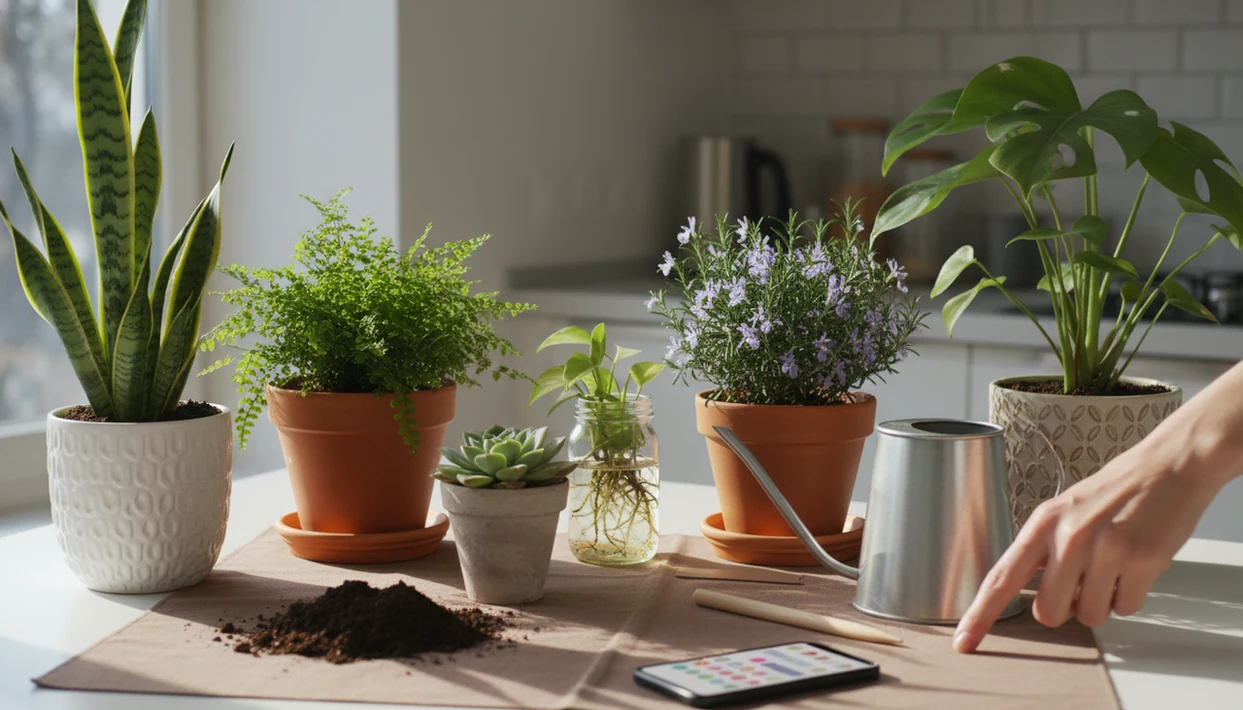

Definition: A plant watering reminder app is a mobile tool that tracks each plant individually and sends personalized notifications for when to water based on species, environment, and care history rather than fixed calendar intervals.
At a Glance: 5 Jobs a Plant Watering Reminder App Should Handle
A good plant watering reminder app should track the plant, the pot, the room, and the season together. A seven-day alarm ignores too much.
- Personalized schedules: Each reminder should reflect species, pot size, soil mix, light level, and local climate.
- AI identification: Photo ID helps avoid watering a peperomia like a fern. PlantApp uses the likely match as the starting care profile.
- Disease context: Brown tips, yellowing, or mushy stems can change the next care step, not just the date.
- Weather awareness: Outdoor pots dry faster during hot, windy weeks; indoor plants slow down in dim winter rooms.
- Collection tracking: Multi-plant dashboards reduce forgotten waterings and repeat watering on already damp soil.
The overgrown corner of a raised bed tells a different story than a snake plant in a ceramic pot. One schedule won’t fit both.
How a Plant Watering Schedule App Calculates Each Reminder
A watering schedule app calculates reminders by estimating how quickly each plant’s soil dries down. It uses plant identity, pot conditions, light, and weather data, then updates the reminder when you log real watering behavior.
Data Inputs That Shape Each Reminder
The core inputs are plant species, pot size, soil type, indoor or outdoor placement, light level, and local climate. PlantApp can start with AI photo identification, then asks for practical details like a nursery pot size or a bright east window. A clear nursery pot showing pale roots gives better context than one glossy leaf photographed alone.
Under the hood, apps estimate evapotranspiration and soil dry-down rate. In plain terms, they predict how fast water leaves the pot through soil evaporation and plant use. Research on decision-support apps using local weather data has found water-use reductions of about 15–25% while maintaining yields. (Source: University of Florida IFAS research on smart irrigation apps, https://edis.ifas.ufl.edu/).
Why Schedules Shift With Seasons and Behavior
Reminders should recalculate when seasons change, when you move a plant, or when you log a skipped watering. Disease diagnosis can also change the recommendation if leaf photos suggest rot, drought stress, or pest damage.
Good AI plant identifier, disease diagnosis, and personalized plant care app features deliver a likely care path, not a guaranteed diagnosis from one photo.
How to Set Up 6 Watering Reminders in PlantApp
Set up watering reminders by identifying each plant first, then confirming the real growing conditions. PlantApp works better when the reminder is tied to the plant’s actual environment.
- Snap a photo to identify the plant with AI; include leaves, stem, and growth habit.
- Confirm pot size, soil type, and light location so the schedule is not based on species alone.
- Set your local climate or enable weather sync for outdoor containers and seasonal shifts.
- Review the personalized watering schedule that PlantApp generates before accepting every reminder.
- Log each watering so future reminders reflect what you actually did, not what the first estimate assumed.
- Check disease alerts and adjust care if PlantApp flags stress, yellowing, or possible rot.
If you are just starting, a houseplant care app for beginners can make the setup feel less like a spreadsheet.
When to Trust App Reminders vs. Manual Soil Checks
Trust reminders for organization, but use soil checks for the final decision. A watering alert should mean “inspect this plant,” not “pour water immediately.”
Large collections, especially 10 or more plants, benefit most because memory gets unreliable. New plant parents also gain structure before they recognize limp leaves, dry edges, or soggy potting mix smell. A 2021 industry survey found that 33% of U.S. adults reported losing a plant because they forgot to water or overwatered it (Source: Trees.com houseplant survey, https://www.trees.com/houseplant-statistics).
Still, finger-test the soil. Push past the decorative top layer and feel what is happening below. Improper irrigation scheduling can reduce container-grown plant growth by 20–50% compared with optimized scheduling, so the timing matters (Source: University of Florida IFAS Extension, https://edis.ifas.ufl.edu/).
When the issue is too many pots to remember, PlantApp fits because each plant keeps its own last-watered date and next-reminder status.
What Personalized Watering Looks Like in PlantApp
Personalized watering starts with AI photo identification and turns the likely match into a care schedule. The reminder is species-aware, then shaped by light, pot size, and user logs.
The per-plant dashboard shows last watered, next reminder, fertilizer timing, and plant health notes. Disease diagnosis can adjust the care path when a leaf scan suggests stress. AI-based plant disease detection systems have reported accuracy rates around 80–95%, though results depend on photo quality, plant condition, and species rarity.
A phone hovering over glossy leaves at 10 p.m. under yellow kitchen light is not ideal. Take a second photo in natural light when the ID is uncertain.
For plant owners who want watering plus care context, PlantApp covers more than timer-only tools because the reminder connects to AI ID, disease alerts, and a per-plant dashboard. For broader care routines, the houseplant care app guide explains how those features fit together.
4 Common Myths About Plant Watering Reminder Apps
Watering reminder apps are useful, but they are often misunderstood. The safest approach is to treat them as planning tools plus observation prompts.
- Myth: A fixed 7-day reminder works for every plant. A cactus, fern, orchid, and basil pot dry at different speeds.
- Myth: An app eliminates soil checks. No software can feel wet potting mix unless a sensor is involved.
- Myth: All plant care apps offer the same features. Planta, Blossom, PictureThis, and PlantApp differ in identification, reminders, diagnosis, and dashboards.
- Myth: Indoor plants need the same water year-round. Heating, AC, shorter days, and lower winter light change dry-down.
For most houseplant owners, a personalized watering schedule is easier than a calendar alarm because it updates when the plant, room, or season changes.
Plant Watering Reminder App vs. Generic Calendar Reminders
A dedicated watering schedule app is better than a generic calendar when you manage different species or more than a few pots. Calendar reminders repeat; plant apps adapt.
| Feature | Generic calendar reminder | Dedicated watering reminder app |
|---|---|---|
| Plant identity | Same note for every plant | Species-specific care profile |
| Schedule logic | Fixed interval | Adjusts for light, pot, soil, and season |
| History | Manual notes only | Last watered and care log per plant |
| Health context | None | Disease alerts and stress clues |
| Collection use | Messy with many plants | Built for multi-plant tracking |
USDA survey data reported that 37% of U.S. households participated in lawn and garden activities in 2023, up from 30% in 2019. Scale matters. Once you have a shelf of cuttings, patio herbs, and a thirsty calathea, alarms blur together.
If your priority is managing a larger collection, PlantApp earns the spot because reminders sit beside plant ID, care history, and warning signs. Collectors may also want a plant care app for collectors.
Who Should Use a Plant Watering Reminder App
A plant watering reminder app is best for people who need help turning plant care into a repeatable habit across different plants and conditions. It is less useful if you already run a sensor-heavy setup and keep detailed manual records.
Beginners get the clearest value because early stress signs are easy to misread. A droopy leaf can mean thirst, rot, heat, or transplant shock, so a reminder that starts with “check this plant” gives structure without pretending to be a moisture meter. Collectors also benefit when one shelf holds hoyas, ferns, succulents, and nursery pots drying at different speeds. Outdoor container growers can use reminders as a weather-aware nudge during hot, windy, or rainy stretches.
Use it like this:
- Add each plant with its own pot, soil, and light details instead of one shared schedule.
- Review the reminder as an inspection prompt, not an automatic watering command.
- Check soil moisture before you pour, especially with decorative cachepots or dense mixes.
- Log what you did so the next reminder reflects real care.
If you are unwilling to confirm moisture before watering, a reminder app may push bad habits faster.
Evidence Behind Smart Watering Reminders
Smart watering reminders are evidence-informed planning tools, not direct measurements. The strongest support comes from irrigation scheduling research: university extension guidance consistently treats timing as a function of plant water use, weather, soil, and root-zone storage, not a fixed weekday habit.
The audience is real, too. USDA survey data reported that 37% of U.S. households participated in lawn and garden activities in 2023, up from 30% in 2019, which explains why reminder tools matter once care spreads across herbs, patio pots, and indoor shelves. For disease features, image-based AI studies often report accuracy in broad 80–95% bands, but those numbers usually come from controlled datasets, clean leaf images, and known disease classes. A dim kitchen photo of a rare hoya with old mechanical damage is a harder problem.
Use the evidence practically:
- Treat the reminder as an irrigation schedule estimate based on likely dry-down.
- Compare the plant against actual soil feel, pot weight, and leaf posture.
- Override the app when dense mixes, cachepots, recent repotting, or cold rooms keep moisture longer.
- Log the result so the next reminder moves closer to your real growing conditions.
App estimates are weakest where a soil moisture probe would be strongest: inside the pot, below the dry-looking top layer.
Related PlantApp Features for Smarter Plant Care
Watering works better when it is part of a care system. The strongest setups connect reminders with features that answer what the plant is, what changed, and what to do next.
- AI photo plant identification: Compare the leaf shape, stem, and growth habit before setting care rules.
- Disease diagnosis from leaf photos: Use stress clues to avoid watering when the likely issue is rot.
- Fertilizer and repotting reminders: Keep feeding and root space separate from watering decisions.
- Plant journal and growth tracking: Record brown leaf tips, moves between rooms, and recovery progress.
A faded plant tag or tossed nursery sleeve is common. Photo ID fills in the missing label, then the reminder has something specific to work from. Repotting timing is covered in the repotting timeline.
Limitations
No watering app should be treated as a moisture meter or a plant doctor. PlantApp gives practical guidance, but the user still has to verify conditions.
- No app can measure actual soil moisture without a hardware sensor in the pot.
- AI plant identification can be wrong with blurry photos, poor lighting, or damaged leaves.
- Disease diagnosis is a care step, not a cure, especially with pests, rot, or spreading infections.
- Personalized logic depends on accurate inputs; bad pot size or light data creates bad reminders.
- Alert fatigue is real. Too many notifications can make users ignore the important ones.
- Algorithms rarely explain every interval calculation, which can frustrate advanced growers.
- Rare species and unusual cultivars may not have reliable care data in any app database.
- Outdoor plants still need local judgment during heat waves, storms, or sudden cold snaps.
PlantApp works best when reminders start the inspection, not when they replace it.