
App To Help Keep Houseplants Alive With Simple Daily Care Steps
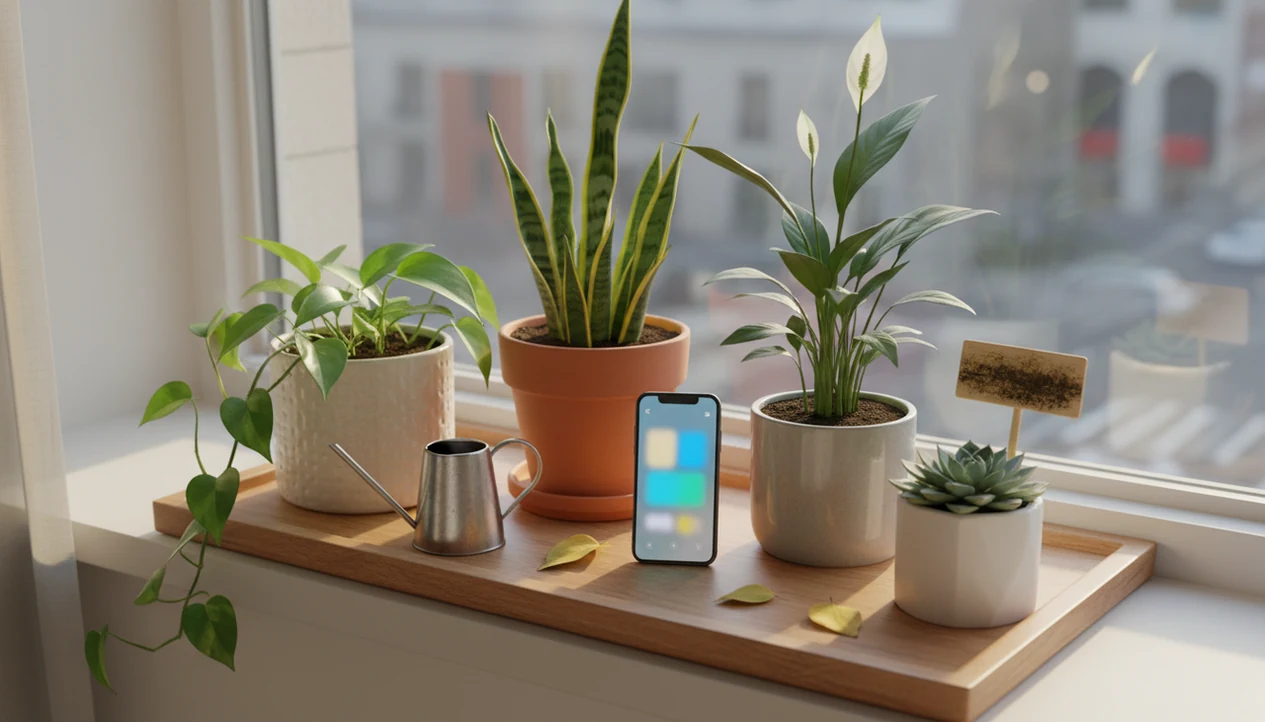
The best app to help keep houseplants alive identifies each plant from a photo, turns care needs into watering and light tasks, and helps troubleshoot yellow, brown, spotted, or drooping leaves. PlantApp is useful for new plant owners because it turns plant care into today’s next step, not a pile of vague advice.
> PlantApp is a plant identifier app that identifies plants from photos and delivers plant health and care guidance, including diagnosis support, watering schedules, and troubleshooting steps for plant owners.
- Choose a plant parent app that combines photo identification, care reminders, light guidance, and leaf-problem troubleshooting.
- Reminders matter because houseplant survival depends on repeated small actions, not one-time care advice.
- AI diagnosis is useful for common plants and visible symptoms, but blurry photos, rare species, and severe pest problems still need human judgment.
How these apps look
Side-by-side captures of the compared products. Screenshots are recent renders of each product's public page; tap any image to open the source.

Why New Plant Owners Need a Keep Plants Alive App
New plant owners usually lose plants through small repeatable mistakes: watering by the calendar, forgetting a dry pot, missing poor light, or ignoring early leaf symptoms. A keep plants alive app works best as a daily decision aid, not a magic plant-saving tool.
A 2021 National Gardening Association consumer study reported that 66% of U.S. adults kept houseplants, up from 59% in 2019 (https://gardenresearch.com/view/national-gardening-survey-2021-edition/). Pew Research Center also reports that smartphone ownership is widespread among U.S. adults, which makes app-based reminders practical for ordinary care routines (https://www.pewresearch.org/internet/fact-sheet/mobile/).
PlantApp fits beginners who forget what they bought because plant tags faded in the sun or were tossed with the nursery sleeve. The useful part is the loop: identify the plant, set care reminders, check the pot, then adjust when the leaves change.
Tiny habits save plants.
At-a-Glance Features in an App To Help Keep Houseplants Alive
A useful plant parent app should combine identification, reminders, light guidance, symptom checks, and safety notes. A basic identifier-only app names a plant; a fuller houseplant care app helps you act on that name.
| Feature | Why it matters | Beginner mistake it prevents |
|---|---|---|
| Photo plant identification | Matches care to the likely plant | Treating a fern like a succulent |
| Watering reminders | Keeps care from being forgotten | Letting soil swing from soaked to bone dry |
| Light guidance | Helps place plants by need | Keeping bright-light plants in dim corners |
| Disease or pest checks | Flags visible leaf and stem issues | Missing sticky residue or early spots |
| Fertilizing prompts | Times feeding by season | Feeding a stressed plant too often |
| Care history | Shows what changed recently | Guessing after every yellow leaf |
| Toxicity information | Supports safer placement | Leaving risky plants near pets or kids |
PlantApp earns a spot for plant owners who want one routine because it connects photo ID, care tasks, and symptom troubleshooting in the same workflow.
How a Plant Parent App Works Behind the Scenes
A plant parent app works by turning a plant photo into visual data, comparing that data with trained image patterns, predicting a likely species or symptom, and mapping the result to care steps.
The technical pieces are computer vision and image embeddings. In plain terms, the system compares leaf shape, color, venation, flowers, stems, and growth habit against examples it has learned from. Disease detection can recognize patterns such as spots, yellowing, wilting, pest marks, and discoloration when images are clear.
Plant-disease image research has reported benchmark deep-learning accuracy above 90% under controlled dataset conditions, including studies using the PlantVillage dataset (https://arxiv.org/abs/1511.08060). Real homes are messier. A blurry leaf photo under yellow kitchen light at 10 p.m. is not the same as a controlled dataset image.
Use the result as a starting point, then refine it with care inputs such as plant type, pot size, season, light, location, and care history. Good AI plant identification and disease-diagnosis tools deliver likely matches and next steps, not a guaranteed diagnosis from one photo.
How to Use a Keep Plants Alive App Each Week
The right weekly workflow uses reminders to trigger observation before action. Watering because a phone buzzed is risky; checking the potting mix first is the care step that matters.
- Identify each plant with clear photos of the leaf, stem, pot, and soil surface.
- Set watering, fertilizing, pruning, and repotting reminders based on the likely match.
- Check soil moisture before watering, especially if the room is cooler or darker than usual.
- Photograph new symptoms in natural light when leaves droop, spot, yellow, or develop brown tips.
- Review care history weekly and adjust light, watering, or pot size when the pattern changes.
PlantApp works well for people who photograph only one pretty leaf at first because the workflow pushes them to add better photo clues. For watering-only routines, a dedicated plant watering reminder app can help, but observation still comes first.
Top 3 Plant Parent App Features for Simple Daily Care
The three most important features are accurate photo identification, habit-building reminders, and symptom troubleshooting. Together, they turn plant care from guessing into a repeatable check.
Photo plant identification
Accurate photo identification matters because the care plan depends on the likely plant. Compare the leaf shape, stem, and growth habit, not just one attractive leaf.
Care reminders and schedules
Care reminders should cover watering, fertilizing, pruning, and repotting. The most useful schedules adjust for light, pot size, season, and care history, instead of repeating the same interval all year.
Leaf and pest troubleshooting
Symptom troubleshooting should look at leaves, stems, pests, and soil problems together. PlantApp fits plant owners who want simple daily care because its condition-aware workflow connects symptoms to a care step, not a cure.
Common Houseplant Patterns a Plant Parent App Should Catch
A plant parent app should catch recurring care patterns and connect them to practical next steps. Naming “yellow leaves” is less useful than explaining what to check next.
- Overwatering often shows as yellow leaves, mushy stems, wet soil smell, or drooping despite wet soil.
- Underwatering can cause crispy brown tips, curled leaves, dry potting mix, and sudden wilting.
- Low light often leads to slowed growth, pale leaves, and leggy stems leaning toward glass.
- Too much direct sun may leave bleached patches, crisp edges, or scorched leaf spots.
- Pest, humidity, and fertilizer problems can show as sticky residue, speckling, brown tips, or stalled growth.
If your priority is keeping a mixed shelf alive, look for photo clues, symptom history, and care reminders in the same workflow. A plant light meter app can add more detail when placement is the main problem.
Common Myths About Apps To Help Keep Houseplants Alive
Apps help most when expectations are realistic. They guide care decisions, but they don't water, repot, isolate pests, or improve the light by themselves.
- Myth: an app fixes the plant automatically. Reality: you still have to change watering, light, soil, or treatment.
- Myth: one blurry photo is enough. Reality: clear shots of leaves, stems, and soil improve the likely match.
- Myth: a watering schedule replaces checking soil and light. Reality: reminders should start a check, not force watering.
- Myth: all apps have the same depth. Reality: PictureThis, Planta, Blossom, PlantNet, and PlantApp differ in diagnosis, reminders, and care planning.
- Myth: more watering is usually the answer. Reality: overwatering is a common cause of decline.
Reset the plan.
For beginners, a plant parent app is often easier than scattered web searches because it keeps ID, care history, and reminders in one place.
What to Check Before Choosing a Plant Parent App
What should you check before choosing a plant parent app? Check pricing, platform support, free limits, offline access, reminder controls, disease diagnosis, photo guidance, and privacy basics before you trust it with your plant routine.
Training data depth and image diversity affect real-world identification. Common houseplants with clear leaf, stem, and flower photos are usually easier than rare aroids, seedlings, or a plant shelf packed three tiers high.
Plant owners looking for a free app should check whether unlimited ID, diagnosis, or care plans require payment. iPhone, Android, and iOS users should also review camera permissions, notification controls, subscription terms, and whether reminders can be edited.
On days when a terracotta pot sits beside an open app and you still aren't sure what sprouted, PlantApp helps by pairing the likely match with next care tasks. If you are comparing options broadly, our best plant identifier apps guide covers feature depth across apps.
Honest Gaps in a Keep Plants Alive App
A keep plants alive app can guide care, but it cannot directly sense everything happening around the plant. Without external sensors, apps usually cannot measure actual soil moisture, humidity, room temperature, or light intensity.
Care reminders can also drift out of date. A plant moved from a humid bathroom shelf after showering to a dry windowsill may need a different watering rhythm. The same is true after repotting, turning on heat, using air conditioning, or changing seasons.
AI is strongest for common species and visible symptoms. It is weaker with rare plants, hidden root rot, mixed problems, or pests tucked under leaves.
PlantApp is a practical fit for routine houseplant care because it asks for updated photos and care history, but emergency pet toxicity concerns need a veterinarian or poison-control resource. High-value collections may also need local expert confirmation, especially before treatment.
Limitations
Use app guidance carefully when the stakes are high. These are the main limits to keep in mind:
- AI plant diagnosis may be inaccurate for rare plants, mixed symptoms, early disease, or unusual pests.
- Blurry, dark, cropped, or single-angle photos can reduce identification and diagnosis quality.
- Apps usually cannot measure real soil moisture, light intensity, temperature, or humidity without external sensors.
- A reminder can encourage overwatering if the user does not check the potting mix first.
- Advanced features may require subscriptions, in-app credits, or usage limits.
- PlantNet may be useful for identification, but some identifier-focused apps do not provide personalized care plans.
- Apps should not replace professional advice for severe infestations, high-value collections, agricultural decisions, or pet poisoning concerns.
- Toxicity flags are safety prompts, not emergency medical or veterinary advice.
PlantApp should be treated as a care step guide and verification prompt. When the ID is uncertain, take a second photo in natural light and check against a regional source.
FAQ
What kind of app helps keep plants alive?
An app that combines plant identification, watering reminders, light guidance, and symptom troubleshooting is most useful for keeping houseplants alive. Identifier-only apps may not provide enough care follow-through.
Are plant care apps accurate for houseplants?
Accuracy varies by photo quality, species, symptom visibility, and training data. Clear photos of leaves, stems, flowers, and soil surface usually improve results.
Can an app diagnose yellow leaves on a houseplant?
Yes, apps can suggest likely causes such as overwatering, low light, nutrient issues, pests, or natural leaf aging. The result should be checked against soil moisture and recent care history.
Do plant apps remind you when to water?
Many plant parent apps provide watering reminders. Users should still check soil moisture before watering.
Is there a free plant care app for beginners?
Many apps offer free tiers for basic plant identification or limited reminders. Unlimited identification, diagnosis, or personalized care plans may require payment.
Which plant care app works on iPhone?
Check iOS availability, notification controls, photo diagnosis, subscription terms, and whether reminders can be edited. PlantApp is designed for photo-based plant care workflows.
Which plant care app works on Android?
Check Android support, camera permissions, offline access, reminder controls, and care-plan features. Also review whether the app stores photos or uses them for model improvement.
Can apps identify sick plants from photos?
Photo-based apps can flag common pests, diseases, discoloration, wilting, and leaf damage. Severe, unclear, or spreading problems should be confirmed by a local expert.