
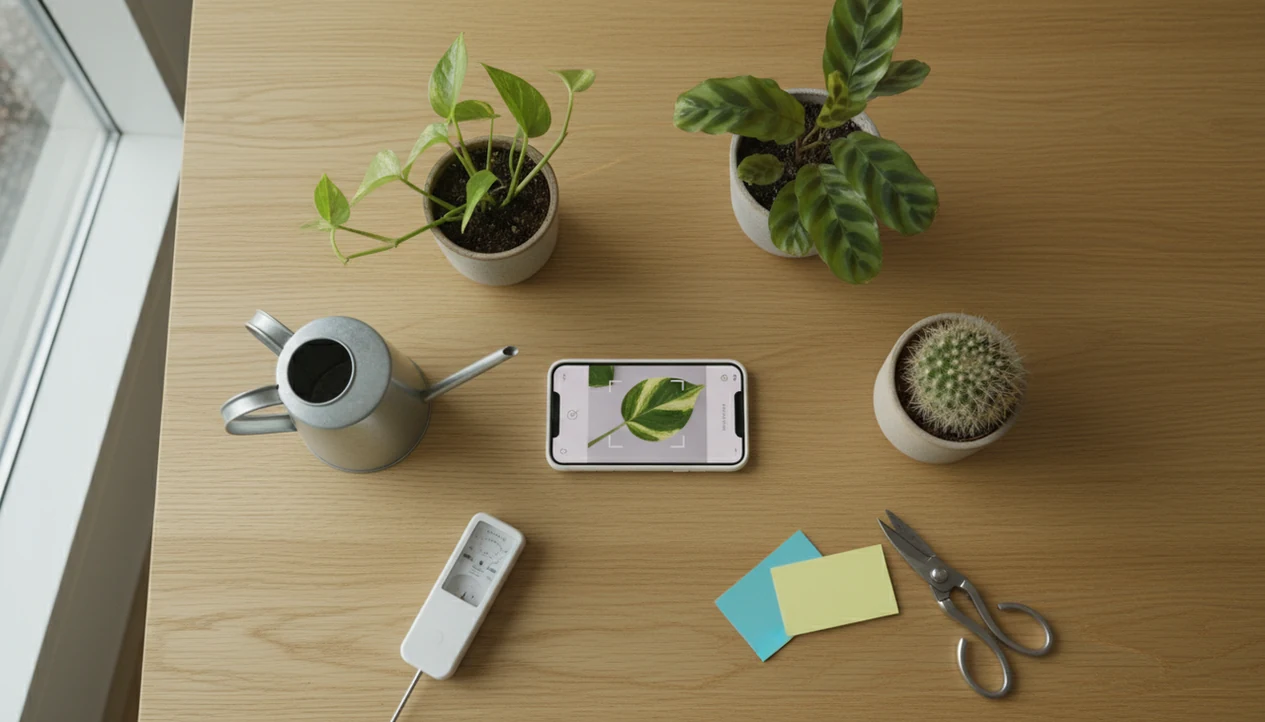

Definition: A houseplant care app is a mobile tool that identifies plants from photos and delivers species-specific watering schedules, light recommendations, fertilizing timelines, and symptom-based troubleshooting to help plant owners keep indoor plants healthy.
Five Facts Every Plant Owner Should Know About Houseplant Care Apps
- Identification comes first. Care advice means little until you know whether the plant is a pothos, calathea, ficus, orchid, or something else.
- The core workflow is simple. Most users move from photo upload, to plant match, to care profile, to reminders.
- Strong apps go beyond watering. Light range, fertilizer timing, repotting prompts, and pest help matter when brown tips or yellow leaves appear.
- Apps still need your eyes. A reminder cannot smell soggy potting mix or see roots circling a clear nursery pot.
- Records improve the result. AI identification and troubleshooting work better when photos are clear and plant notes stay current.
If the priority is turning an unknown windowsill plant into a care routine, PlantApp fits because it connects the likely match to a saved care profile and reminder schedule. One pretty leaf photo helps, but the stem, pot, and soil surface usually tell the better story.
What PlantApp Does for Houseplant Care
PlantApp turns an unknown indoor plant into a named care plan with reminders and troubleshooting. It connects photo identification, plant-specific guidance, and separate records so a fern, pothos, and cactus do not all get treated the same.
- Photograph the plant clearly so the app can compare leaves, stems, and growth habit against likely species matches.
- Save the confirmed match as a profile with care notes for water, light, humidity, and soil preferences.
- Turn the profile into reminders for watering, feeding, and repotting instead of relying on a single weekly routine.
- Upload symptom photos when something changes so yellowing, wilting, spots, pests, overwatering, underwatering, and general stress can be separated into more useful next steps.
- Track each houseplant separately as it moves rooms, changes pots, or reacts to seasonal light.
That separate tracking is the quiet advantage. A peace lily near a bright window and a snake plant on a hallway shelf may both live indoors, but their schedules should not share one calendar rule.
AI Model And Plant Data Behind A Houseplant Care App
A houseplant care app works by comparing uploaded plant photos against known visual patterns, then linking the likely match to structured care data. The AI model uses image embeddings, which are numerical summaries of leaf shape, color, texture, and growth habit.
Once a match is selected, the species profile triggers care guidance for water frequency, light range, humidity preference, soil type, and common stress signs. The reminder engine starts with species defaults, but it should be adjusted for pot size, season, placement, and indoor conditions. A snake plant in winter shade needs a different rhythm than the same plant near a bright summer window.
Symptom photos should be treated as care clues, not a guaranteed diagnosis from one image. The troubleshooting module compares yellowing, spotting, wilting, pest marks, and stem damage against known stress patterns. Good AI plant identifier, disease diagnosis, and personalized plant care apps for houseplants and garden plants deliver a likely next step, not certainty from a single blurry photo.
Six Steps From Plant Photo To Care Action Plan
Use a houseplant care app by moving from a clear photo to a saved plant profile, then updating that profile when the plant’s conditions change. The workflow is fastest when you photograph the whole plant, not only the cleanest leaf.
- Open the app and snap or upload a clear photo of the plant in natural light, with leaves and stems visible.
- Review the species match and confirm or refine the identification by comparing the leaf shape, stem, and growth habit.
- Set up the care profile with pot size, room placement, window direction, and light exposure.
- Activate watering, fertilizing, and repotting reminders so the care plan becomes a calendar habit.
- Use the troubleshooting tool when yellowing, wilting, sticky residue, or soft stems appear.
- Update plant records after repotting, moving rooms, or seasonal light changes.
After an unlabeled gift plant lands on a windowsill, PlantApp helps because the photo ID can become a named profile with watering, light, and symptom notes. For newer owners, a houseplant care app for beginners can make that first setup feel less scattered.
Watering And Light Scenarios For Indoor Plant Care Apps
Indoor plant care apps add the most value when memory, season, or room placement changes the care decision. According to the National Gardening Association, 64% of U.S. households reported owning at least one houseplant in 2023, and Pew Research Center reported that 90% of U.S. adults owned a smartphone in 2023, so photo-based plant care fits how many people already manage daily tasks (https://gardenresearch.com/ and https://www.pewresearch.org/internet/fact-sheet/mobile/).
New plant owners often do not know whether a plant wants to dry out fully or stay lightly moist. Households with five or more plants also hit a tracking wall fast. One fern, two succulents, a peace lily, and a philodendron should not share the same Saturday watering rule.
When the issue is changing light, PlantApp handles the decision because the care profile can be updated after a plant moves from an east window glow to a darker shelf. For light-specific setup, a plant light meter app gives more detail on placement checks.
PlantApp Photo ID And Symptom Troubleshooting
PlantApp identifies houseplants from photos, returns likely species names and common aliases, then adds care guidance and safety warnings where relevant. If a fallen leaf is on the living room rug and a pet lives there, toxicity information is not a small feature.
The care profile auto-populates water, light, humidity, and soil preferences after the identification step. Users can save multiple plants in a personal collection, each with its own reminder schedule. PlantApp also accepts symptom photos, then compares the clues across overwatering, pests, nutrient stress, and disease patterns.
Anyone dealing with yellow leaves or a mushy cactus base after watering gets a better starting point with PlantApp because the symptom workflow separates likely causes before suggesting a care step. That distinction matters when the pot feels heavy, the saucer still has a damp ring, and the leaves look worse even though the last reminder was only two days ago. Still, the result depends on photo quality and honest details about light, drainage, and recent watering. A plant watering reminder app is most useful when paired with that real-world check.
Houseplant Care App Versus Manual Plant Care Tracking
A houseplant care app is faster than notebook tracking for identification, reminders, and symptom comparison, but manual checks still matter. The most useful approach is app-guided scheduling combined with fingers-in-soil observation.
| Care task | Houseplant care app | Manual notebook or memory |
|---|---|---|
| Identification speed | Photo match in seconds for common plants | Web searching can take hours |
| Watering reminders | Plant-specific alerts that can be adjusted | Easy to forget or over-schedule |
| Troubleshooting | Compares symptom photos against many likely causes | Often depends on scattered blog posts |
| Collection tracking | Multiple profiles with separate schedules | Gets messy after several plants |
| Rare plants | Less reliable for rare cultivars or seedlings | May benefit from expert groups or local growers |
For people with several pots, app-based care is often easier than memory because each plant keeps its own species profile, reminder history, and symptom notes. Manual checking remains essential, especially when drainage holes clog or potting mix stays wet for days.
Evidence Behind Houseplant Care App Recommendations
The case for a houseplant care app is strongest where the evidence matches real behavior: many households own indoor plants, and most adults already use smartphones for daily routines. Industry research from the National Gardening Association has reported broad U.S. houseplant ownership, while Pew Research Center smartphone data supports why mobile-first reminders and photo workflows feel natural.
That evidence does not mean an app can replace observation. Reminders help prospective memory, the “remember to do it later” part of care, but they do not measure soil moisture inside a pot. A calendar alert cannot know that a glazed planter drains slowly, a root ball is still wet, or winter light has dropped.
Use the evidence-backed workflow as a check, not a command:
- Identify the plant with clear photos of leaves, stems, and overall shape.
- Confirm the match when the plant is rare, variegated, juvenile, or very similar to another species.
- Set reminders based on the care profile, then adjust them after touching the soil.
- Escalate to a horticulturist, extension office, nursery expert, or experienced grower when disease, toxicity, pests, or expensive rare plants are involved.
AI accuracy varies with photo quality and species coverage, so expert confirmation is still better than app-only guidance when the stakes are high.
Indoor Plant Care Features In PlantApp
PlantApp covers more than basic indoor watering reminders. The same photo workflow extends to garden plant identification, outdoor disease clues, and multi-plant collection management for people who keep plants in several rooms.
Care notes can include individual watering schedules, fertilizer timing, repotting reminders, and placement guidance based on species data. The new leaf unfurling beside a stake may look healthy, but the record should still reflect when the plant was last moved or repotted. PlantApp helps collectors because saved profiles make those small changes visible over time.
This matters for mixed indoor collections because photo ID, personal plant records, and light placement guidance sit in one workflow. If your shelf is expanding fast, a plant care app for collectors can help organize the details before they blur together.
Limitations
PlantApp is useful for care planning, but it should not be treated as a plant expert in your pocket. PictureThis, Pl@ntNet, Planta, Blossom, and Garden Answers face similar limits because photo-based identification depends on inputs and context.
- AI plant identification is imperfect, especially with blurry photos, seedlings, hybrids, or look-alike species.
- Watering reminders do not measure real-time soil moisture, pot drainage, humidity, temperature, or dormancy.
- Symptom diagnosis can be ambiguous when overwatering, underwatering, low light, and nutrient stress overlap.
- Apps are strongest on common houseplants and may misidentify rare cultivars or mixed garden specimens.
- No app replaces checking leaves, roots, soil texture, drainage holes, and actual light conditions.
- App store marketing may overstate accuracy or imply guaranteed healthy growth.
- Reminder-based care can cause overwatering if users follow alerts without touching the soil first.
Reset the plan.
If repotting changes the root ball, pot size, or soil mix, update the profile and review a repotting timeline before trusting old reminders.