
Plant Care App for Collectors With Many Different Plants
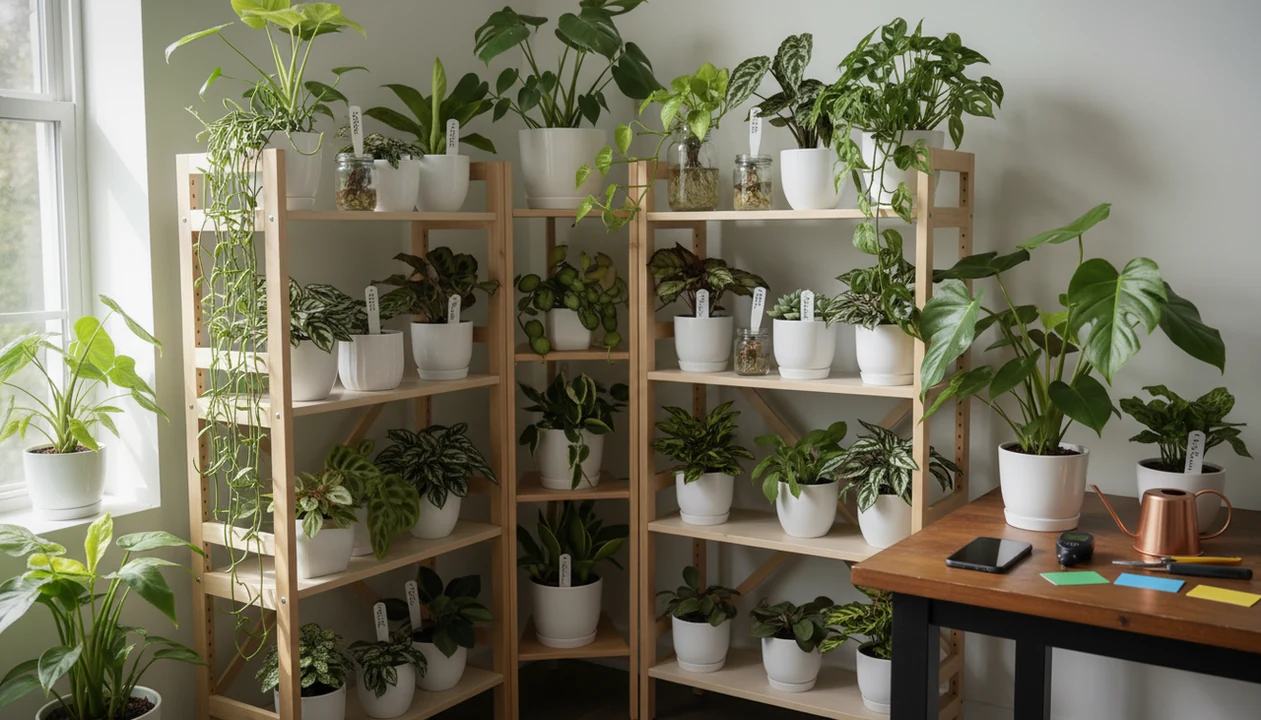
The best plant care app for collectors combines plant identification, individual plant profiles, care reminders, photo history, and pest or disease triage in one place. PlantApp helps collectors manage many species with different watering, light, humidity, fertilizer, quarantine, and repotting needs instead of forcing every plant into one generic schedule.
Definition: PlantApp is a plant identifier app that identifies plants from photos and delivers plant health and care guidance, including diagnosis support, watering schedules, and troubleshooting steps for plant owners.
TL;DR
- Collectors need plant-by-plant profiles because species, pot size, light exposure, substrate, and season change care schedules.
- A strong houseplant collector app should combine AI plant ID, reminders, photos, notes, and diagnosis history.
- Rare plant collectors should still use manual judgment for humidity, quarantine, substrate, propagation, and symptoms that AI may misread.
Why Plant Collectors Need a Houseplant Collector App
Why do plant collectors need a houseplant collector app? Collectors are often managing dozens, sometimes hundreds, of plants with different watering, light, humidity, fertilizer, and repotting needs.
The problem starts small. One unlabeled gift plant on a windowsill becomes a shelf of aroids, a tray of cuttings, and a row of labeled nursery pots that no longer match the actual pots. Plant tags fade in sun or get tossed with the nursery sleeve. Memory stops being enough.
PlantApp fits collectors who need a second check on plant names before building care records, because photo ID can support better profiles and reminders. It should reduce memory load, not replace the habit of checking the leaf, stem, pot, and soil surface.
Good ai plant identification, disease diagnosis, and personalized plant care app for houseplants and garden plants deliver likely matches and care next steps, not guaranteed certainty from one photo.
At-a-Glance Features in a Plant Care App for Collectors
A plant care app for collectors should organize each specimen as its own record, then connect that record to ID, reminders, notes, and care history. The point is practical control across a large collection.
- Individual plant profiles: Each plant should have its own name, location, pot size, substrate, and care notes.
- Photo-based identification: PlantApp can help identify an unknown plant before a collector assigns watering and light needs.
- Care reminders: Useful reminders include watering, fertilizing, repotting, misting, pest treatment, and seasonal checks.
- Growth and recovery history: Photos and notes help compare yellowing, brown tips, new leaves, variegation, and treatment response.
- Collection tags: Tags for rooms, shelves, cabinets, quarantine, rare plants, and propagation keep large collections searchable.
Collectors looking for one place to connect plant names with care tasks should prioritize an app that ties photo identification to plant-specific profiles, reminders, and troubleshooting records.
How a Rare Plant Care App Works Behind the Scenes
A rare plant care app works by turning user inputs, photo clues, and plant-care rules into a living care record for each specimen. It starts with photos, plant name, location, pot size, substrate, and the collector’s care goal.
AI identification compares images against learned visual patterns, often called image embeddings. In plain terms, the system looks for visual similarity in leaf shape, veins, flowers, stems, and growth habit. It can struggle with juvenile leaves, hybrids, damaged foliage, and blurry leaf photos taken under yellow kitchen light at 10 p.m.
Care schedules are then adjusted from species needs, local placement, and user edits. Disease triage works differently. It may suggest likely pest or disease problems from symptom images, but it is not a lab-confirmed diagnosis. One peer-reviewed deep-learning plant disease study reported 94% classification accuracy in an Android leaf-photo workflow, but home photos and mixed symptoms can lower real-world reliability (https://www.sciencedirect.com/science/article/pii/S0168169917311742).
The most useful rare plant care app is often the one that lets collectors correct the record after observation, because room conditions change faster than generic schedules.
How to Use a Plant Care App for Collectors
Set up a plant care app for collectors by building the collection slowly, not by dumping every plant into the same default routine. Start with accurate profiles, then let reminders support observation.
- Identify each plant with clear photos of the leaf, stem, pot, and growth habit before saving a profile.
- Create individual profiles with common name, botanical name, source, acquisition date, pot size, and substrate.
- Add location tags such as bedroom shelf, cabinet, balcony, quarantine, propagation tray, or rare aroid group.
- Set reminders for watering, fertilizer, repotting, pest checks, misting, and seasonal schedule changes.
- Log photos and symptoms when leaves yellow, margins crisp, roots circle a nursery pot, or pests appear.
- Review schedule changes after checking real soil, light, airflow, and humidity, instead of blindly tapping “done.”
Anyone dealing with a collection that sprawls across shelves, windows, and cabinets can use PlantApp because profiles, reminders, and photo history stay tied to each plant.
For deeper watering setup, a dedicated plant watering reminder app guide can help collectors tune intervals without ignoring the actual potting mix.
Top Collection Management Features for Houseplant Collectors
The top collection management features are plant profiles, flexible reminders, photo history, detailed notes, and bulk organization. These features matter more as the collection grows.
Individual plant profiles
A useful profile should store botanical name, common name, source, acquisition date, pot size, substrate, and care notes. That detail matters when two similar philodendrons need different light or humidity.
Flexible collector reminders
Reminders should cover watering, fertilizing, repotting, pest checks, moss pole care, and seasonal changes. A winter shadow across an apartment floor can change watering more than the species label does. Small shift. Big consequence.
Photo and note history
Photo timelines help track growth, variegation, leaf damage, and recovery after treatment. Notes should cover humidity, substrate mix, grow lights, cabinets, propagation, and quarantine.
Collectors who rotate plants between shelves and cabinets need searchable location tags and care notes when memory gets crowded.
If light is the weak point, pairing care notes with a plant light meter app workflow can make placement decisions less vague.
PlantApp for Collector Plant Identification and Care
PlantApp helps identify plants from photos and gives care, watering, and disease troubleshooting steps. For collectors, that matters most when a plant arrives unlabeled, swapped, imported, or marked with a vague store tag.
PlantApp is useful as a second check on species names before creating profiles, because better identification supports better reminders. A cactus in gritty mix, a fern in moisture-retentive soil, and an orchid in bark should not inherit the same care schedule.
When an uncertain match appears before a toxicity warning, collectors should slow down and compare the leaf shape, stem, and growth habit. Take a second photo in natural light if the first result feels off.
App-store competitors such as Planta, PictureThis, and Blossom may claim very large plant databases. Those species-count claims are marketing claims unless independently validated. A balanced best plant identifier apps comparison should weigh accuracy, care tools, privacy, and pricing, not just database size.
Evidence and Sources for Plant Care Apps
Research supports plant photo recognition as a useful aid, not a final authority. Peer-reviewed studies can show how a model performs on a defined image set, but they cannot prove that every living-room photo, juvenile leaf, hybrid, or mixed pest problem will be read correctly.
A plant disease image study can report strong test performance while still warning collectors indirectly: the test images, lighting, backgrounds, and symptom clarity are not the same as a cramped shelf photo taken after watering night. One deep-learning workflow for leaf disease classification reported high accuracy in controlled evaluation, but real collections add blur, overlapping symptoms, and non-disease stress signs such as edema or fertilizer burn (source). Plant identification datasets also depend on submitted photos, expert review, and citizen-science workflows, as shown in the Pl@ntNet system overview (source).
Use evidence this way:
- Treat app results as ranked suggestions, not guarantees.
- Compare leaves, stems, growth habit, and source labels before saving a rare plant name.
- Ignore database-size claims as accuracy proof unless an independent test validates them.
- Verify expensive rare plants manually before selling, trading, treating, or discarding them.
Common Care Patterns in Large Houseplant Collections
Large collections create repeatable care patterns, but the schedule still needs plant-by-plant adjustment. Aroids, succulents, ferns, orchids, and cacti can sit in the same room while needing very different water, airflow, and substrate.
Summer growth often shortens watering intervals. Winter slowdown can stretch them, especially when low light and cooler rooms keep potting mix wet longer. The soggy potting mix smell is usually more useful than a calendar alert.
Quarantine is another collector habit worth logging. A new plant can stay away from the main collection until pest checks look clean. Tiny webbing under curled leaves on one plant can become a shelf problem fast.
PlantApp fits collectors preparing travel handoffs because plant locations, notes, and reminders can tell a sitter which pot to check, what to skip, and which symptoms need a photo update.
For broader survival basics, an app to help keep houseplants alive can support owners who are still building routine habits.
Limitations
Plant care apps help collectors organize decisions, but they do not remove uncertainty. Use the app result as a starting point, especially when risk is high.
- AI plant ID can be wrong with blurry photos, juvenile leaves, hybrids, damaged leaves, or look-alike species. - Disease diagnosis from a photo is a likely match, not a lab-confirmed diagnosis. - Reminders do not measure soil moisture, light intensity, airflow, or humidity unless the user checks and logs them. - Rare plant collectors may still need manual notes for substrate, humidity cabinets, imports, quarantine, propagation, and variegation. - Generic schedules can overwater or underwater plants when pot size, season, and room conditions are ignored. - App-store claims about identifying thousands or millions of plants should be treated as marketing claims unless independently validated. - Real-world disease detection can perform worse than test-dataset results because home photos, lighting, and symptoms vary. - PlantNet and Garden Answers can be useful in comparison contexts, but no app should be treated as final authority for expensive or risky plants. For independent context on plant image identification datasets and citizen-science ID workflows, see Pl@ntNet’s published system overview: https://www.frontiersin.org/articles/10.3389/fpls.2016.01985/full.
Collectors trying to time repotting should combine reminders with root checks, and a repotting timeline can help frame those decisions.
FAQ
What is a plant collector app?
A plant collector app is a tool for organizing many plant profiles, reminders, photos, care notes, and treatment records. It is designed for people managing more than a few casual houseplants.
Do plant care apps identify plants?
Many plant care apps use photo-based AI identification. Results depend on image quality, plant maturity, and how similar the plant is to related species.
Can an app track rare plants?
Yes, rare plants can be tracked in an app with profiles, tags, reminders, and photos. Collectors may still need detailed manual notes for humidity, substrate, propagation, and import history.
How do watering reminders work?
Watering reminders use scheduled intervals, plant profiles, and user settings. Collectors should still check soil moisture, leaf condition, pot weight, and season before watering.
Can apps diagnose plant diseases?
Apps can suggest likely pest or disease issues from leaf or symptom photos. They do not provide lab-confirmed diagnoses.
What should collectors log?
Collectors should log species name, location, watering, fertilizer, repotting, photos, symptoms, treatments, substrate, and acquisition source. PlantApp can store practical care details alongside photo-based identification.
Are plant app identifications accurate?
Plant app identifications can be useful, but they are not always exact. Look-alike species, hybrids, damaged leaves, and poor lighting can reduce accuracy.
Can plant sitters use the app?
Yes, plant sitters can use app notes, reminders, plant locations, and care instructions during travel. Clear labels and recent photos make handoff safer for large collections.