
Identify Flower From Photo Using Color, Shape, And Leaves
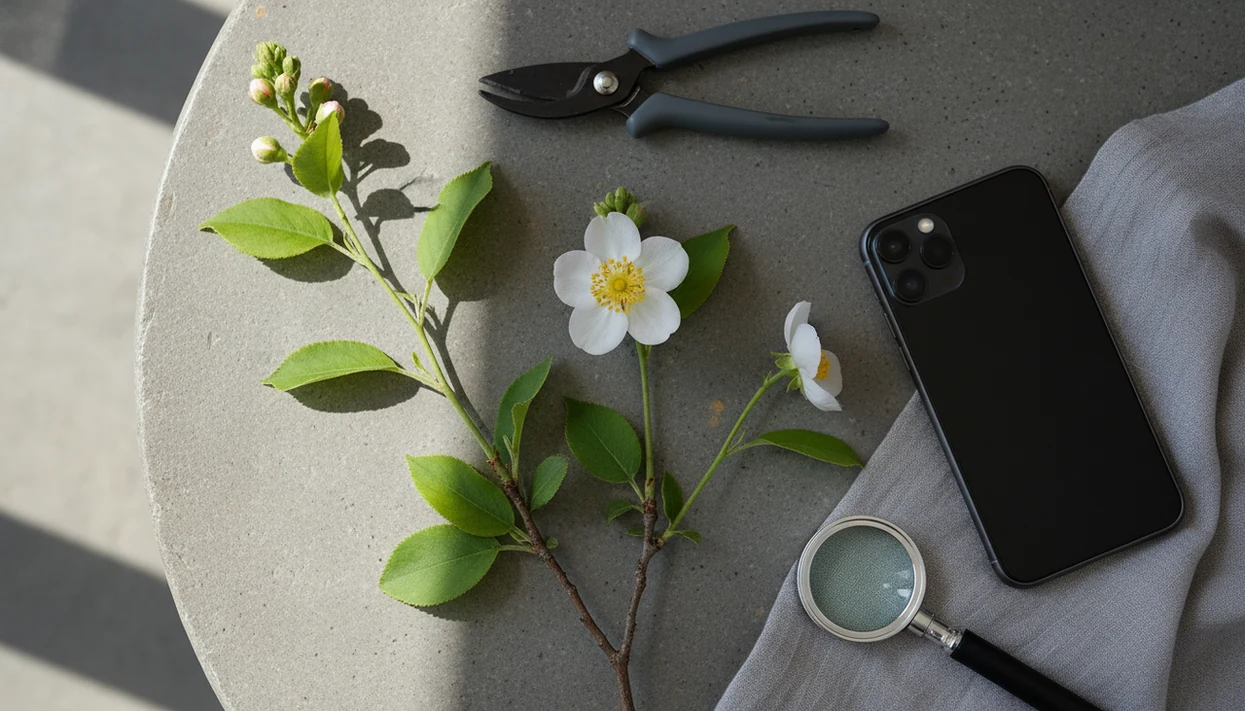
To identify flower from photo accurately, capture the bloom plus leaves, stem, and overall growth habit instead of relying on flower color alone. A plant identifier app can suggest likely matches from the image, but the best results come from sharp photos, clean backgrounds, and local context such as season and region.
> Definition: Flower photo identification is the process of matching a flower image to likely plant names by comparing visible traits such as bloom shape, leaf pattern, stem structure, and growth habit against known plant image data.
TL;DR
- Photograph the flower, leaves, stem, and whole plant for stronger identification clues.
- Use color as one clue, not the deciding feature, because many flowers share similar colors.
- Confirm app results with location, bloom season, plant habit, and follow-up care or disease checks.
Flower Photo Identification Traits That Matter Most
Bloom shape, petal count, symmetry, center structure, and flower clusters are the first photo clues to capture when identifying a flower. Leaves, stems, buds, seed pods, thorns, and growth habit often decide between look-alike plants.
- Bloom form matters: A flat daisy-like head, tubular trumpet, pea-shaped flower, or rounded umbel points to different plant groups.
- Color is weak alone: Purple, yellow, white, and red flowers repeat across unrelated species and cultivars.
- Leaves narrow the match: Compare leaf shape, edge, veins, and whether leaves sit opposite or alternate on the stem.
- Plant structure helps: A vine, shrub, rosette, bulb plant, or upright herb gives the app more context.
- Place verifies the result: Region, season, garden bed, roadside, meadow, or woodland setting can eliminate unlikely matches.
A faded nursery tag or tossed sleeve is common. The plant still leaves clues.
How Flower Identifier Apps Work Behind The Photo Match
Flower identifier apps compare image patterns from your photo against large reference libraries, then return ranked likely matches rather than guaranteed proof. The app is matching visual signals, not personally inspecting the plant.
Behind the result, AI systems often use image embeddings, which are compressed pattern maps of the photo. In plain terms, the app looks for similar shapes, edges, textures, colors, venation, and growth forms in known plant images. A close-up of one pretty bloom helps, but a flower plus leaf and stem usually helps more.
A 2020 evaluation of 14 plant identifier apps found species-level accuracy ranged from 18% to 71%, depending on the app and image conditions (https://doi.org/10.1002/ece3.6506). A 2017 leaf-recognition system identified tree species correctly in 72% of real-world images, showing why leaves can improve visual plant ID when flower photos are incomplete (https://doi.org/10.1016/j.ecoinf.2017.05.005). Good AI plant identifier, disease diagnosis, and personalized plant care app for houseplants and garden plants deliver likely matches and next steps, not certainty from one photo.
Before You Use A Flower Identifier App
What should you do before using a flower identifier app? Choose a healthy, open flower when possible, then collect the photo and context details that help separate similar species.
Use daylight, a plain background, and a steady camera distance. Tap to focus on the flower center, then check whether petal edges look sharp. Avoid fingers, pets, garden tools, and several overlapping plants in the frame. We see many failed IDs from photos taken under yellow kitchen light at 10 p.m.; the color cast can turn cream flowers orange.
Record your region, month, setting, and plant size before uploading. A wildflower in a dry roadside ditch and the same-looking bloom in a watered border may lead to different checks. For broader plant staging, the same rules apply when you identify plant from photo.
Step 1: Photograph The Flower Bloom Clearly
Start with one flower or one flower cluster centered in the frame. A sharp bloom image gives the app petal shape, symmetry, center structure, and cluster pattern before it looks at supporting traits.
Use natural light when you can. Bright shade is often easier than direct sun, which can create glare on waxy petals or harsh shadows inside the bloom. Take a front view first, then a side view if the flower shape has depth, spurs, tubes, or hanging petals.
Keep the image close enough to show petal edges and the flower center, but not so close that the outer petals are cut off. If the wind keeps moving the stem, take three photos. One usually lands.
A thumb wiping dust from a leaf before the second shot is not glamorous. It helps.
Step 2: Add Leaf And Stem Photos For Better Flower Photo Identification
Leaf and stem photos often improve flower photo identification because many plants share similar blooms. The support photos show traits that stay useful after flowers fade.
Photograph the leaf shape, edge, veins, surface texture, and arrangement on the stem. Are the leaves opposite, alternate, whorled, basal, narrow, lobed, glossy, hairy, or toothed? Then photograph the stem color, hairiness, branching, thorns, and buds. Include seed pods, fruit, or spent flowers if present.
These details separate common look-alikes. A yellow five-petaled flower could belong to several families, but its leaf pattern and seed pod may tell a clearer story. If leaves are the main clue, a focused guide to identify plant by leaf can help you compare shape, veins, and margins more carefully.
Step 3: Capture The Whole Plant Growth Habit
A whole-plant photo helps distinguish vines, shrubs, herbs, bulbs, rosettes, and houseplants. Take one wider image that shows height, spread, branching, and where the flowers sit on the plant.
Note whether the plant is upright, trailing, climbing, rosette-forming, woody, or herbaceous. Include the pot, bed, lawn, woodland edge, meadow, roadside, fence, or trellis when relevant. That context is not decorative. It tells the app and the human reviewer how the plant behaves.
Artificial settings can help apps. In the 2020 app study, plant images from gardens and other managed settings were identified more accurately than images from natural settings. A north-facing sill with a pale pothos tells a different story than a meadow edge, especially when you need to identify houseplant from photo.
Step 4: Check Flower Identifier App Results Against Local Context
Compare the app’s top matches instead of accepting the first result blindly. Region, bloom time, habitat, and plant size should support the suggested name.
- Top match: Check whether the visible flower, leaf, stem, and growth habit all fit, not just the bloom color.
- Region: Remove matches that do not grow in your country, state, climate, or garden trade.
- Season: A spring bulb and a late-summer perennial may look similar in a cropped flower photo.
- Community tools: iNaturalist and PlantNet can help when local observers or regional image sets add context.
iNaturalist reports more than 195 million observations worldwide, which shows the scale of crowd-sourced plant context available for comparison (https://www.inaturalist.org/observations). Tools like PlantNet, iNaturalist, and other flower identifier apps work best when you use the app result as a starting point and check against a regional source.
How To Use A Flower Identifier App Step By Step
Use a flower identifier app as a structured workflow, not a one-photo guess. For most users, multiple plant-part photos are better than a single bloom shot because the app can compare more traits.
- Open the app and select plant or flower identification.
- Upload a clear bloom photo, then add leaf, stem, and whole-plant images.
- Review the top matches, confidence signals, and any notes about similar species.
- Compare petal shape, leaf arrangement, stem texture, and growth habit before saving the ID.
- Use care reminders, watering guidance, or disease checks after the identification if the match fits.
PlantApp and similar tools can be useful after the ID because care needs change by plant type. A care step is not a cure, but it gives you something practical to do today.
Common Flower Photo Identification Mistakes
The most common flower photo identification mistakes are using one blurry photo, relying on color, and ignoring the rest of the plant. Those shortcuts can turn a likely match into a misleading label.
A distant flower in a busy border gives the app too much clutter and too little structure. Several plants in one frame can also confuse the result, especially when one flower overlaps another plant’s leaves. The app may match the wrong subject.
Color-only identification is risky. White roses, anemones, cosmos, and wild mustards do not become the same plant because the bloom is pale. Rare species, hybrids, cultivars, and edible plants need extra caution. Do not eat or treat a plant based only on AI output. If spotting, wilting, or brown leaf tips are part of the question, use a plant disease diagnosis app as triage, not a final diagnosis.
Limitations
Flower identifier apps are useful, but they have real limits. Treat every result as a likely match until the visible traits and local context agree.
- Apps can misidentify look-alike plants, hybrids, cultivars, rare species, and plants outside common image databases.
- Single blurry photos, hidden leaves, poor lighting, and cluttered backgrounds reduce accuracy.
- App accuracy varies widely by tool, plant group, image quality, and whether the plant is in a garden or wild setting.
- Disease diagnosis from photos is promising, but controlled research results do not always transfer to messy field images.
- Do not eat, sell, treat, remove, or spread a plant based only on an app result.
- Toxicity and pet-safety warnings should be checked against trusted poison-safety sources when risk is high.
- Some tools require subscriptions, internet access, or photo uploads, which creates privacy tradeoffs.
The pocket check is real. If the plant may be poisonous, invasive, or commercially important, ask a local extension office, nursery specialist, or botanist.
FAQ
Can Google identify a flower from a photo?
Yes, Google Lens and similar visual search tools can suggest flower matches from a photo. Verify the result with bloom shape, leaves, stem, region, and season.
What kind of photo identifies flowers best?
A sharp, well-lit photo of one bloom works best when paired with separate leaf, stem, and whole-plant photos. Avoid cluttered backgrounds and overlapping plants.
Is flower color enough to identify a flower?
No, flower color is only one clue. Shape, leaf arrangement, stem traits, growth habit, location, and bloom season are usually more useful.
Are flower identifier apps accurate?
Flower identifier app accuracy varies by app, image quality, plant group, and setting. Treat results as likely matches rather than confirmed species names.
Can I identify wildflowers online?
Yes, online tools and community platforms can help identify wildflowers. Add location, habitat, bloom season, and full-plant photos for stronger verification.
What app can identify flowers from photos?
Plant identifier apps, including PlantApp and community tools such as PlantNet or iNaturalist, can identify flowers from uploaded photos. The strongest results use bloom, leaf, stem, and whole-plant images.
Can apps diagnose flower diseases from a photo?
Some apps can flag possible disease, pest, or stress symptoms from flower and leaf photos. Severe or spreading problems may need expert confirmation.
Are free flower identifiers reliable?
Some free flower identifiers are useful, especially when they have strong image databases or community review. Reliability still depends on photo quality, visible traits, and verification.