
App That Tells If Plant Is Sick From Leaf Photos
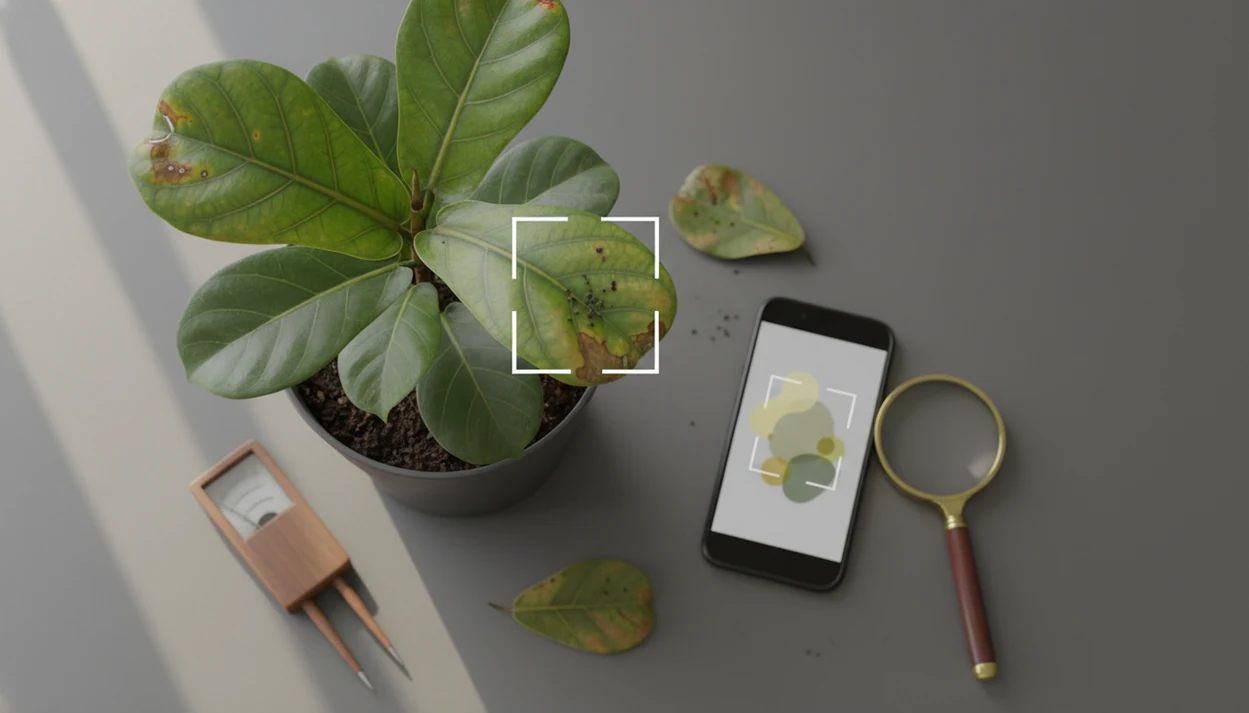
Yes, an app that tells if plant is sick can use leaf photos to suggest likely causes such as pests, fungal disease, watering stress, light stress, or nutrient problems. Treat the result as a first screening, not a final diagnosis, because yellowing, spotting, wilting, and leaf drop often overlap across several plant problems.
> A plant health photo app is most useful when it combines plant ID, symptom triage, care history, and cautious next steps.
TL;DR
- A sick plant app can narrow down likely causes from photos, but it cannot prove one cause from a single image.
- The best workflow is photo scan first, then plant ID, watering history, light, soil moisture, pests, and symptom pattern checks.
- Do not apply pesticides, fungicides, or discard a plant until you verify the app result against visible evidence and reputable guidance.
How these apps look
Side-by-side captures of the compared products. Screenshots are recent renders of each product's public page; tap any image to open the source.

What a Sick Plant App Can Tell From Leaf Photos
A sick plant app is a photo-based tool that suggests likely plant health problems after comparing visible symptoms with known patterns. Yes, there are apps that can tell if a plant looks sick, but they should be read as screening tools, not plant pathologists in your pocket.
Most tools identify the plant first, then compare the leaf shape, stem, growth habit, discoloration, spots, lesions, and overall appearance. That order matters. A pothos with yellow leaves needs different care checks than a tomato seedling with yellow leaves.
A plant health photo app may suggest pests, fungal or bacterial disease, watering stress, light stress, nutrient deficiency, or transplant shock. One photo of a single pretty leaf rarely gives enough context. The phone hovering over glossy leaves is familiar, but the app also needs the stem, pot, and damaged area. A sick plant app gives a likely-cause suggestion, not a laboratory diagnosis.
5 Accuracy Facts for a Plant Health Photo App
- Controlled datasets can look very accurate. In one large deep-learning evaluation, models reached about 99.35% accuracy (Mohanty et al., Frontiers in Plant Science: https://www.frontiersin.org/articles/10.3389/fpls.2016.01419/full) on controlled leaf images, but real rooms, shadows, and clutter lower reliability.
- PlantVillage contains more than 54,000 healthy and diseased leaf images (PlantVillage dataset paper: https://arxiv.org/abs/1511.08060) across 14 crop species, according to its 2017 dataset paper. That helped research, but it does not cover every houseplant on a shelf.
- Smartphone plant disease detection research grew fast. A 2020 systematic review found more than 40 studies (systematic review: https://doi.org/10.1016/j.compag.2019.105102) using image processing or deep learning for plant disease detection from photos.
- Plant ID errors can lead to wrong care advice. If an app mistakes a calathea for a peace lily, its watering, light, and toxicity guidance may drift too.
- Real-world accuracy depends on photo quality, species coverage, symptom overlap, and local conditions. A white powder on squash leaves is easier to match than faint root stress hidden inside a pot.
For leaf spots specifically, compare the app result with a dedicated plant leaf spots diagnosis workflow before treating.
How an App That Tells If Plant Is Sick Works
An app that tells if a plant is sick works by turning a photo into visual data, then comparing that data with trained examples of healthy and unhealthy plants. The technical terms are computer vision and image embeddings. In plain language, the app looks for patterns that resemble known plant parts and symptoms.
First, the app detects leaves, stems, edges, discoloration, lesions, spots, holes, curling, and overall shape. Many systems then combine plant identification, symptom detection, care rules, and user context, such as indoor or outdoor placement. The output is usually a ranked list of likely matches or likely causes.
Good AI plant identifier, disease diagnosis, and personalized plant care app for houseplants and garden plants should deliver a likely match plus next checks, not guaranteed certainty from one image. Yellow kitchen light at 10 p.m. is a real problem here. So are plant tags faded by sun or tossed with the nursery sleeve.
Before You Scan a Sick Plant
Before you scan a sick plant, make the plant safe to inspect and collect the context the app cannot see. A better scan starts with light, handling caution, and a short care history.
- Check that the plant is safe to touch. Avoid bare-handling irritating sap, thorns, unknown outdoor plants, moldy soil, or anything treated recently with chemicals. Use gloves if you are unsure.
- Move it into bright indirect light. Set the pot near a window or shaded patio so the camera can capture true leaf color without harsh glare or yellow room light.
- Gather the recent care story. Note watering frequency, the last deep soak, repotting date, fertilizer use, pest treatments, and any move to a new shelf, window, porch, or drafty room.
- Look at the symptom pattern. Check whether damage is spreading, staying on one branch, affecting only old leaves, or appearing on new growth.
- Isolate possible contagious cases. If you see webbing, sticky residue, powdery patches, fast-spreading spots, or insects, keep the plant away from others before scanning or comparing results.
This quick pause makes the app result easier to judge and reduces the chance of spreading pests while you troubleshoot.
5 Steps to Use a Sick Plant App Without Misdiagnosing the Problem
For most home growers, a photo scan is often more useful than guessing by memory because it forces a structured check of plant ID, symptoms, and recent care.
- Take several clear photos in natural light. Use bright indirect daylight, not a dim hallway or yellow evening bulb.
- Scan the whole plant first. Include the pot, stems, growth habit, and where the damage appears.
- Capture close-ups of affected leaves. Photograph the top, underside, edges, and any spots, webbing, residue, or holes.
- Check the growing conditions. Feel soil moisture, review watering history, note light exposure, and inspect for pests.
- Compare the result with visible evidence before treatment. If the app says fungus but the pot smells soggy and roots look dark, rethink the cause.
A fuller phone-based process is covered in how to diagnose plant disease with phone. Use the app result as a starting point, then test it against the plant in front of you.
Photo Checklist Before You Trust a Plant Health Photo App
A plant health photo app works better when the photo shows context, not just damage. Use bright indirect daylight, a plain background, and sharp focus before you trust the result.
Take multiple angles: whole plant, top of leaves, underside of leaves, stems, soil surface, and pot drainage. Include both healthy and damaged leaves so the app can compare what changed. One blurry yellow leaf is usually not enough, especially when the rest of the plant is hidden.
Small details matter.
Cluttered backgrounds, low light, and distant photos can reduce accuracy. So can photographing a heavy pot lifted with both hands while the camera shakes. If the first result feels off, retake the photo from farther back, then add close-ups.
Overlapping Symptoms a Sick Plant App May Confuse
The same plant symptom can come from several causes, so an app result needs confirmation by pattern, timing, environment, and pest inspection. Yellow leaves, brown spots, wilting, and leaf drop are clues, not final answers.
| Visible symptom | Possible causes an app may confuse | What to verify next |
|---|---|---|
| Yellow leaves | Overwatering, underwatering, low light, pests, root stress, nutrient deficiency | Soil moisture, newest vs oldest leaves, pest signs, recent moves |
| Brown spots | Fungal leaf spot, sunburn, bacterial issues, chemical burn, edema | Spot shape, spread speed, wet leaves, spray history |
| Wilting | Dry roots, waterlogged roots, heat stress, root rot, transplant shock | Pot weight, root smell, temperature, recent repotting |
| Leaf drop | Stress, pests, seasonal change, cold drafts, watering changes | Drafts, sticky residue, timing, room temperature |
If yellowing is the main symptom, a focused guide to diagnose yellow leaves is safer than acting on one app label. The north-facing sill with a pale pothos often tells you as much as the leaf color.
Common Myths About Apps That Diagnose Sick Plants
Apps that diagnose sick plants are useful for hypotheses, but several myths make people act too quickly. The safer interpretation is simple: generate likely causes, then check the plant, pot, room, and timing.
- One-photo certainty: One photo does not give a 100 percent certain diagnosis. Lighting, angle, and symptom overlap can mislead the model.
- Correct ID equals correct treatment: A right plant name helps, but it does not prove the disease, pest, or watering cause.
- Expert replacement: An app does not replace local extension services, plant clinics, or trained experts for serious cases.
- Watering clarity by sight alone: Overwatering and underwatering can both cause yellowing and wilting. The soil and roots decide the next check.
Tools like PlantApp can help organize photo-based ID and troubleshooting, but the user still has to inspect the plant. Tiny webbing under curled leaves changes the whole answer.
Verification Workflow for an App That Tells If Plant Is Sick
Does an app that tells if plant is sick give enough evidence to act immediately? Usually no. It gives a likely direction, then you verify before pruning hard, spraying chemicals, or throwing the plant away.
Start by matching the app result to the symptom pattern. Are spots spreading from lower leaves, or only on the sun-facing side? Inspect pests with a flashlight, especially leaf undersides and stem joints. Check soil moisture, drainage, and roots when it is safe to disturb the plant. Then review recent care changes, such as repotting, fertilizer, cold drafts, or a new window position.
If a plant looks contagious, isolate it while you verify. For severe, spreading, expensive, or edible crop problems, use local extension services or plant clinics. Treat any app result as photo-based troubleshooting, not laboratory confirmation.
Limitations
A sick plant app has real limits, especially when the plant problem is hidden in the roots, soil, or local environment.
- Low-light, blurry, distant, or cluttered photos can reduce reliability.
- Apps may perform better on well-represented crops than uncommon houseplants or rare ornamentals.
- There are over 600,000 described plant species globally, so exhaustive app training is unrealistic.
- Visual symptoms can overlap across water, light, pest, disease, nutrient, and root problems.
- Regional pests, climate, soil, and local disease pressure may not be represented in the app result.
- Apps should not be the only source before pesticide use, fungicide use, or discarding a valuable plant.
- Very small pests, eggs, early fungal growth, and root rot may not show clearly in leaf photos.
- Care history matters. A sink soak for thirsty pothos yesterday can make today’s wilt look confusing.
Use a care step, not a cure, until the evidence lines up.
FAQ
Can an app diagnose plant disease from a photo?
An app can suggest likely plant diseases from photos, especially when symptoms are visible on leaves or stems. It cannot confirm every disease with certainty from one image.
What app can check my plant's health?
A plant health photo app scans leaves and overall plant appearance for likely stress, pest, or disease issues. Look for one that combines plant identification, symptom photos, care reminders, and clear limits on diagnosis.
Are sick plant apps accurate?
Sick plant app accuracy depends on photo quality, plant type, dataset coverage, and whether symptoms overlap. Clear photos and follow-up checks improve the usefulness of the result.
Can an app detect overwatering?
An app may flag signs that fit overwatering, such as yellowing, wilting, or soft stems. You should verify with soil moisture, drainage, pot weight, and root condition.
Can an app diagnose yellow leaves on a plant?
An app can suggest likely causes of yellow leaves, but yellowing can come from water, light, pests, nutrients, roots, or normal aging. Context beyond the photo is needed.
Should I trust treatment advice from a plant app?
Treatment advice should be verified before using chemicals, pruning heavily, or discarding the plant. Match the advice to visible evidence and reputable plant-care guidance.
Do plant health apps identify pests?
Plant health apps can flag visible pest damage, webbing, residue, or insect shapes in photos. Tiny insects and eggs may still need close inspection by eye or magnifier.
When should I ask a plant expert instead of using an app?
Ask a plant expert for spreading disease, valuable plants, unclear symptoms, edible crops, or pesticide decisions. Local extension services and plant clinics can account for regional conditions.