
Plant App Photo Privacy For Homes, Gardens, And Metadata
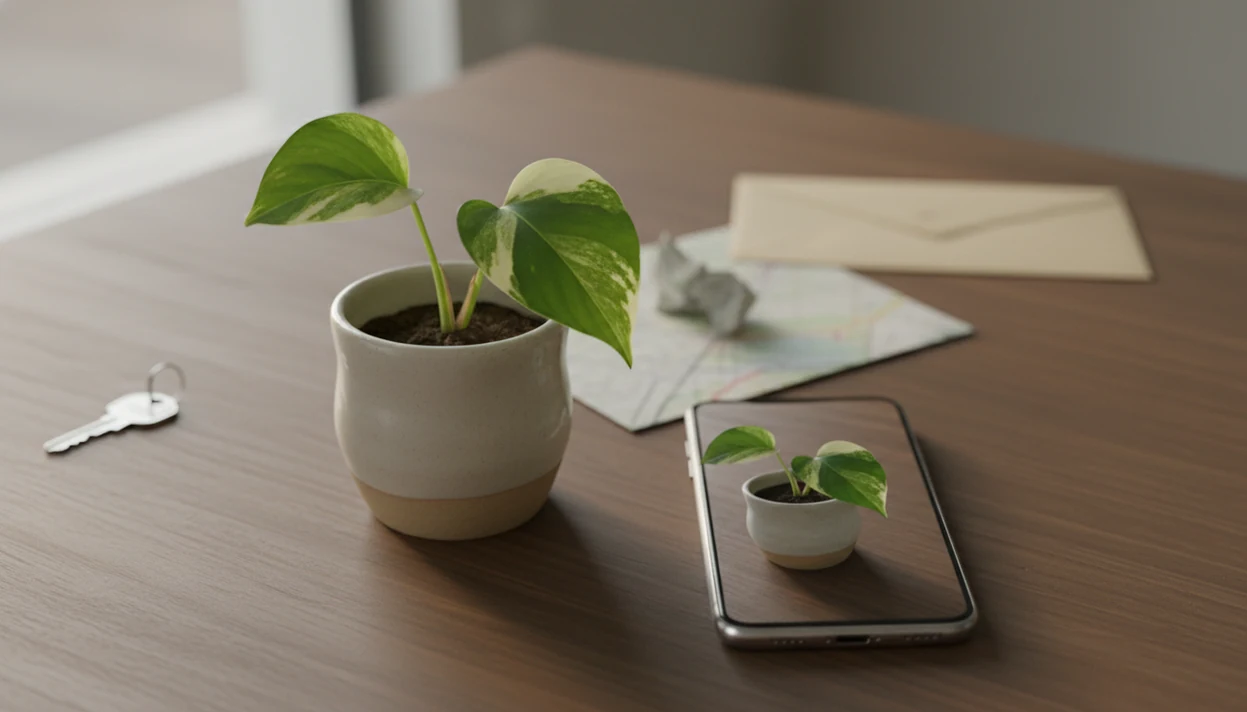
Plant app photo privacy matters because a simple plant image can reveal your home, garden layout, GPS location, children, pets, street clues, and rare plant locations. You can reduce exposure today by cropping tightly, disabling precise location, removing metadata, reviewing app permissions, and choosing plant apps with clear photo-use policies.
> Definition: Plant app photo privacy is the practice of controlling what plant photos, image metadata, location signals, and surrounding visual details are collected, stored, analyzed, shared, or reused after a plant identification upload.
- Plant photos can expose more than the plant, including rooms, addresses, routines, GPS coordinates, and private garden details.
- Many AI plant identifier apps process image uploads on remote servers, so photo handling, retention, AI training, and sharing policies matter.
- The safest routine is to crop tightly, remove location metadata, avoid people and home identifiers, and review app permissions before uploading.
Plant App Photo Privacy Risks At A Glance
Plant images can reveal sensitive context even when the subject is only a pothos leaf, tomato seedling, or sidewalk weed. The highest-risk clues are home interiors, address numbers, children, pets, vehicles, street signs, property layout, and rare plant locations.
Metadata may also include GPS, time, device, and file details, depending on your phone settings and the app’s upload process. A macro shot of striped leaf veins is safer than a wide room photo with a calendar on the wall.
Start with three fixes: crop the image, turn off precise location, and review upload permissions before sending plant app image uploads. For pet or child safety decisions, privacy still matters, but risk checks should stay careful; broader context is covered in our plant app safety guide.
Small frame. Fewer clues.
Scope And Privacy Disclaimer
This guide is privacy education, not legal, security, medical, veterinary, or poison-control advice. It can help you think through common photo and metadata risks, but it cannot cover every app version, jurisdiction, device setting, account status, or emergency.
Plant identification accuracy is also separate from photo privacy. An app may return a useful plant name while still collecting, storing, sharing, or retaining uploads in ways you would want to review first. Policies, app features, local laws, and iPhone or Android privacy controls can change, so treat this as a checklist to revisit rather than a one-time setup.
For sensitive situations, use a simple escalation path:
- Check the app’s current privacy policy, permissions, and deletion tools before uploading private images.
- Contact the app provider directly for account-specific deletion, access, billing, or data-rights requests.
- Avoid relying on a plant app alone when a child, pet, or person may have touched, eaten, or inhaled an unknown plant.
- Seek qualified help from poison control, a clinician, veterinarian, or local emergency service when exposure could be urgent.
Five Plant Photo Data Privacy Facts Every User Should Know
- Many plant identifier apps upload photos to cloud servers for analysis. Remote processing helps return likely matches, but it also means the image may leave your phone.
- Backgrounds can identify homes, neighborhoods, routines, and property details. A plant stand crowded by a balcony door can show more than light conditions.
- App policies may allow photos or usage data to support AI training, marketing, analytics, or third-party sharing. Those permissions are usually described in privacy policies, not in the camera screen.
- Location settings and metadata controls reduce risk, but they do not anonymize visible image content. Turning off GPS does not hide a house number in the frame.
- App accuracy and app privacy are separate qualities. A useful identification result does not prove careful storage, deletion, advertising, or sharing practices.
For most home users, a close crop is often safer than a full-room plant photo because it preserves leaf clues while removing personal context.
How Plant App Image Uploads Work Behind The Scenes
Plant app image uploads usually move through camera capture, app upload, cloud processing, model inference, result return, and possible retention. In plain terms, the app may send your photo to a remote system that compares the image against learned plant patterns before it returns a likely match.
Automated plant-identification systems often use remote image processing, according to expert commentary on the field source. Cloud models may compare plant organs, disease marks, leaf shape, flowers, bark, or growth habit against large datasets. Technical terms like “image embeddings” and “model inference” simply mean the system turns visual clues into patterns it can compare.
Accuracy and privacy should be evaluated separately. PlantApp and similar tools can identify plants from photos and provide care, watering, and disease troubleshooting, but that does not guarantee strong photo retention, deletion, or sharing practices.
Plant Photo Data Privacy Settings On iPhone And Android
Turn off precise location for plant apps unless a location-based feature is truly needed. Camera access, selected-photo access, location access, and background activity all affect plant photo data privacy before the image ever reaches an app.
iPhone Plant App Privacy Checks
On iPhone, check whether the app can access all photos or only selected photos. Also review Camera, Location, Precise Location, and Background App Refresh. If you photographed one pretty leaf under yellow kitchen light at 10 p.m., retake it in daylight before uploading instead of granting broad camera roll access.
Android Plant App Privacy Checks
On Android, labels vary by version and phone maker, but the goals are the same. Review Photos and videos, Camera, Location, approximate versus precise location, and background data. Deleting an app may remove it from your phone, but it may not delete previously uploaded images from company servers.
Safer Plant App Photo Privacy Workflow Before Uploading
A safer workflow is privacy-preserving, not fear-based. You can still get useful plant identification and disease clues if you keep the plant details visible and remove personal context.
- Crop tightly around the plant. Keep leaves, stems, flowers, bark, disease spots, or soil issues in frame.
- Remove people and home identifiers. Avoid children, family photos, medicine bottles, house numbers, mail, and license plates.
- Turn off precise location. Use approximate location only when regional plant matching matters.
- Strip metadata when possible. Use phone sharing options or a metadata-removal tool if available.
- Review app policy and permissions. Check photo access, location access, retention, and third-party sharing language.
- Delete unnecessary uploads if the app allows it. Use in-app history, account settings, or privacy request tools.
Clear close-up photos can improve plant diagnosis while reducing background exposure. If leaves are yellowing, include the affected leaf, stem, soil surface, and pot edge.
Not just the pretty leaf.
Plant App Privacy Policy Signals To Review
Reputable apps should explain what happens to plant app image uploads in plain language. A privacy label, app store rating, or lack of visible ads is not enough.
- Image retention: Look for how long uploaded photos stay on servers and whether deletion is available.
- User-generated content: Check whether your plant photos are treated as content the company can store, review, or reuse.
- Model training: Look for language about improving AI, training models, research, or derived data.
- Service providers and analytics: These phrases can mean vendors help process hosting, diagnostics, support, or measurement.
- Advertising partners, sale or sharing of data, and deletion requests: These terms matter if usage data supports marketing or third-party disclosure.
Independent privacy and security reviews can add context when available. Common Sense Privacy rated PictureThis with a “Warning” in 2023, and NowSecure flagged “AI data exposure” for PictureThis; link each claim to the specific public review page used, or remove the claim if no public source URL is available. Those are examples of third-party assessments, not proof about every plant app.
Compare any plant identifier, including PictureThis, Pl@ntNet, Planta, and the app you use, on both feature usefulness and policy clarity.
Plant App Photo Privacy Versus Identification Accuracy
Accuracy, convenience, and privacy are different evaluation criteria. A plant app can identify many species well and still require careful review of photo storage, AI training, deletion, and sharing practices.
| Evaluation point | What it tells you | What it does not tell you |
|---|---|---|
| Identification accuracy | Whether the app often returns the right plant name | Whether uploaded photos are retained or reused |
| Convenience | Whether scanning and care tips feel easy | Whether permissions are narrow |
| Privacy policy | How the company describes collection, sharing, and deletion | Whether every practice is easy to verify |
| Security review | Whether outside reviewers found technical risks | Whether all future versions behave the same |
A 2020 assessment found correct identifications in 96% of observations for PictureThis, 91% for Pl@ntNet, and 56% for PlantSnap when all plant organs were considered source. The University of Illinois Extension later summarized Rutgers-based findings where PictureThis reached 97.3% genus accuracy and 83.9% species accuracy for leaf-based identification source. High performance can reflect large-scale image processing and training, but popularity or accuracy does not equal safe photo handling.
For gardeners comparing a garden plant identifier app, privacy review belongs beside accuracy testing, not after it.
Sensitive Plant App Image Uploads For Homes, Kids, Pets, And Rare Plants
Can plant app image uploads expose private home or garden details? Yes, especially when the plant is photographed with rooms, family photos, children, pets, valuables, medicine, calendars, or daily routines in the background.
Outdoor images carry their own clues. House numbers, license plates, mailboxes, street signs, fences, security cameras, and property size can identify a place. Garden-specific clues matter too, especially rare plants, high-value collections, greenhouse setup, and private yard layout. Repeated uploads can create patterns over time even if one image seems harmless.
Use a neutral background when possible. A balcony pot behind a pet gate may be useful for safety context, but a plain wall or patio tile gives fewer personal clues. If a cat is sniffing a dangling vine, handle the toxicity question separately with a toxic plants for cats app workflow.
One upload is a photo. Many uploads become a pattern.
Limitations
Privacy settings reduce exposure, but they cannot make every plant upload private. Use the app result as a starting point, especially when the ID is uncertain or the image includes sensitive surroundings.
- Strong privacy settings cannot remove identifiers already visible in the image frame.
- Turning off location does not hide street signs, home exteriors, rare plant locations, or recognizable interiors.
- Users may not know how long uploaded plant photos are retained by a company.
- Company privacy policies can change after a user has already uploaded images.
- Deleting an app may not delete cloud-stored uploads or derived model-training data.
- Metadata removal tools vary by phone, app, and sharing method.
- A privacy-focused crop may remove useful disease, habitat, or growth-habit details.
- Offline processing may reduce upload exposure, but it can limit recognition quality, care features, or disease troubleshooting.
When safety is involved, photo privacy is only one part of the decision. If a dog chewed an unknown leaf, use cautious identification and consult poison-control or veterinary guidance; our toxic plants for dogs app guide explains that workflow.
FAQ
Are plant app photos private?
Plant app photos are private only to the extent allowed by the app policy, phone permissions, metadata controls, storage practices, and visible image content. App settings, phone settings, and photo content all matter.
Do plant apps store photos?
Many plant apps may upload and retain photos for processing, troubleshooting, analytics, or model improvement, depending on their policy. Check image retention and deletion language before uploading sensitive images.
Can plant photos reveal location?
Yes. Plant photos can reveal location through GPS metadata and visible clues such as street signs, addresses, landmarks, vehicles, mailboxes, or recognizable interiors.
Should I disable precise location?
Yes, disable precise location unless the app genuinely needs it for a feature you want. Approximate location is often enough for regional plant matching.
Do screenshots remove photo metadata?
Screenshots often remove original EXIF data, including original camera metadata. They can still show private visual details and may create new file data.
Can plant apps use AI training?
Some plant apps may use uploaded images or derived data to improve AI models if their policies allow it. Look for terms such as model training, product improvement, research, or user-generated content.
Is plant identification safer offline?
Offline plant identification can reduce cloud upload exposure because the image may stay on the device. However, offline accuracy, plant coverage, disease diagnosis, and care features may be more limited.
How do I delete uploads?
Check in-app history tools, account settings, privacy request forms, or support contacts for deletion options. Deletion may not remove all backups, logs, or derived model-training data.