
Plant Toxicity App For Children And Safer Home Plant Checks
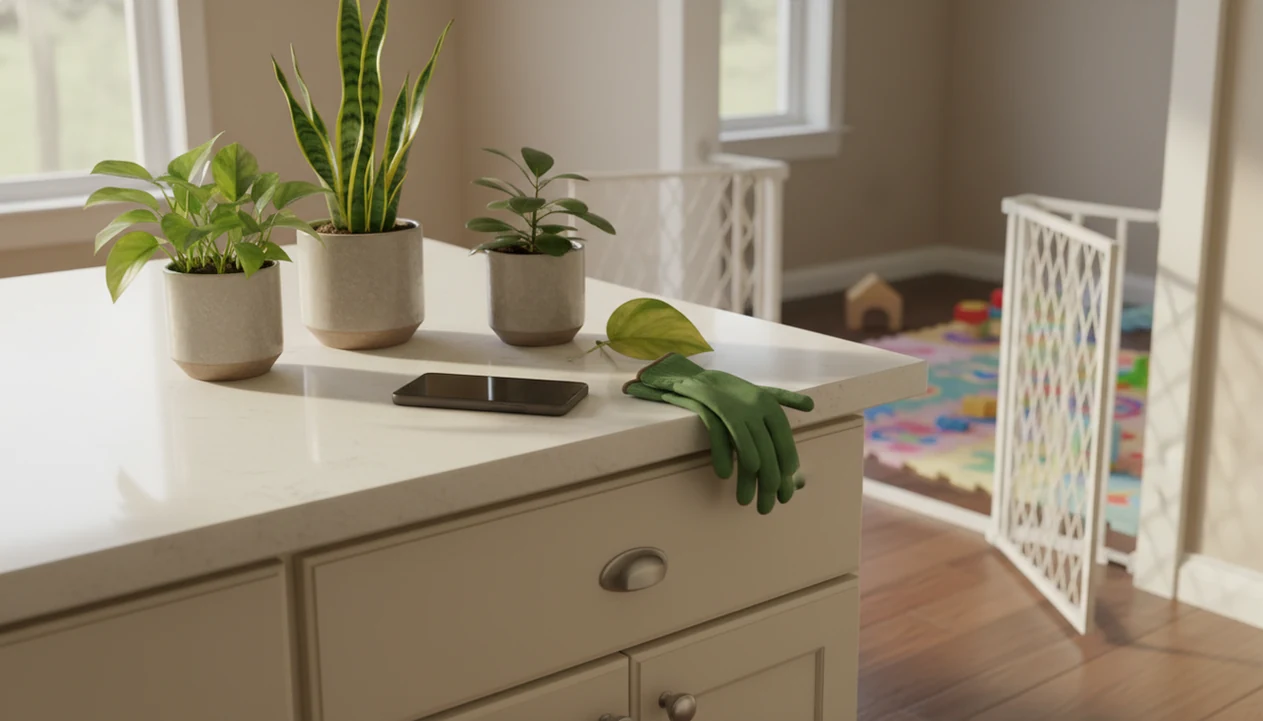
A plant toxicity app for children can help parents identify possible poisonous houseplants and garden plants, but it should never be treated as proof that a plant is safe after a child touches or eats it. Use the app for screening, then contact poison control or medical care if exposure, symptoms, uncertainty, or ingestion is involved.
Definition: A plant toxicity app for children is a photo-based or database app that helps parents identify plants and check whether a plant may be poisonous, irritating, or unsafe around children.
TL;DR
- Use plant apps as a first-pass safety screen, not as emergency medical advice.
- Plant identification and toxicity assessment are related, but they are not the same decision.
- If a child may have eaten a plant, call poison control or seek medical help instead of relying on an app result.
Plant Toxicity App For Children: Safe Use Boundaries
A plant toxicity app for children is safest when used before exposure, as a prevention tool for checking plants in bedrooms, playrooms, balconies, and yards. It can identify a likely match from a photo and flag plants with known toxicity concerns.
It is not poison control. It is not a toxicology service. It cannot judge how much a child swallowed, whether sap entered an eye, or whether vomiting is related to the plant. In the U.S., Poison Control is available 24/7 at 1-800-222-1222 and online at https://www.poison.org/.
Tools like PlantApp identify plants from photos and give care, watering, and disease troubleshooting steps for plant owners. That can help parents label a windowsill pot or move a suspicious balcony pot behind a pet gate, but the safer role is home screening before anything happens. Good ai plant identification, disease diagnosis, and personalized plant care app for houseplants and garden plants deliver likely names and next steps, not emergency clearance after a child mouths a leaf.
At-A-Glance Child Safe Plant App Decision Rules
Use a child safe plant app to slow down the decision, not to end it. When the plant is unknown or the child has symptoms, treat the situation as unresolved until a human safety source weighs in.
| Situation | What the app can do | Parent-safe next step |
|---|---|---|
| Unknown plant | Suggest likely matches | Move it out of reach until verified |
| Confirmed toxic plant | Flag known risk | Relocate, label, or remove it |
| Child touched sap | Identify possible irritants | Wash skin and seek advice if rash, eye exposure, or pain occurs |
| Child ate plant material | Save photos and likely ID | Call poison control or seek medical care |
| App says non-toxic | Reduce concern in non-exposure checks | Still consider choking, allergy, vomiting, irritation, or pesticides |
A non-toxic label is not a promise that nothing can go wrong. Toddler reach changes the risk. So does a loose berry, a snapped stem, or gritty potting mix scattered near a play mat.
When To Call Poison Control Or Emergency Care
Call poison control any time a child licks, mouths, chews, or swallows part of a plant, even if the app result looks reassuring. Do not wait for photo confirmation when ingestion or symptoms are already part of the situation.
Use emergency care first if the child has trouble breathing, a seizure, severe swelling of the lips, tongue, face, or eyes, or repeated vomiting. Those signs need urgent medical help, not more plant matching.
- Call poison control after possible licking, mouthing, chewing, or swallowing, and describe the plant as clearly as you can.
- Seek emergency care right away for breathing trouble, seizure, major swelling, repeated vomiting, unusual sleepiness, or rapid worsening.
- Save clear photos of the whole plant, close-up leaves or berries, any loose plant parts, nursery labels, and the app’s suggested results.
- Tell the specialist the child’s age and weight if known, symptoms, timing, estimated amount, plant part involved, and whether pesticides, fertilizers, or sprayed leaves may be involved.
- Follow the professional’s instructions instead of rechecking the app for reassurance.
Five Facts About Poisonous Plant App Kids Searches
Parents searching for a poisonous plant app kids can use should know these five facts before trusting any single result.
- Plant ID apps can spot possible risks, but they cannot prove that a plant is safe for a specific child.
- Accuracy varies by app, plant species, growth stage, and photo quality, especially when only one pretty leaf is photographed.
- Poison control centers and medical professionals are the correct backup when a child may have touched, licked, mouthed, or eaten a plant.
- Some poison-information apps are built for emergency connection to specialists, not just photo matching.
- Unknown plants, sap irritation, red berries, bulbs, seeds, or known toxicity should be treated as unsafe around young children until verified.
For prevention, a plant app can be useful. For exposure, the most common medically supported next step is poison-control or medical guidance combined with saving the plant photo or sample.
How A Plant Toxicity App For Children Works
A plant toxicity app usually works in two stages: first, it identifies the likely plant; then, it looks up safety notes tied to that plant name. The image model may compare leaves, flowers, stems, growth habit, and context using image embeddings, which are numerical patterns extracted from the photo.
That sounds precise, but the weak point is often the photo. A blurry leaf under yellow kitchen light at 10 p.m. gives the model less evidence than a whole plant photo in natural light. Missing flowers, juvenile leaves, cultivars, and look-alike species can all shift the likely match.
Identification confidence is separate from toxicity interpretation. A high-confidence name still does not answer the child’s dose, symptoms, route of exposure, or whether pesticide residue is involved. Use the app result as a starting point, then check against a regional source when the ID is uncertain.
Plant Identification Accuracy Evidence For Toxic Plant Checks
Peer-reviewed evidence shows that app results can help, but they still leave room for unsafe mistakes. In a 2020 comparison of plant identifier apps, toxic plant recognition varied sharply across tools. Source: the 2020 Clinical Toxicology app-comparison study reported large differences in toxic-plant identification accuracy across consumer apps (https://doi.org/10.1080/15563650.2020.1844843).
| App tested | Toxic plant observations correctly identified | Reported accuracy |
|---|---|---|
| PictureThis | 440 of 457 | 96% |
| Pl@ntNet | 307 of 336 | 91% |
| PlantSnap | 255 of 457 | 56% |
Those numbers are useful because they show range, not certainty. Even a strong result does not become a medical answer for one child, one bite, and one plant part.
A photo-based check is often easier than searching plant names manually because parents may only have a faded nursery tag or a mystery cutting on the counter. But urgent exposure needs poison-control or medical advice, not app confidence alone. The broader plant app safety guide covers similar risk boundaries.
Medical Safety Sources And Review Scope
This page frames plant-app guidance against authoritative safety sources, but it does not give treatment instructions. App wording is reviewed for prevention language, exposure escalation, and uncertainty, not for dosing, diagnosis, home remedies, or clinical care.
Sources considered include U.S. Poison Control and poison-center materials, pediatric safety guidance such as the American Academy of Pediatrics, medical toxicology references, children’s hospital poison-prevention pages, and government or extension databases that document regional poisonous plants. When references disagree about a plant, cultivar, plant part, or severity, the safer wording wins: the plant is treated as uncertain or potentially risky until poison control, a clinician, or a more specific regional source resolves it. Regional toxicity notes can vary because common names overlap, species differ, and local databases may emphasize different weeds, ornamentals, or native plants.
- Review the page at least annually; current review date: May 2026.
- Update sooner when poison-control instructions, pediatric guidance, toxicology references, or major plant databases change.
- Revise wording when a database splits a species, adds a new toxicity concern, or clarifies that risk depends on region, plant part, or exposure route.
- Keep app advice limited to identification support and safety escalation.
Parent Workflow For Poisonous Plant App Kids Checks
Does a poisonous plant app kids workflow help before there is an emergency? Yes, if parents use it to document plants, compare likely matches, and remove uncertain plants from reach before exposure.
Before Any Exposure
- Photograph the whole plant in natural light.
- Capture close-up leaves, stems, flowers, fruit, soil surface, and any pot label.
- Compare multiple app suggestions and note confidence scores or uncertainty messages.
- Check which plant parts are risky, since leaves, berries, bulbs, sap, or seeds may differ.
- Save names and photos for babysitters, grandparents, and future poison-control calls.
After Possible Exposure
- Move the plant away from the child.
- Save a photo, plant part, or label if it is safe to do so.
- Call poison control or seek medical care if the child ate, licked, mouthed, or reacted to the plant.
PlantApp can help organize likely names and plant photos, but it should not delay escalation after exposure.
Best App Features For A Child Safe Plant App
The best child safe plant app features are the ones that show uncertainty clearly and help parents act before exposure. Avoid any app that presents a single photo result as a safety guarantee.
- Photo-based plant identification: The app should compare the leaf shape, stem, flower, bark, fruit, and growth habit, not just one cropped leaf.
- Toxicity warnings with careful wording: Safety notes should say “possible risk” or “known concern” when appropriate, not “safe for kids” without context.
- Confidence signals: Alternative matches, confidence scores, and “take another photo” prompts help when the ID is uncertain.
- Saved plant history: Stored photos and names make it easier to brief a babysitter or call poison control.
- Care notes: Watering, light, and repotting guidance keeps plants labeled and easier to relocate.
Emergency-oriented poison apps may also include direct access to poison information specialists. For yard checks, a garden plant identifier app may help with weeds and wild plants.
Limitations
A plant toxicity app can reduce guessing, but it cannot remove medical uncertainty. These limits matter most when a child has already touched or eaten plant material.
This guide is for prevention and documentation, not diagnosis or treatment. If the child is sleepy, struggling to breathe, having a seizure, repeatedly vomiting, or showing swelling around the mouth or eyes, seek emergency care immediately.
- Apps do not replace poison control, emergency services, pediatricians, or medical toxicologists.
- A correct plant name does not automatically answer whether one exposure is dangerous.
- Photo quality, partial plant images, missing flowers, and look-alike species can mislead the result.
- Non-toxic labels do not rule out irritation, allergy, vomiting, choking, or pesticide exposure.
- Toxicity depends on plant part, amount, child age, route of exposure, and symptoms.
- App databases may omit regional plants, hybrids, cultivars, or wild plants.
- If a child has symptoms or may have ingested a plant, parents should seek poison-control or medical guidance.
Also, household safety overlaps. Families with pets may need separate checks using a toxic plants for cats app or toxic plants for dogs app, because child and pet risks do not always match.
FAQ
What plant app can identify poisonous plants?
Many plant identifier apps can flag known poisonous plants after suggesting a likely ID. Poison-information apps may be better for emergency-oriented guidance because some connect users to poison specialists.
Can plant apps detect toxicity?
Plant apps can look up known toxicity information after identification. They cannot medically assess a child’s exposure, dose, symptoms, or risk.
Are plant apps safe to use around kids?
Plant apps are safe as screening tools for prevention and home plant checks. They are unsafe as the only decision-maker after a child touches, mouths, licks, or eats a plant.
What should I do if my child ate a plant?
Call poison control or seek medical care if your child ate a plant. Save photos, labels, or a plant sample if you can do so safely.
Is a non-toxic plant harmless for children?
No. A non-toxic label does not eliminate choking, allergy, irritation, pesticide exposure, vomiting, or stomach upset risks.
Which plant parts are usually poisonous?
Risk can vary by leaves, berries, bulbs, seeds, sap, roots, flowers, and dose. The child’s age, symptoms, and route of exposure also matter.
Can apps identify poisonous garden weeds?
Many apps can identify garden weeds, but accuracy depends on image quality, region, growth stage, and database coverage. Take whole-plant and close-up photos.
Should parents keep toxic houseplants at home?
Parents should relocate, label, or remove known toxic houseplants when young children can reach them. A saved plant photo, label, or sample can help poison-control or medical staff if exposure occurs.