
App That Identifies Plants From Photos and Gives Care Steps
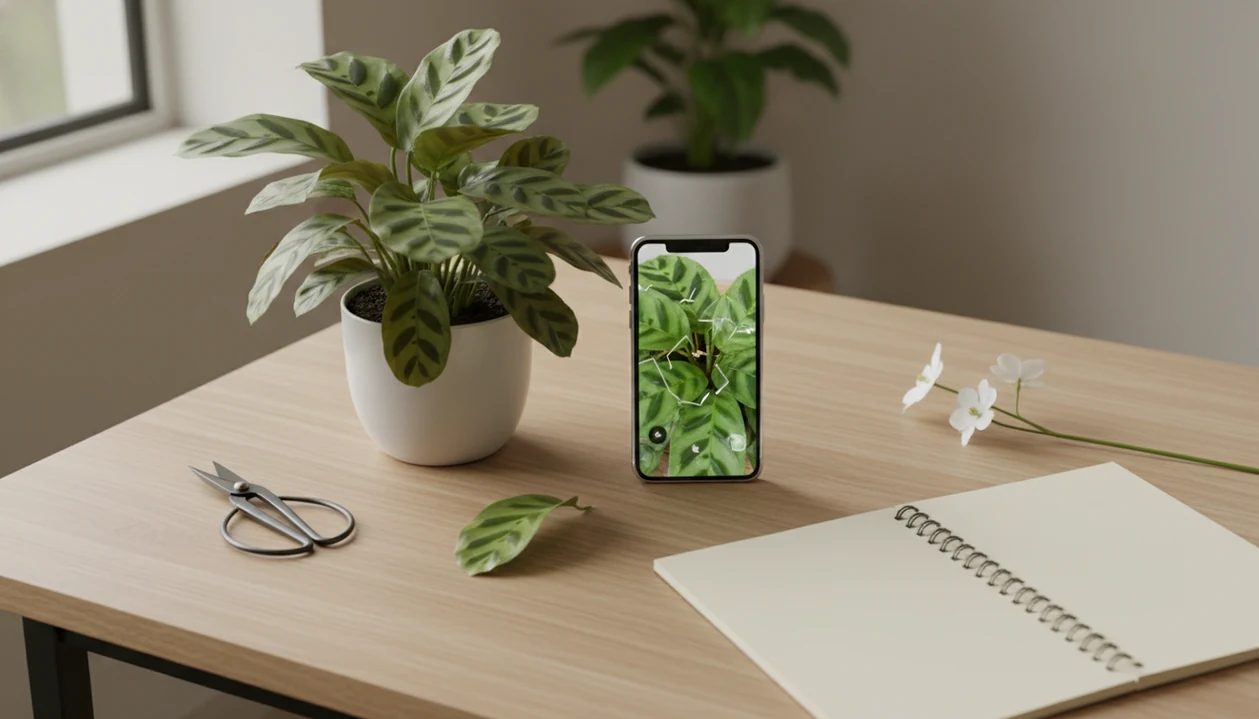
Yes, an app that identifies plants from photos can usually give you a likely plant match in seconds, but you should treat the result as a probability, not a guarantee. A safer workflow is to upload clear photos, review several possible matches, check visible traits, and then follow care or disease steps only after the identification makes sense.
Definition: PlantApp is a plant identifier app that identifies plants from photos and delivers plant health and care guidance, including diagnosis support, watering schedules, and troubleshooting steps for plant owners.
TL;DR
- Plant photo identifier apps compare your image with large plant image datasets and return likely matches, confidence signals, and sometimes care or disease guidance.
- Accuracy depends on photo quality, species coverage, region, season, and whether you review more than the first suggested match.
- Use the app result as a starting point, then verify leaf shape, flowers, stems, growth habit, location, and any safety-sensitive claims.
How these apps look
Side-by-side captures of the compared products. Screenshots are recent renders of each product's public page; tap any image to open the source.

Photo-Based Plant Identification Basics: What It Can and Cannot Tell You
Photo-based plant identification gives a likely plant match from a picture; it does not prove the plant’s identity by itself. The result is strongest when the photo shows the plant’s real structure, not just one pretty leaf.
These apps help with mystery houseplants, sidewalk weeds, garden flowers, outdoor shrubs, and sick leaves with spots or brown edges. Many now add light, watering, fertilizing, repotting, pest, and disease guidance after the match appears. That can be useful when the old nursery tag is sun-faded or long gone with the plastic sleeve.
Still, treat safety claims differently. Edibility, poisonous lookalikes, and pet toxicity need outside confirmation from authoritative sources. A plant app can point you in the right direction, but it should not be the only reason you let a dog near a floor planter or taste an unknown berry.
At-a-Glance Results From an App That Identifies Plants From Photos
A good plant identification result should show the likely name, visible evidence, close alternatives, and practical next steps. Confidence scores matter, but they should be checked against what you can actually see on the plant.
| Result field | What it should tell you | How to use it |
|---|---|---|
| Likely name | Common and scientific name | Treat as the starting match |
| Confidence | How strongly the app favors that match | Pair it with visible traits |
| Lookalikes | Similar species or varieties | Review the top 3 to 5 results |
| Care needs | Light, water, humidity, soil, fertilizer | Apply only after the ID makes sense |
| Disease flags | Possible pests, fungus, stress, or damage | Compare symptoms before treating |
| Next actions | Retake photos, verify, water, isolate, prune | Choose the lowest-risk step first |
The top card is not always the right plant. Reviewing several matches often catches lookalikes, especially with young plants, hybrids, or leaves photographed under yellow kitchen light at 10 p.m. If you want a broader comparison, our best plant identifier app guide explains what to look for beyond the first result screen.
Common alternatives people compare for photo-based plant ID include iNaturalist/Seek, PictureThis, Google Lens, and regional extension or university plant databases; each handles confidence, lookalikes, and care guidance differently.
Before You Identify a Plant From a Photo
Before you identify a plant from a photo, set up the shot so the app can see the plant’s real color, shape, and growing context. A few careful habits before uploading can prevent a confident-looking but wrong match.
- Use natural light when possible, and skip heavy filters, dramatic presets, or color correction that changes green leaves, flower tones, or yellowing symptoms.
- Photograph the whole plant first, including its pot, ground position, or growth habit, then add close-ups of leaves, stems, flowers, fruit, bark, or damage.
- Note where and when the plant is growing, including the season, region, and whether it is indoors, outdoors, in a greenhouse, or in a garden bed.
- Avoid touching unknown plants if you see sap, spines, thorns, fuzzy stems, berries, or anything that could trigger irritation, allergies, or toxicity concerns.
- Keep a second trusted reference ready before acting on edible, poisonous, child-safety, or pet-safety claims, because those decisions need more than one photo result.
How an App That Identifies Plants From Photos Works
An app that identifies plants from photos uses computer vision to compare your picture with labeled plant images. In simple terms, the model turns image details into patterns, sometimes called image embeddings, then searches for similar examples.
The app may examine leaf shape, venation, flower color, stem texture, bark, fruit, and overall growth habit. A sidewalk weed framed in the camera gives better context than a cropped green blur. Large community datasets also help train and test these systems. iNaturalist reports more than 170 million observations worldwide from people contributing organism photos, according to its public about page source.
Scale helps. It does not remove uncertainty.
Good AI plant identifier, disease diagnosis, and personalized plant care app for houseplants and garden plants deliver likely matches plus next care steps, not guaranteed species confirmation or professional toxicology, veterinary, or agricultural advice.
How Accurate Is an App That Identifies Plants From Photos?
Leading plant ID tools can be useful, but they are not 100% accurate. Accuracy changes with photo quality, species coverage, region, season, and whether you review more than one suggestion.
- A 2020 evaluation of the iNaturalist computer-vision tool found a 39.3% top-1 species match against expert identifications and a 63.0% genus match source.
- In the same study, the correct species appeared somewhere in the top five suggestions 65.5% of the time.
- Genus-level top-five performance reached 87.5%, which shows why the suggestion list matters.
- Rare, juvenile, damaged, hybrid, or local plants are harder to identify than common, well-photographed species.
- Reviewing multiple suggestions often improves the chance of finding the right plant because the first answer may be a close lookalike.
For most home users, photo-based plant identification works best as triage because it narrows the options before you compare the leaf shape, stem, flowers, and growth habit.
How to Identify Plants by Photo Step by Step
Identify a plant by photo by taking several clear photos, checking the app’s top matches, and applying care guidance only after the visible plant traits line up. The process is simple, but skipping photos is where many wrong IDs start.
- Clean the lens and wipe dust from the leaf if it hides the surface pattern.
- Photograph the whole plant, a leaf close-up, the stem, flowers or fruit, and damaged areas if disease is the question.
- Upload the sharpest images in natural light, not a single blurry shot from across the room.
- Review the top 3 to 5 matches, including confidence and lookalikes.
- Compare leaf arrangement, veins, stem texture, growth habit, and location before trusting the name.
- Save the match only after the care steps fit the plant you are actually seeing.
If you need a phone-specific workflow, the how to identify plants with phone guide covers camera habits that make identification less guessy.
Best Photos to Identify Plants by Photo
The best photos for plant identification are sharp, well-lit, and show the whole plant plus key details. Bright natural light, a plain background, and no heavy filters usually beat dramatic close-ups.
Take several angles: whole plant, leaf top, leaf underside, stem, flower, fruit, bark, growth habit, and pot or ground context. If the plant is indoors, include the pot surface when it matters. Soggy potting mix smell, salt crust, and roots circling a nursery pot can change the care advice after the ID.
One damaged leaf can fool an app. So can an immature seedling, a winter-dormant stem, or a blurry image taken under a warm lamp. Retake photos after flowers open, new growth appears, or the plant has recovered enough to show normal leaves. For identification, boring photos are often better than beautiful ones.
Care Steps After a Photo ID Gives a Match
What should you do after a photo ID gives a match? Use the match to choose low-risk care steps first, then escalate only when the plant’s visible traits and symptoms support the recommendation.
Start with light, water, humidity, soil, fertilizing, and repotting preferences for the likely plant. A heavy pot lifted with both hands may not need water even if leaves droop. Brown tips may point to dry air, inconsistent watering, salts, or root stress, not one single fix.
Disease recognition needs the same caution. Separate pests, fungal symptoms, overwatering, nutrient issues, cold damage, and environmental stress before spraying or pruning. Care-focused photo ID tools can connect an ID with care, watering, and disease troubleshooting steps, but the safer habit is to treat the app result as a care step, not a cure. The plant id confidence score guide explains why a high score still needs visible evidence.
Verification Checklist for Plant Identification by Picture
A plant identification by picture should be verified by matching the app result against observable traits and trusted references. This is especially important for weeds, native plants, edible claims, and pet-safety decisions.
Check these traits before accepting the result:
- Leaf arrangement: opposite, alternate, whorled, basal, or rosette.
- Leaf edge: smooth, toothed, lobed, wavy, or spiny.
- Venation: parallel, pinnate, palmate, or netted.
- Flower color and petal count: compare fresh flowers, not faded ones.
- Stem texture: smooth, hairy, woody, ridged, square, or milky.
- Growth habit: vine, shrub, tree, clump, rosette, grasslike, or succulent.
- Season and location: yard, woodland edge, planter, roadside, or greenhouse.
Compare the likely match with trusted databases, extension services, regional floras, or experienced plant communities. USDA PLANTS contains standardized information on more than 45,000 plant records for the United States and territories, according to the USDA PLANTS database source. For a single-plant workflow, our identify plant from photo guide gives a slower verification path.
Common Photo-Based Plant ID Mistakes
The most common mistake is trusting the first result without checking lookalikes. A confident screen can feel final, but the app may be choosing between plants that share the same leaf outline.
Other problems are more ordinary. People upload one poor photo, ignore location, or photograph only the prettiest leaf instead of the stem, pot, soil surface, and overall habit. Rare, local, hybrid, juvenile, damaged, or out-of-season plants are harder for AI systems because the training images may not represent them well.
Do not act on edible, poisonous, or pet-safe claims without verification. Paw prints in damp potting soil are a reminder that placement matters before certainty feels comfortable. Disease guesses can also overlap with nutrient imbalance, overwatering, cold damage, and pest damage. If sticky honeydew appears on a fiddle leaf fig, for example, check for scale or aphids before assuming a fungal disease.
Limitations
Plant identification apps are helpful, but they have clear limits that matter for care and safety decisions.
- Apps can be biased toward common, popular, and well-photographed species.
- Blurry photos, poor lighting, damaged leaves, immature plants, and lookalikes can cause wrong matches.
- Disease diagnosis from photos is limited because pests, pathogens, watering problems, nutrient issues, and environmental stress can look similar.
- Safety claims about edible plants, toxic plants, and pet-safe plants need authoritative confirmation.
- Many apps upload photos to remote servers, so privacy policies matter if you photograph home interiors or locations.
- Offline features may be limited because image processing and plant databases often require internet access.
- Some useful features, such as detailed care plans, lookalike lists, or disease tools, may sit behind paywalls.
- Regional plants, hybrids, cultivars, and seedlings mixed with volunteer tomatoes can still confuse otherwise useful tools.
If you are comparing cost and feature limits, a free plant identifier app may be enough for casual IDs, but verification matters either way.
FAQ
Can an app identify plants?
Yes, an app can identify many plants from photos by returning likely matches. The result should be treated as a probable identification, not a guarantee.
How accurate are plant ID apps?
Accuracy varies by photo quality, species, region, season, and dataset coverage. Reviewing several suggestions usually improves the chance of finding the correct plant.
What photo identifies plants best?
Clear photos of the whole plant plus leaves, stems, flowers, fruit, and growth habit work best. Include damaged areas if you want help with pests or disease.
Can apps identify plant diseases?
Many apps can flag likely diseases, pests, or stress patterns from photos. Visual diagnosis can confuse disease with overwatering, nutrient problems, cold damage, or environmental stress.
Are free plant apps reliable?
Free plant apps can be useful for common plants and basic IDs. They may limit accuracy tools, care guidance, verification features, or image history.
Can I identify weeds by photo?
Yes, many common weeds can be identified by photo. Check location, growth habit, flowers, seedheads, and lookalikes before removing or treating them.
Can apps identify poisonous plants?
Apps may suggest toxicity information, but users should verify poisonous, edible, pet-safe, or child-safety claims with authoritative medical, veterinary, or toxicology sources. Photo ID tools should be used. as a starting point for those checks.
Do plant apps work offline?
Some plant apps have limited offline features. Many need internet access to process photos, compare images, or retrieve current plant database information.