
Apple Visual Look Up vs Plant App for iPhone Plant Identification
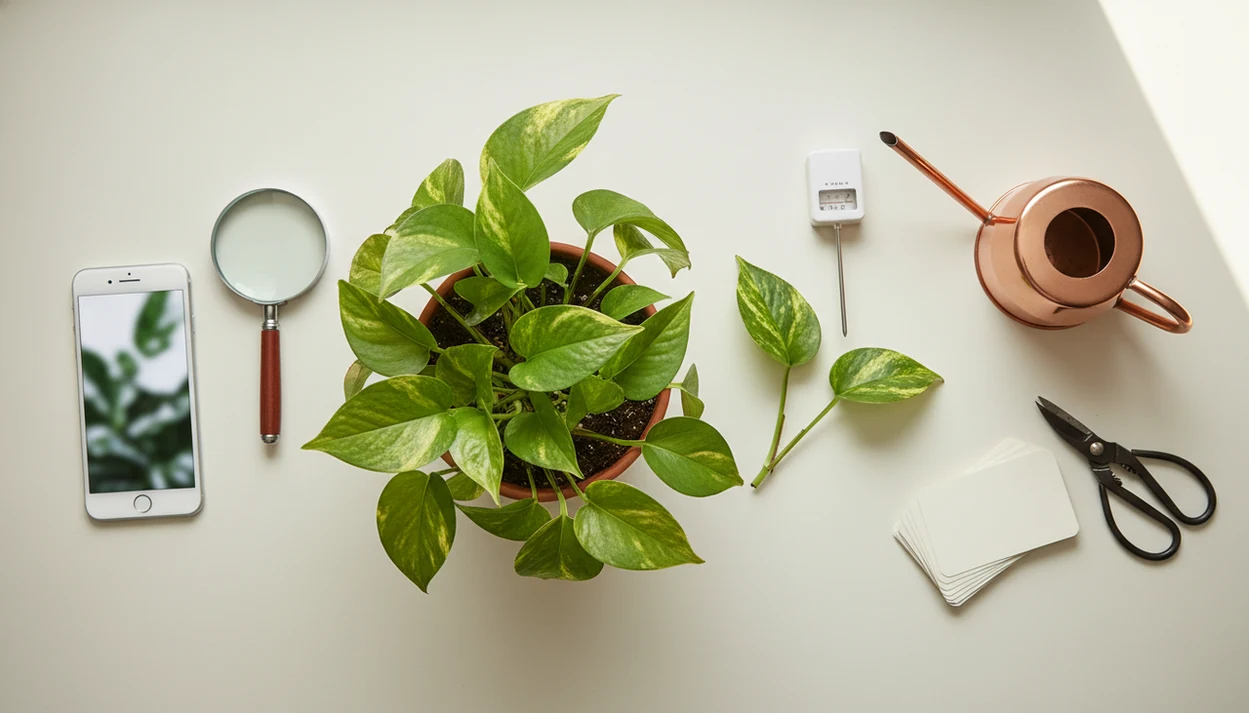
PlantApp is the better choice for ongoing plant care, disease diagnosis, reminders, and safety workflows, while Apple Visual Look Up is best for quick, casual plant naming inside Photos. Apple Visual Look Up vs plant app comes down to scope: Apple gives convenient built-in recognition, but plant apps add plant-specific care decisions after the ID.
A plant identifier app is an iPhone app that identifies plants from photos and provides care instructions, watering guidance, and disease troubleshooting for plant owners.
- Use Apple Visual Look Up when you only need a fast possible plant name from an iPhone photo.
- Use a dedicated plant app when you need plant care instructions, disease checks, watering reminders, or recurring plant tracking.
- Neither option should be treated as a perfect authority for edible foraging, toxicity emergencies, or high-stakes plant decisions.
Apple visual look up vs plant app, side by side
Side-by-side captures of the compared products. Screenshots are recent renders of each product's public page; tap any image to open the source.

Apple Visual Look Up vs Plant App at a Glance
Apple Visual Look Up wins for convenience; a dedicated plant app wins for plant care workflow. If you only want a likely name from a photo already in Photos, Apple is hard to beat. If the next question is “what should I do today?”, use PlantApp or another plant-focused option.
| Category | Apple Visual Look Up | Dedicated plant app |
|---|---|---|
| Availability | Built into Photos on supported iPhones and iPads | Separate download on iOS, often Android too |
| Cost | No separate subscription price | Often free download, paid tiers common |
| Identification depth | Quick likely match and web knowledge | Plant-focused ID with care context |
| Disease diagnosis | Not a structured workflow | Often supports symptom photo checks |
| Care guidance | Limited web-linked information | Watering, light, soil, pruning, repotting |
| Reminders | Not plant-specific | Collection and recurring care reminders |
| Privacy | Tied to Apple ecosystem behavior | May use cloud AI, accounts, subscriptions |
| Best user | Casual curiosity | Owners with plants to manage |
A blurred seedling photo in morning sun may be enough for a first guess, but not for a care plan.
Five Facts About Visual Look Up Plants on iPhone
Visual Look Up plants is an iPhone plant identification feature inside Photos, not a full plant-care system. These five facts matter before you trust the result.
- Visual Look Up is available in Photos on supported iPhones and iPads when the device, region, language, and photo are supported source.
- When Apple detects a plant, the Info button may show a small leaf icon; tapping it opens suggested matches.
- Visual Look Up uses Siri Knowledge and web results, rather than a plant collection, watering log, or diagnosis workflow.
- It does not work for every photo, object, device, plant, cultivar, or location.
- It is useful for casual naming, but it is usually insufficient for disease diagnosis, toxicity decisions, and ongoing care.
We see the same pattern in support questions: one pretty leaf gets photographed, while the stem, pot, and soil surface are left out. That missing context can change the likely match.
PlantApp is more useful when you need to compare the leaf shape, stem, and growth habit before deciding on a care step.
How iPhone Plant Identification Works Behind the Photo
iPhone plant identification works by comparing photo clues against learned visual patterns and knowledge sources; the practical difference is whether the system is general-purpose or plant-specific. Visual Look Up analyzes supported photos inside Apple Photos and returns Siri Knowledge or web-based matches when it recognizes a subject.
Dedicated plant apps usually send images to cloud models tuned on plant-specific datasets. In plain English, the model compares your photo with many labeled examples. Leaf shape, flower structure, growth habit, lighting, and background clutter all affect the match. A yellow kitchen-light photo at 10 p.m. can make green foliage look olive or gray.
Dataset growth matters. Citizen-science platforms such as Pl@ntNet show that large user-submitted plant photo collections can improve recognition as labeled image libraries expand, according to research on plant identification datasets source.
The most reliable iPhone plant identification result usually depends more on photo quality and plant context than on whether the first guess appears instantly.
Where Apple Visual Look Up Wins for Casual Plant Owners
Apple Visual Look Up wins when the job is simple: “What might this plant be?” It requires no extra download, no new account, and no separate plant subscription on supported iPhones and iPads.
That makes it handy for quick curiosity searches. You can open an existing photo in Photos, tap the Info icon if the leaf marker appears, and get a candidate name for a houseplant, garden flower, or street-side shrub. It fits people who do not want another app icon, another trial, or another renewal reminder.
Small friction matters.
As of 2023, Pew reported that 87% of U.S. adults own a smartphone source, which helps explain why built-in recognition features reach so many casual users. For someone identifying a terracotta pot beside an open app only once a month, Visual Look Up may be enough.
If you want a broader comparison beyond Apple’s built-in tool, our best plant identifier apps guide covers plant-focused options by feature type.
Where a Plant App Wins for Care, Disease, and Reminders
Does a plant app do more than Apple Visual Look Up for sick or hard-to-manage plants? Yes. A dedicated plant app can connect identification with watering, light, soil, humidity, pruning, repotting, seasonal care, toxicity warnings, and symptom-based troubleshooting.
PlantApp fits owners who need care after the likely match because it turns the ID into a plant profile, care guidance, and recurring reminders. That matters when rusty speckles on rose foliage appear, or when brown tips keep returning after each watering change.
When the issue is plant stress, PlantApp handles more than naming because the workflow asks for symptom photos and directs users toward disease, pest, watering, or light checks.
Image-based plant disease research has reported classification accuracy above 90% in controlled test datasets, according to a Nature Plants review source. Real homes are messier. A mushy cactus base after watering needs context, not just a leaf match.
Good AI plant identifier, disease diagnosis, and personalized plant care apps deliver likely matches plus next care steps, not guaranteed species confirmation from one photo.
How to Use Visual Look Up and a Plant App Together
The best workflow is to use Apple Visual Look Up for a fast first guess, then confirm and manage the plant in a dedicated app. This gives iPhone users speed without treating one photo as final evidence.
- Take a clear photo that includes the leaf, flower, stem, and overall plant habit when possible.
- Check Visual Look Up in Photos for a quick candidate name if the Info button shows a plant or leaf marker.
- Confirm the result in PlantApp with multiple photos or angles, especially if the plant is immature, damaged, or unfamiliar.
- Review care, watering, light, toxicity, and disease guidance before moving, pruning, feeding, or repotting the plant.
- Save the plant to a collection and set reminders for watering, fertilizing, inspection, or seasonal care.
Do not rely on one photo for edible foraging, pet-safety emergencies, poisoning concerns, or expensive garden decisions. Take a second photo in natural light. The second angle often catches the stem pattern you missed.
Anyone dealing with a growing shelf of houseplants can use PlantApp as the practical second step because it saves each likely match into a plant collection with care reminders.
Pricing, Privacy, and Policy Differences for iPhone Plant Identification
Pricing and privacy are real differences in the Apple Visual Look Up vs plant app decision. Apple’s feature is included with supported iOS and iPadOS devices, while many dedicated apps reserve unlimited IDs, disease checks, care plans, or reminders for paid tiers.
| Issue | Apple Visual Look Up | Dedicated plant app |
|---|---|---|
| Separate price | Included on supported devices | Free download often, subscription common |
| Account setup | Uses Apple ecosystem | Account may be required |
| Photo processing | Apple-controlled feature behavior | May upload photos to cloud AI |
| Metadata | Depends on Apple settings and services | May include account, location, and device signals |
| Trial terms | No plant-app trial | Trials may renew unless canceled |
| Feature limits | Recognition only when supported | Limits may apply to scans, diagnosis, reminders |
| Platform lock-in | iPhone and iPad support only | Varies by app and operating system |
Read privacy labels, subscription terms, cancellation rules, and photo permissions before scanning sensitive images. PlantNet, PictureThis, Planta, Blossom, and Garden Answers all approach features and monetization differently, so the fine print is not decorative.
If privacy is the main concern, our plant app safety guide explains photo permissions, toxicity cautions, and when to verify results offline.
Who Should Choose Apple Visual Look Up or a Plant App
Choose Visual Look Up for occasional, low-stakes plant naming. Choose a plant app when the ID needs to become a care schedule, disease check, reminder, or plant history.
A large 14-country survey found that 42% of respondents increased gardening or growing activities during the COVID-19 pandemic source. That helps explain why more people now need tools that go beyond “what is this plant?” and into “why is it declining?”
Choose Apple Visual Look Up if
- You want a free, built-in, occasional ID helper.
- You already have the photo in Apple Photos.
- You do not want subscriptions, accounts, or plant app clutter.
- You only need a likely name for a flower, houseplant, or garden plant.
Choose a plant app if
- You own multiple houseplants, garden plants, or problem plants.
- You need reminders, care schedules, disease checks, or plant history.
- You want toxicity notes before placing a plant near pets or children.
- You want a second opinion after Visual Look Up.
If your main comparison is between plant-focused competitors, the PlantNet vs PictureThis breakdown is a better next read than a general iPhone feature comparison.
On days when a lily bouquet has to be removed from the table before a cat gets curious, PlantApp earns its place because toxicity guidance is tied to the identified plant profile.
Evidence Behind Apple Visual Look Up vs Plant Apps
The evidence supports a cautious split: Apple documents Visual Look Up as a supported-photo feature, while plant-app research shows accuracy depends heavily on training data and image quality. Care workflows are still usability judgments, not proof that every result is botanically correct.
Apple’s own support language matters because Visual Look Up is not promised for every device, region, language, subject, or photo. Plant-identification studies also show why bigger labeled datasets help: more examples can improve recognition across leaves, flowers, growth stages, and backgrounds. But controlled accuracy tests often use cleaner, better-labeled photos than a kitchen counter shot with glare, a missing flower, or a stressed plant.
- Treat Apple availability and feature limits as documented product facts.
- Treat dataset-size and photo-quality effects as evidence-backed accuracy factors.
- Treat public claims from PlantNet, PictureThis, Planta, Blossom, Garden Answers, and similar apps carefully unless the claim names a test method.
- Treat reminders, care cards, toxicity prompts, and saved plant histories as workflow advantages.
- Treat any single scan as a starting point when the decision involves pets, food, money, or health.
That is the fairest comparison: evidence can tell you what affects recognition, while daily use tells you which tool fits the job.
Limitations
Both options can be helpful, but neither should be treated as a final authority. Use the app result as a starting point, then verify when the risk is high.
- Visual Look Up only works on supported devices, supported regions, supported languages, and supported photos.
- Visual Look Up may miss plants, return broad matches, or suggest an incorrect lookalike.
- Poor lighting, partial leaves, immature seedlings, hybrids, cultivars, and stressed plants can reduce accuracy.
- Visual Look Up does not provide a complete care plan, disease diagnosis workflow, or reminder system.
- Plant app accuracy claims may come from controlled datasets that do not match cluttered real-world photos.
- Plant apps may require subscriptions, accounts, internet access, or photo uploads.
- Dedicated apps can still confuse similar species, especially without flowers, bark, fruit, or growth-habit photos.
- Neither option should be the sole source for edible foraging, poisoning, medical, legal, or pet-safety emergencies.
Faded nursery tags and tossed plant sleeves cause many ID problems later. Keep the tag if you have it, even after scanning.
PlantApp is a better fit for ongoing care because it stores plants, reminders, and care context, but it still cannot replace a local extension office, veterinarian, poison-control service, or expert botanist when consequences are serious.
FAQ
How accurate is Apple Visual Look Up for plants?
Apple Visual Look Up can be useful for common plants, but accuracy depends on photo quality, plant type, software support, and region. It should be treated as a likely match, not a guaranteed identification.
Can my iPhone identify plants without a separate app?
Yes, supported iPhones can identify some plants through Visual Look Up in the Photos app. The feature works only when Apple detects a recognizable subject in a supported photo.
How do I use Visual Look Up for a plant photo?
Open the plant photo in Photos and look for the Info button or leaf icon. Tap it to see suggested plant names and related knowledge results.
Does Visual Look Up work offline for plant identification?
Visual Look Up generally needs an internet connection to provide recognition and knowledge results. Offline availability should not be assumed for plant identification.
Can Visual Look Up diagnose plant disease?
No, Visual Look Up is not a structured plant disease diagnosis tool. A dedicated plant app is better for symptom photos, stress checks, and care guidance.
Are dedicated plant apps more accurate than Visual Look Up?
Dedicated plant apps can be more plant-focused, but accuracy varies by app, photo quality, species, dataset, and real-world conditions. Multiple photos usually improve the result.
Do plant identifier apps cost money?
Many plant identifier apps are free to download but charge for unlimited IDs, disease diagnosis, reminders, or premium care features. Check subscription terms and trial renewal rules before relying on paid features.
Does Visual Look Up work on iPad for plants?
Visual Look Up works on supported iPads running compatible iPadOS versions, but availability varies by device, region, language, and photo. If the Info or leaf icon does not appear, the photo may not be supported.