
Plant App Location Privacy And Safer Identification Settings
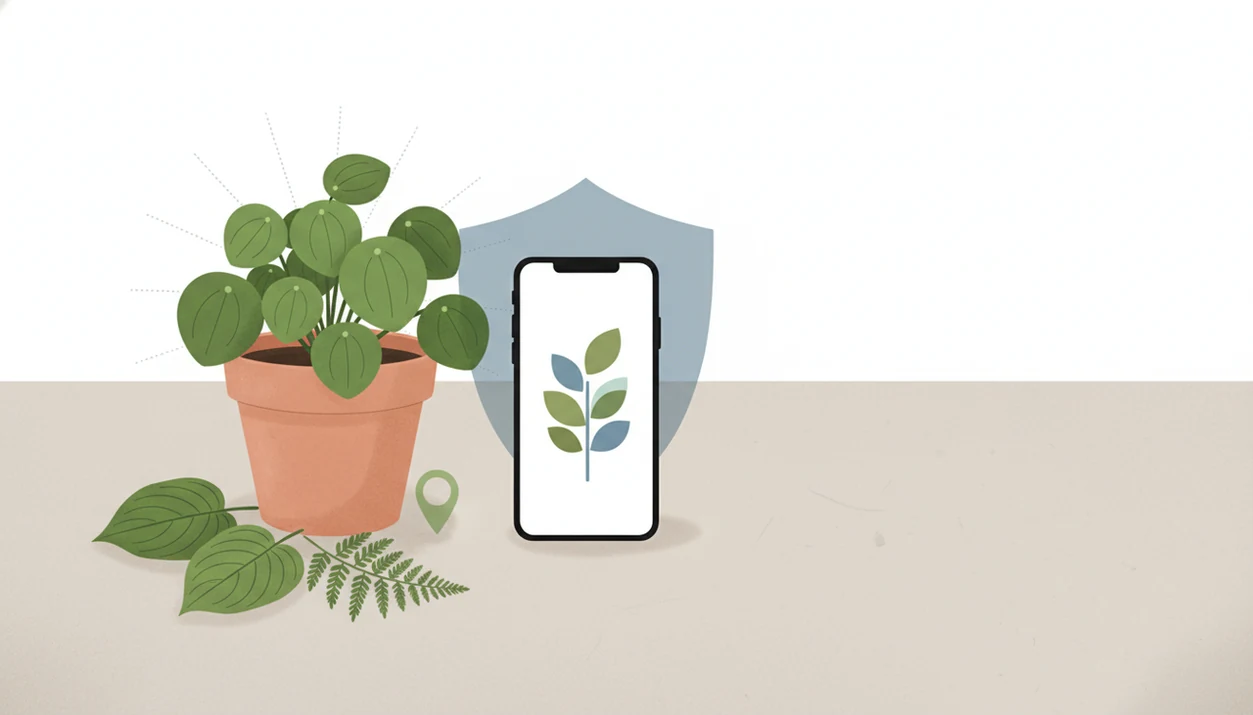
Plant app location privacy means controlling whether a plant identifier app can see, store, or share your exact GPS position, photo metadata, or broader regional context. For most plant owners, the safest default is to allow only approximate or while-using location, then enable precise location only when local accuracy truly matters.
Definition: Plant app location privacy covers how plant identifier apps collect, use, store, obscure, or share GPS coordinates, approximate location, and photo-based location metadata when you identify plants or diagnose plant problems.
TL;DR
- Use approximate or while-using location for everyday houseplant and garden identification.
- Precise GPS can improve plant app geolocation accuracy, but it can also reveal homes, schools, rare plant sites, and repeat routines.
- Turn off camera geotagging or remove EXIF location before uploading sensitive plant photos.
Scope note: This guide is general privacy education for plant app users. It is not legal, cybersecurity, emergency, or professional safety advice; avoid uploading a photo when exposure of the place, person, or plant could cause harm.
Plant App Location Privacy: What This Policy Guide Covers
Plant app location privacy is the set of choices that controls how much real-world place data travels with a plant photo. GPS means exact latitude and longitude, approximate location means a broader area, and photo metadata can quietly store where a picture was taken.
That matters because plant identification is partly local. A weed in Oregon, a volunteer tomato seedling, and a tropical houseplant on a shelf need different context. Location can help narrow likely matches, but it can also expose a home garden, a school courtyard, or a rare plant population.
We see the privacy issue most clearly when a user uploads a sharp leaf photo and forgets the pot is sitting beside a recognizable front step. In this category, location settings should be treated as identification context, not automatic permission to reveal a private place.
How Plant App Geolocation Works Behind The Scenes
Plant app geolocation works by combining photo clues with possible place signals from the phone, camera file, or user account. An app may receive coordinates through operating-system location permission, hidden EXIF metadata inside the image, or a saved observation attached to a profile.
Behind the result, AI plant identification often compares image embeddings, which are mathematical summaries of the photo, against known plant patterns. Regional context can then narrow the list. A striped leaf vein photographed in a terracotta pot beside an open app might match several plants, but climate, season, hardiness zone, and known pest ranges can make one answer more likely.
Precise GPS is different from coarse location. Precise GPS may point close to one property, while approximate location may only suggest a city, neighborhood, or wider region. AI plant identifier, disease diagnosis, and personalized plant care app for houseplants and garden plants should deliver likely matches and practical care steps, not guaranteed diagnosis from one photo or invisible location tracking.
Five Location Data Facts Plant App Users Should Know
- Most plant identifier apps may use location to narrow possible species, especially for weeds, wildflowers, trees, and outdoor disease clues.
- Some apps obscure location before storing or sharing observations, while others may keep coordinates with an account, post, or citizen-science record.
- Precise location can improve a likely match, but it can also reveal homes, schools, workplaces, rare plants, or sensitive habitats.
- Users can usually manage plant identifier location data through iOS, Android, camera geotagging, and app-level privacy settings.
- Public plant observations can expose private landscapes even when the plant name seems harmless.
One practical test helps: would you post the same photo if the address were printed below it? The cat sniffing a dangling vine is cute, but a window view or school sign behind it changes the privacy question. For household safety topics, our broader plant app safety guide separates identification help from higher-risk decisions.
Precise GPS, Approximate Location, And EXIF Photo Metadata
Location privacy depends on the type of location data, not only whether a map appears on screen. A plant app can use or store place signals in the background without showing a pin to the user.
| Location data type | What it means | Privacy concern | Common safer choice |
|---|---|---|---|
| Precise GPS | Latitude-longitude coordinates from your phone | May identify a specific home, garden, trail, or school property | Use only when local context is important |
| Approximate location | A broader regional signal, such as a city or area | Safer than exact GPS, but not fully anonymous over time | Use for routine plant ID and care |
| EXIF photo metadata | Hidden file information that can include where and when a photo was taken | May remain even if app GPS permission is off | Disable camera location or strip metadata |
A clear nursery pot showing pale roots can tell us a lot about care. It should not also reveal the balcony address by accident. For most houseplant users, approximate location is often better than precise GPS because the plant’s leaf shape, stem, potting mix, and indoor conditions matter more than exact coordinates.
Safer Plant App Geolocation Settings For iPhone And Android
Safer plant app geolocation settings usually mean approximate location, while-using access, and camera geotagging turned off for sensitive photos. Precise location is useful sometimes, but it should be a temporary choice, not the default for every plant snapshot.
iPhone plant app location settings
On iPhone, review Location Services for each plant app and choose “While Using the App” rather than always-on access when possible. If the app supports it, turn off Precise Location for ordinary houseplants, patio containers, and front-yard photos. Also check Camera location settings, since a photo can carry EXIF location before any app opens it.
Android plant app location settings
On Android, use approximate location for routine identification and choose “Ask every time” or “Allow only while using the app” where available. Disable camera location tags when photographing rare plants, children’s gardens, or private property. Temporarily enable precise location for outdoor weeds, invasive plants, or pest problems where regional accuracy changes the likely match.
Precise Location Or Private Identification: A Plant App Decision Rule
Should I use precise location or private identification in a plant app? Use precise location when the plant problem depends on where it is, and use approximate or no location when the place itself is sensitive.
Precise location can help with outdoor weeds, invasive plants, local pests, region-specific diseases, and wild observations where a county-level difference changes the answer. A white powder on squash leaves in late summer needs different context than a similar-looking mark on an indoor begonia.
Choose approximate or no location for houseplants, home gardens, children’s schools, private property, rare plants, and sensitive habitats. Decide before uploading, not after the photo is already shared or attached to an account. Repeated approximate data can still reveal patterns if you identify plants from the same porch, office, or trail every week. Quiet patterns count.
Plant Identifier Location Data Risks Beyond The App Screen
Plant identifier location data can create risk beyond the plant app screen because location is personal context, not just a technical setting. In a 2022 Pew Research Center survey, 72% of U.S. adults said they were at least somewhat concerned about how companies use collected data, including location data. Source: https://www.pewresearch.org/internet/2023/10/18/how-americans-view-data-privacy/
A 2021 Pew report also found that 64% of Americans had personally experienced at least one type of data theft or fraud. Source: https://www.pewresearch.org/internet/2017/01/26/americans-and-cybersecurity/ That background explains why some users are cautious before linking garden photos, account profiles, and GPS traces.
Research in Nature Scientific Reports found that anonymized mobility data can often be re-identified, with as few as four spatio-temporal points uniquely identifying 95% of people in a large dataset. Source: https://www.nature.com/articles/srep01376 The FTC has warned that precise location can reveal sensitive visits, and NIST classifies geolocation as personal data that may become identifiable when combined with other data. A garden plant identifier app is most useful when it respects that tradeoff.
What Safer Plant App Location Privacy Does Not Cover
Safer location settings reduce exposure, but they do not guarantee anonymity. Account data, device identifiers, analytics tools, ad systems, cloud backups, image contents, and public posts can still reveal information.
Stripping EXIF metadata removes hidden file location, but it does not erase visible clues. A house number, street sign, greenhouse logo, distinctive fence, or view from an east window glow on leaves can identify a place without coordinates. The app never needed a map pin for that.
Turning off location may also reduce accuracy for plants where regional context matters. No app can identify all plants accurately without enough visual detail and, sometimes, local context. Use the app result as a starting point, then compare the leaf shape, stem, and growth habit against a regional source when the ID is uncertain.
PlantApp and similar tools should be handled with the same caution: useful for likely matches and care steps, but not a reason to upload sensitive locations casually.
Limitations
Location controls are helpful, but they have real limits. Review these before relying on any single setting.
- Turning off location can reduce accuracy for region-specific plants, pests, invasive weeds, and diseases.
- Approximate location is safer than precise GPS, but repeated approximate use can still show routines over time.
- Photo metadata settings vary by phone model, camera app, cloud backup service, and sharing workflow.
- Public citizen-science observations may follow separate visibility rules from the plant app’s private scan history.
- Privacy policies change, so settings and data practices should be reviewed periodically.
- Visual clues in photos can reveal location even when coordinates are removed.
- Emergency privacy needs may require not uploading the photo at all.
- A plant ID result may be wrong if the photo shows only one pretty leaf and omits stem, soil surface, flowers, or growth habit.
For pet or child safety, privacy is only one layer. If a plant may be toxic, use a dedicated toxic plants for cats app, toxic plants for dogs app, or plant toxicity app for children workflow and contact a qualified poison resource when exposure is possible.
FAQ
Do plant apps track location?
Many plant apps may use GPS, approximate location, or photo metadata depending on permissions, features, and account settings. Check both app permissions and camera geotagging settings.
Should I allow precise location for plant identification?
Allow precise location when outdoor identification depends on local weeds, pests, diseases, or wild distribution. Use approximate or no location for houseplants, private gardens, schools, and sensitive habitats.
Can photo metadata reveal where I took a plant picture?
Yes, EXIF metadata can include GPS coordinates if camera location tagging is enabled. Turn off camera geotagging or remove metadata before uploading sensitive plant photos.
Is approximate location private enough for a plant app?
Approximate location reduces risk, but it does not guarantee anonymity. Repeated approximate locations can still suggest routines or frequently visited places.
Does location improve plant identification accuracy?
Location can improve accuracy by adding regional distribution, climate, season, hardiness, and local pest context. Many common houseplants can still be identified without precise GPS.
How do I hide my garden location in a plant app?
Use approximate location, deny precise GPS, disable camera geotags, remove EXIF metadata, and avoid public posts from private property. Also crop visible house numbers, signs, and distinctive landmarks.
Are public plant observations safe to share?
Public observations can be useful, but they may expose home landscapes, rare plants, or sensitive habitats. Use obscuring tools or avoid posting when the location could cause harm.
Can I identify plants without GPS?
Yes, many plants can be identified from clear photos without GPS. Accuracy may be lower for region-specific weeds, wild plants, invasive species, and local disease problems.