
Plant ID App Success Stories From Everyday Plant Owners
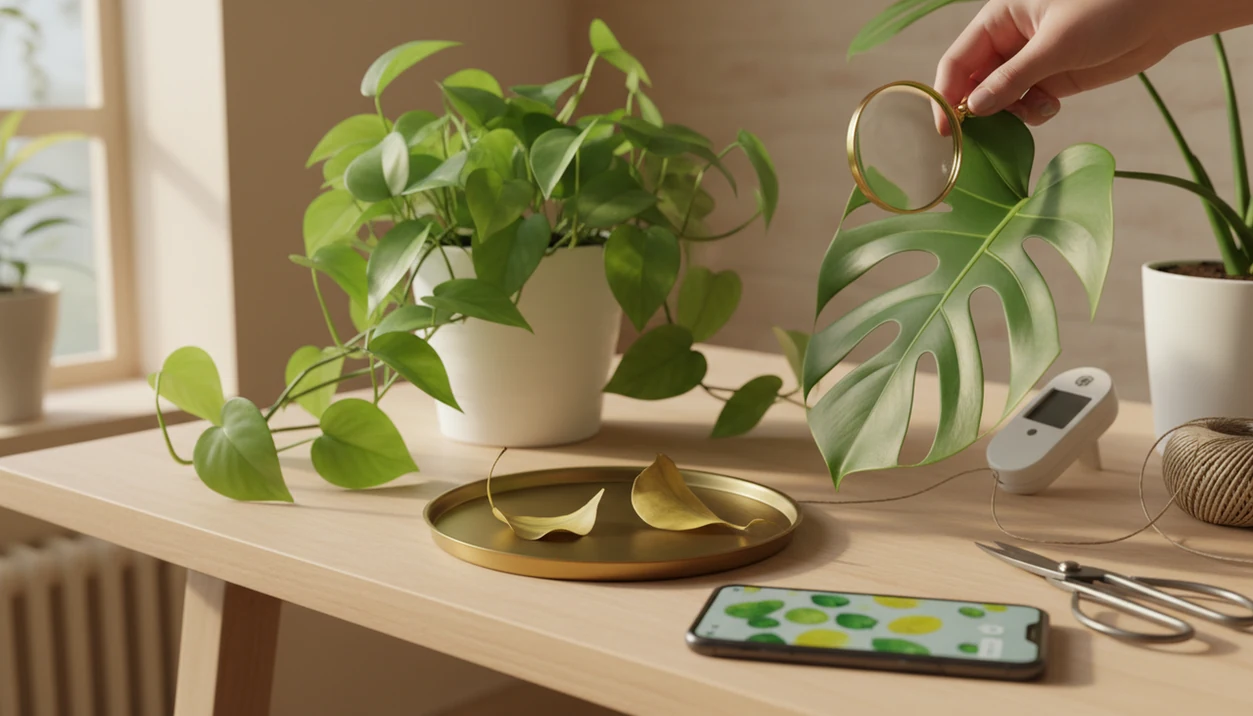
Plant id app success stories usually happen when a plant owner gets a clearer photo-based ID, changes watering, light, soil, or pest care, and sees visible recovery over the next few weeks. The strongest examples treat the app result as a practical starting point, then confirm risky decisions before pruning, treating, or removing a plant.
A useful plant identifier app identifies plants from photos, then turns the likely match into care, watering, and disease-troubleshooting steps.
- The most useful plant app results come from combining a photo ID with care reminders, symptom checks, and follow-up observation.
- Plant care before and after changes usually take days to weeks, not hours, because roots, leaves, and pests respond gradually.
- No plant ID app is perfect, so successful users double-check look-alike plants, toxic plants, invasive weeds, and disease treatments before acting.
At-a-glance plant app results from real care changes
Successful plant app results usually follow the same path: better photo, likely match, care correction, then visible change. The improvement is often modest at first, such as fewer yellow leaves or new growth that looks cleaner than the old damaged leaves.
| Starting problem | App clue | Care change | Realistic result |
|---|---|---|---|
| Yellow leaves | Overwatering likely | Longer dry-down, drainage check | Fewer new yellow leaves in 2 to 4 weeks |
| Brown tips | Light or watering stress | Move from harsh sun, steady watering | New leaves emerge with less damage |
| Sticky leaves | Possible pests | Inspect, isolate, rinse foliage | Pest pressure drops after repeat checks |
| Unknown vine | Weed look-alike | Confirm locally, remove early | Spread prevented before flowering |
The phone hovering over glossy leaves is only the first step. The real before and after comes from patient follow-up, not one dramatic scan.
How plant ID app success stories work behind the scenes
These success stories start when image recognition compares visible plant traits against labeled image data and returns a likely match. In simple terms, the software reads photo clues such as leaf shape, venation, flowers, bark, stems, and growth habit.
Species ID and health diagnosis are different jobs. Naming a pothos is usually easier than proving why its leaves are yellow from one picture. Once the plant is correctly named, care guidance becomes more useful because watering, light, soil, and toxicity advice can match that species.
A Rutgers-linked study summarized by University of Illinois Extension found phone plant apps ranged from 71.8% to 97.3% accuracy at genus level, and 40.9% to 83.9% at species level for tree leaf photos source. That range is helpful, but not certainty.
How to use a plant ID app for better before and after results
Better plant care before and after results come from repeatable photos and limited care changes. One blurry leaf photo under yellow kitchen light at 10 p.m. can still help, but it should not be the only evidence.
- Photograph the whole plant, leaves, stems, flowers, soil surface, and damaged area in natural light.
- Compare the likely match against the leaf shape, stem, and growth habit before accepting it.
- Check care notes for water, light, soil, pet safety, and common pests.
- Adjust one or two variables at a time, such as watering interval and light placement.
- Track the same angle weekly so the before and after is fair.
- Verify toxic plants, edible plants, invasive weeds, and pesticide decisions with a regional source.
For photo technique, our guide to how to identify plants with phone covers the angles users often miss.
Method behind these plant ID app success stories
A plant ID app success story means three things happened: identification, a care decision, and an observable plant response. The examples below are realistic composites based on common user patterns, not controlled trials.
- Original issue: The plant had a visible problem, such as yellow leaves, pests, wilting, or unknown identity.
- App result: The app suggested a likely plant name or flagged a possible care issue.
- Care adjustment: The owner changed water, light, soil, isolation, pruning, or removal timing.
- Timeline: The result appeared over days, weeks, or months, not instantly.
- Uncertainty: The story remains cautious when the ID, disease, or risk level is unclear.
Michigan State University evaluated 17 plant ID tools in 2025 and found the top app was fully correct 76% of the time and helpful 88% of the time; other tools ranged far lower source. App choice matters.
Maya’s pothos plant care before and after watering reset
Maya thought her pothos was thirsty because the vines were limp and several leaves had turned yellow. The care tag had faded in the sun, and the pot had been watered every few days “just to be safe.”
The app identified the plant as pothos and flagged likely overwatering or root stress. A clear nursery pot showed pale roots near the edge, but the lower mix still smelled soggy. That detail changed the plan.
She checked drainage, let the pot dry longer, moved it into brighter indirect light, and trimmed the worst leaves. After three weeks, the old yellow leaves did not recover, but the newest growth looked firmer. Reset.
For many houseplants, changing watering timing after a correct species ID is often more useful than adding fertilizer because stressed roots cannot use extra nutrients well.
Luis’s garden plant app result for a look-alike weed
“Is this volunteer plant worth keeping?” That was Luis’s real question when a fast-growing vine appeared beside a young shrub.
At first, it looked like something ornamental dropped by birds or leftover from last year’s bed. The app suggested a weed look-alike and pushed him to compare the leaf arrangement and growth habit with a local reference. He did not yank everything immediately.
Good choice.
Luis checked a regional plant database, confirmed the likely weed, and removed it before it twined through the shrub. The wanted plants stayed undisturbed because he dug only the suspect seedlings. For uncertain outdoor IDs, an app that identifies plants from photos works best as triage before local confirmation, especially when invasive plants are possible.
Priya’s monstera disease diagnosis and pest recovery story
Priya blamed curled monstera leaves on dry apartment air. Then she noticed brown speckling and a faint sticky feel along one stem.
The app identified monstera and prompted a closer pest inspection, including thrips, mites, and scale. Under a window, the marks looked different than they had under the ceiling light. She isolated the plant, rinsed the foliage, pruned the worst leaves, and checked new growth twice a week.
Disease and pest diagnosis is harder than species ID from a single photo. A yellow halo around a brown leaf spot may suggest one issue, while sticky residue points somewhere else. Tools such as PictureThis, PlantNet, Planta, and other plant identifier apps can surface likely causes, but the next step is still inspection.
Common plant ID app success patterns across houseplants and gardens
The same success patterns show up across houseplants, patio pots, and garden beds. They are practical, not dramatic.
- Correct species ID: Care advice improves when the plant is named accurately.
- Better watering schedule: Users stop watering every plant on the same calendar.
- Better light placement: Leggy stems leaning toward glass often point to a light mismatch.
- Earlier pest detection: Speckles, webbing, and sticky leaves get checked sooner.
- Safer toxic or invasive handling: Risky plants are confirmed before keeping, moving, or removing.
According to the MSU evaluation, the top tested app was helpful much more often than weaker tools, and some tools produced fully correct IDs only 6% to 40% of the time. If you are comparing options, the best plant identifier app guide explains why accuracy ranges and care follow-up both matter.
What plant app results do not prove about plant recovery
A recovered plant does not prove every app ID was correct. It may show that the owner paid closer attention, watered less often, moved the pot, repotted, changed fertilizer, or caught a seasonal growth flush at the right time.
Before and after photos can be persuasive, but they rarely isolate one cause. A plant with brown tips may improve after brighter indirect light, steadier water, and trimmed damaged leaves. Which change mattered most? Hard to know.
An AI plant identifier, disease diagnosis, and personalized plant care app for houseplants and garden plants can deliver likely matches and next care steps, not guaranteed species confirmation, emergency poison advice, or proof that one treatment caused recovery.
Treat one success story as a clue, not a rule. At 80% accuracy, roughly 1 in 5 IDs can still be wrong.
Limitations
Plant ID apps can help, but the safest success stories include confirmation and restraint. The risk rises when the decision affects health, food, chemicals, or local ecosystems.
- No app is 100% accurate, and even stronger tools can misidentify a meaningful minority of plants.
- Disease diagnosis from one photo is less certain than species identification.
- Look-alike species, rare plants, regional cultivars, hybrids, and poor photos reduce accuracy.
- Do not rely on app IDs alone for edible foraging, toxic plant safety, pesticide decisions, or invasive plant removal.
- Different apps perform very differently, with some tools far less accurate than others in independent testing.
- Before and after photos may reflect several care changes, not only the app recommendation.
- Pet and child safety needs extra caution, especially with berries, bulbs, and sap.
When the ID is uncertain, use the app result as a starting point and check against a regional extension office, botanical garden, or qualified local expert.
FAQ
Do plant ID apps really work?
Good plant ID apps can be helpful for naming common plants and guiding care decisions. Accuracy still varies by app, photo quality, plant part, season, and species.
How accurate are plant ID apps?
Independent studies have found wide ranges, from about 71.8% to 97.3% at genus level and 40.9% to 83.9% at species level in one tree leaf study. Other testing shows some apps perform much worse than top tools.
Can an app save a dying plant?
An app can guide better care decisions, but it cannot guarantee recovery. Survival depends on root health, pest pressure, disease severity, timing, and follow-through.
What photos identify plants best?
Clear photos in natural light work best. Show leaves, stems, flowers, growth habit, the whole plant, and any damaged area.
Can apps diagnose plant disease?
Apps can flag likely disease, pest, watering, or nutrient issues. Confirm serious diagnoses before pruning heavily, applying chemicals, or discarding a valuable plant.
Are free plant apps reliable?
Some free plant apps are useful, but free and paid tools vary widely. Compare results and check trusted references before high-stakes decisions.
How long does recovery take?
Visible plant care before and after changes often take days to weeks. Root recovery, pest control, and new foliage can take months.
Should I trust one app result?
Treat one app result as a hypothesis, not final proof. Photo-based plant tools are most useful when paired with clear photos, follow-up observation, and expert confirmation for risky decisions.