
Plant Identification Glossary for App Users and Beginners
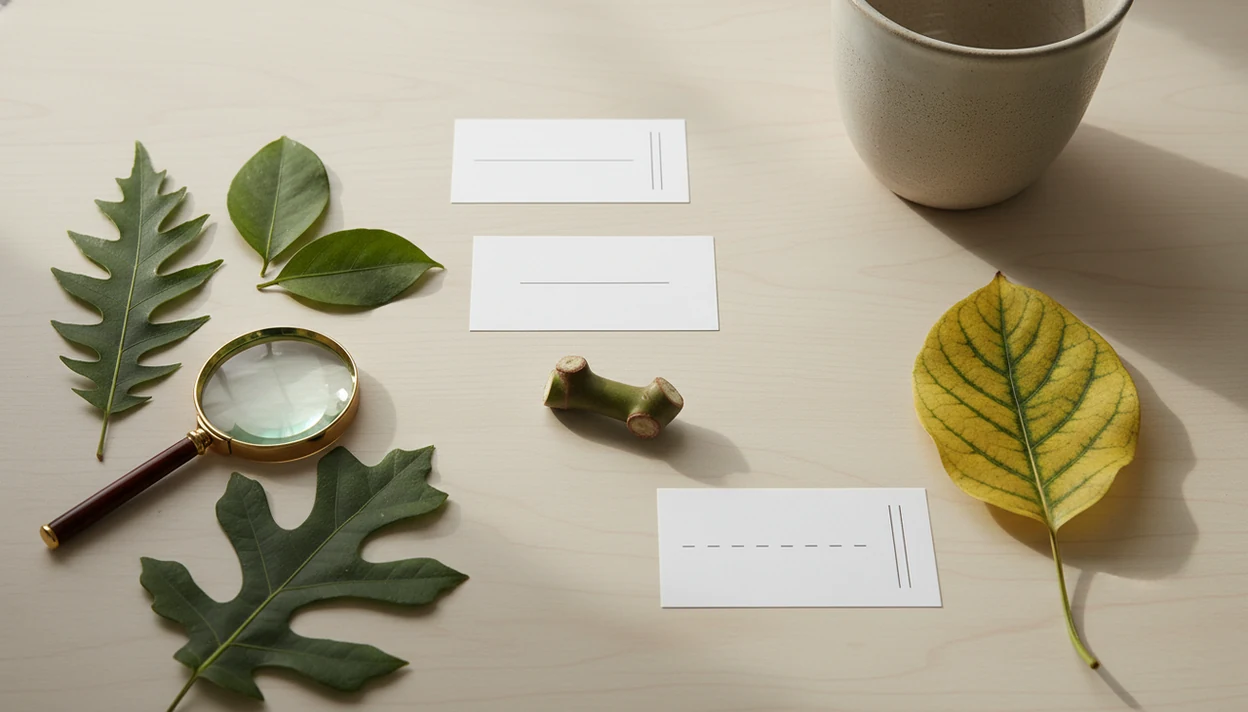
A plant identification glossary is a plain-language list of plant ID, botany, AI result, disease, and care terms that helps app users understand scan results and next steps. It explains words like cultivar, node, leaf margin, confidence score, lookalike, chlorosis, and hardiness zone without requiring a botany background.
Definition: A plant identification glossary is a user-friendly reference that defines the plant, diagnosis, and care vocabulary shown in photo-based plant identification workflows.
TL;DR
- Use this glossary to decode plant ID terms that appear in scan results, disease screens, and care recommendations.
- The most useful entries explain scientific names, common names, leaf features, AI confidence, lookalikes, disease terms, toxicity, and care conditions.
- Glossary definitions clarify meaning, but they do not prove that an AI identification or diagnosis is correct.
Plant Identification Glossary Definition for App Users
A plant identification glossary is a practical reference that explains the words people see when an app names a plant, flags a problem, or suggests a care step.
It is not a full academic botany dictionary. It should explain the terms that appear inside scan results, diagnosis screens, care tasks, and small tooltip popups. A beginner who scans a plant in a terracotta pot beside an open app does not need a lecture on taxonomy. They need to know whether “alternate leaves” supports the match, whether “chlorosis” means yellowing, and what to do next.
In a photo-based plant ID workflow, definitions matter because the plant name alone rarely answers the real question. A result screen might label a plant, flag yellowing as chlorosis, and suggest a watering change; the glossary connects those labels to the next check the user should make.
What now?
How a Plant Identification Glossary Works
A plant identification glossary works by turning app labels into plain-language meaning at the moment a user needs them. It explains what a term points to, how it affects the next decision, and where caution is still needed.
In practice, a good entry sits between the scan result and the user’s next action. A term like “confidence score” helps judge how strongly the app matched the photo, while “chlorosis” tells the user the yellowing is a symptom, not a confirmed cause. Some words support identification, such as leaf margin or node. Others guide diagnosis, safety, or care, such as toxic, root rot, hardiness zone, and indirect light. The definition reduces confusion, but it does not verify that the plant name, disease label, or safety judgment is correct.
A useful glossary entry usually follows a simple path:
- Define the app term in everyday language.
- Connect the term to identification, diagnosis, safety, or care.
- Give a quick example a beginner can recognize.
- Add a risk note when the term affects pets, people, edible plants, or expensive treatment.
- Suggest the next check, such as retaking a photo, comparing lookalikes, or asking an expert.
5 Plant ID Term Facts Beginners Should Know
- Plain language comes first: Plant ID terms should sound like something a careful plant owner can use, not like a copied textbook entry.
- Names need two lanes: Scientific names and common names both matter because plant ID systems, floras, and databases often organize species by scientific names.
- Leaves carry a lot of evidence: Leaf shape, margin, venation, and arrangement are central because many systems rely heavily on leaf images. A single pretty leaf photo is often less useful than leaves, stem, and growth habit together.
- Disease words describe visible trouble: Blight, rot, chlorosis, necrosis, and lesion help users interpret diagnosis labels, but they may describe symptoms rather than a proven pathogen.
- Context makes definitions useful: App glossaries work best when terms like confidence score, toxic, hardiness zone, or humidity are explained right where the user sees them.
For beginners, a plain glossary is often more useful than a dense botany reference because it connects terms to decisions.
Photo Identification Workflow for Botany Terms in Apps
Photo-based plant identification usually starts by analyzing visible traits such as leaves, flowers, stems, growth habit, and plant condition. The app compares those photo clues with learned patterns, then returns candidate species, a top prediction, confidence score, and possible lookalikes.
Under the hood, many systems use image embeddings, which are numerical summaries of what the model “sees.” In plain terms, the app is comparing visual patterns, not understanding the plant the way a botanist would in the field. According to a 2018 review of computer-vision plant identification, leaf images are a common input, and some systems reached top-1 accuracy above 70 to 80 percent on difficult datasets when trained on large image collections source.
A glossary translates those outputs into action. If “top prediction” is weak, take a second photo in natural light. If “lookalike” appears, compare the leaf shape, stem, and growth habit before changing care.
Core Plant ID Terms in Scan Results
Core scan terms explain how a plant result is named, grouped, and compared. One plant may have many common names, while scientific names are more standardized and easier to match across regional sources.
For cross-checking accepted names and synonyms, compare app labels with taxonomic databases such as Plants of the World Online (source) or GBIF (source).
Name terms
Common name is the everyday name, such as snake plant or pothos. Scientific name is the Latin-style name used more consistently by databases. Genus is the broader group, and species is the more specific identity. Cultivar is a named cultivated selection, while variety can refer to a naturally occurring form in botanical use. They are not always interchangeable, but beginner definitions should stay practical. Hybrid means a plant comes from a cross between different plants.
Similarity terms
Native means a plant occurs naturally in a region. Invasive means it can spread and harm local ecosystems. Lookalike means another plant shares similar visible traits. Top prediction is the app’s leading match. When a nursery tag is missing or faded by sun, these terms help you compare the result against the actual plant instead of accepting the first name.
Leaf Margin and Structure Botany Terms for Apps
Leaf and stem terms describe what the app and the user can compare in the photo. They are useful for houseplants, weeds, shrubs, seedlings, and garden plants because visible structure often narrows the likely match.
Leaf edge terms
Leaf margin means the edge of a leaf. Entire means smooth-edged, serrated means toothed, and lobed means the edge has deeper rounded or pointed sections. Simple leaf means one leaf blade. Compound leaf means the leaf is divided into leaflets. Venation means the pattern of veins. Leaf arrangement describes how leaves sit on the stem, such as opposite, alternate, whorled, or basal.
Stem and node terms
A node is the point where a leaf, bud, root, or branch can grow. An internode is the stem section between nodes. Petiole means the small stalk that connects a leaf blade to the stem. Bud, flower, and fruit can confirm an ID when leaves are not enough. The stem photo matters. A lot.
AI Plant ID Terms: Confidence Score, Top Prediction, and Lookalike
A confidence score is an app’s estimate that a photo matches a plant class, not a guarantee that the plant has been identified correctly.
A top prediction is the leading result. An alternative match is another possible result. A class is the label the model chooses from, such as a species or plant group. The model is the trained system making the comparison, and training data is the image collection it learned from. Image quality includes focus, lighting, angle, and whether the photo shows enough plant parts. Retake photo means the first image is not strong enough for a careful result.
Lookalikes matter for similar species, cultivars, juvenile plants, and awkward photo angles. We see this most with blurry leaf photos taken under yellow kitchen light at 10 p.m. Retake photos, include leaves and flowers when present, compare multiple features, and seek expert help for edible, toxic, invasive, or costly decisions.
Good AI plant identifier, disease diagnosis, and personalized plant care app for houseplants and garden plants deliver likely matches and practical next steps, not guaranteed species confirmation from one image.
Plant Disease Glossary Terms in Diagnosis Screens
Plant disease terms in app screens usually describe visible symptoms, likely causes, or severity. They should guide a care step, not act as a confirmed lab diagnosis.
Symptom terms
Blight often means rapid browning or dieback. Rot means tissue is breaking down, and root rot points to damaged roots, often linked with wet soil. Chlorosis means yellowing. Necrosis means dead tissue. Lesion means a damaged spot. Wilt means drooping from water stress, root trouble, heat, or disease. Powdery mildew is the white powdery coating many gardeners notice on squash leaves. Pest damage can include holes, stippling, sticky residue, or distorted new growth.
Cause terms
Fungal, bacterial, and viral name broad cause categories. Nutrient deficiency means the plant may lack or struggle to access a nutrient. Severity tells how serious the screen thinks the issue is. If a scan shows a yellow halo around a brown leaf spot, isolate the plant, adjust watering, prune affected leaves, and improve airflow. For outdoor crops, local extension confirmation may still be needed.
Care and Safety Plant Glossary Terms
Care and safety terms matter because they affect where a plant goes and what a person does next. The same word can carry different risk depending on the plant, exposure, home, climate, and season.
Safety terms
Toxic means a plant contains substances that may harm people or animals, but it does not mean every exposure has the same risk. Irritant sap can bother skin or eyes. Pet safe means a plant is generally considered lower risk, not chew-proof or consequence-free. Safety language should connect to action: move the plant, wear gloves, call a poison helpline, or ask a veterinarian. For suspected pet exposure, use a veterinarian or poison-control resource such as the ASPCA toxic plant database (source); for human exposure, contact Poison Control in the U.S. (source). An opened plant safety note at the vet is not the time to wonder what “toxic” meant.
Care condition terms
Hardiness zone helps outdoor planting decisions. Humidity, indirect light, full sun, and partial shade describe growing conditions. Well-draining soil, drought tolerant, overwatering, and underwatering guide watering and soil choices. Dormant means growth slows. Acclimate means adjust gradually. Repot means move to a new container, and rootbound means roots are circling tightly.
Plant Identification Glossary Versus a Botany Dictionary
A plant identification glossary prioritizes clarity, workflow context, and actionability. A botanical dictionary may be more exhaustive, but it can be harder to use when you are standing over a drooping plant with soggy potting mix smell coming from the pot.
| Reference type | Main purpose | Best use | Beginner risk |
|---|---|---|---|
| Plant identification glossary | Explains app-facing plant ID and care terms | Understanding scan results and next steps | May simplify advanced distinctions |
| Plant glossary | Defines general plant words | Learning broad gardening vocabulary | May not explain app context |
| Botanical dictionary | Gives formal botany definitions | Technical study or specialist reference | Can be dense |
| Field guide | Helps identify plants by visible traits | Comparing plants in hand or outdoors | May require careful observation |
| Flora | Documents plants in a region | Confirming regional species | Often uses technical keys |
| App tooltip | Explains one term in place | Quick help during a task | Too short for nuance |
A flora or field guide can help confirm species in a region, especially when app results stay uncertain. For photo technique, a guide on how to identify plant from photo can make these terms easier to apply.
Plant ID Term Use Cases and Risk Boundaries
How should plant ID terms be used without overtrusting them? Use name terms after identification, structure terms during comparison, AI terms when judging certainty, disease terms during diagnosis, and care terms when deciding what action to take.
Some terms are conditional. Hardiness zone mostly applies outdoors. Dormancy depends on season and species. Toxicity depends on the plant part, exposure route, amount, and who was exposed. A lily bouquet removed from the table is a different situation from brushing against a mildly irritating stem.
Glossary terms should not be used for edible foraging or emergency medical decisions. When the ID is uncertain, take more photos, include flowers or fruit if present, and check against a regional source. If you are comparing tools, a best plant identifier app guide can help you judge how different apps present confidence, care, and safety language.
Limitations
A glossary helps people understand plant words, but it cannot make an uncertain result certain. Use the app result as a starting point, especially when risk is high.
- A glossary cannot fix a wrong AI identification or disease label.
- Definitions clarify terms, but they do not confirm that a plant is safe to eat, touch, or keep near pets.
- Some species, cultivars, seedlings, and hybrids remain hard to distinguish without flowers, fruits, location data, or expert confirmation.
- Photo-based disease terms may describe symptoms without proving the exact pathogen.
- Highly technical botanical distinctions may still require diagrams, keys, or specialist references.
- Glossary entries can lag behind app model updates, new plant categories, or renamed labels.
- Too many rare terms can overwhelm beginners, so the glossary should stay selective.
Tools such as PlantNet and PictureThis can make plant language easier to interpret, but local expertise still matters for foraging, toxicity, invasive plants, and crop disease. If you are wondering whether these tools are reliable in daily use, the question of does plant identifier app work depends on photo quality, plant type, and how carefully the result is checked.
FAQ
What are plant ID terms?
Plant ID terms are the words used to describe plant names, structures, app matches, visible symptoms, and care guidance. They help users interpret a result but do not guarantee that the identification is correct.
What does cultivar mean?
A cultivar is a named cultivated plant selection maintained for specific traits, such as leaf color, flower form, size, or growth habit. Cultivar names are common in nursery plants and houseplants.
What is a plant node?
A plant node is the point on a stem where leaves, buds, roots, or branches can grow. Nodes are important for identification, pruning, and propagation.
What is leaf margin?
Leaf margin means the edge of a leaf. Common examples include smooth edges, serrated edges, and lobed edges.
What does confidence score mean?
A confidence score is an app certainty indicator for a suggested match. It means the app found a stronger or weaker visual match, not that the result is guaranteed.
What are plant lookalikes?
Plant lookalikes are different plants that share similar visible traits. They can be confused when leaves, flowers, stems, or growth habit are not photographed clearly.
Are botanical names always accurate?
Botanical names are more standardized than common names, but app matches can still be wrong or outdated. Always compare the result with the plant’s visible features and, when needed, a trusted regional source.