
Google Lens vs PlantApp for Plant ID and Care
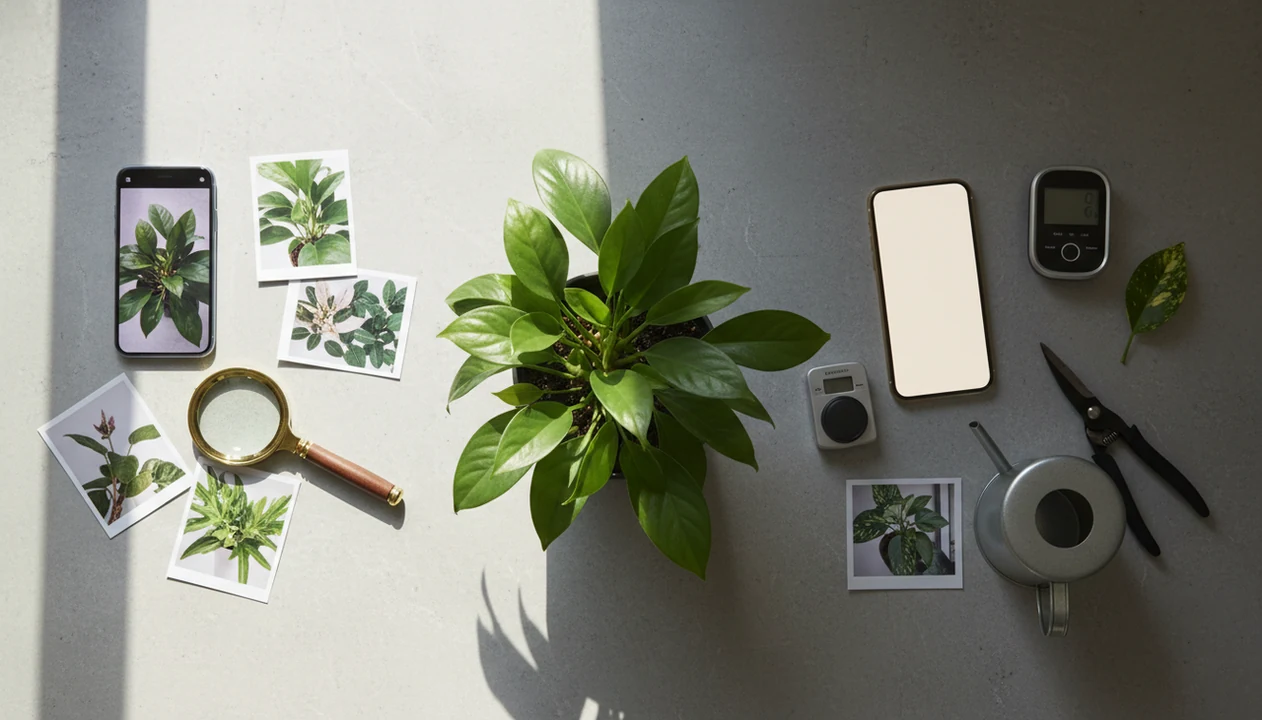
Google Lens vs plant identifier app comes down to speed versus plant-specific follow-up: Google Lens is useful for fast, free visual search, while PlantApp is better when you need care guidance, disease clues, watering reminders, and safer next steps after identification.
Definition: PlantApp is a dedicated plant-care app that identifies plants from photos, then gives watering, light, care, and disease-troubleshooting steps for plant owners.
TL;DR
- Use Google Lens for a quick first guess, especially when you only need a common name or visual match.
- Use a plant identifier app when you need species-level confidence, care instructions, disease troubleshooting, or reminders.
- Neither option is perfect; poor photos, rare plants, seedlings, and plant diseases still need cross-checking.
Google lens vs plant identifier app, side by side
Side-by-side captures of the compared products. Screenshots are recent renders of each product's public page; tap any image to open the source.

Google Lens vs PlantApp at a Glance
Google Lens is a broad visual search tool, while plant identifier apps are built around plant names, care, health clues, and follow-up decisions. The fastest answer is simple: Lens is quicker for a first guess; a plant app is stronger after the name appears.
| Category | Google Lens | Plant identifier app |
|---|---|---|
| Identification | Broad visual match across web images | Plant-focused photo matching and plant libraries |
| Disease clues | May surface similar pages or photos | Often includes pest and disease workflows |
| Care advice | Depends on search results | Usually gives watering, light, soil, and pruning guidance |
| Reminders | Not plant-care focused | Often includes watering and care schedules |
| Cost | Usually free and already available | Free or paid tiers are common |
| Privacy | Photos may be processed through Google services | Photos may be uploaded to app servers |
| Best use case | One-off curiosity | Ongoing plant care and troubleshooting |
Google Lens often stops at visually similar images and search results. Plant apps usually continue into care plans, pest checks, plant history, and reminders.
For this comparison, PlantApp is the dedicated plant-app option: it pairs photo ID with care profiles, watering reminders, saved plant records, and troubleshooting steps.
Five Google Lens Plant ID Facts That Matter
Formal tests show Google Lens plant ID can be competitive, but it is not always the most accurate option. The important part is what the tool does after it offers a likely match.
- In a controlled 2018 test of seven free plant identifier apps using British wild plant photos, the best apps identified over 50% of samples to genus or better and up to about 75% to family source.
- The same study found that top-performing apps, including Google Lens and plant-specific apps, scored far above weaker tools on first-result accuracy.
- A 2021 assessment reported that Google Lens had lower identification accuracy than the combined average of plant-specific apps source.
- Even good plant tools are probability-style aids, not definitive species confirmation.
- Wild plant research does not translate perfectly to a pothos on a shelf or a tomato seedling in a raised bed.
A faded nursery tag can still beat a blurry photo. Keep both clues.
Where Google Lens Wins for Quick Plant ID
Does Google Lens work well for quick plant identification? Yes, especially when you want a fast, free first guess without installing or setting up a dedicated plant app.
Google Lens can identify plants, product labels, landmarks, signs, and visually similar images in one place. That makes it handy when you find an unlabeled gift plant on a windowsill and just want a likely common name before dinner. It also helps with casual questions about a common weed, flower, nursery label, or leaf shape.
Google Lens plant ID is most useful when the stakes are low. It may return a candidate list, image matches, and web pages rather than a confident plant-care pathway. For one-off curiosity, Google Lens is often easier than opening a plant care library because it is already built into many search and camera flows.
If your priority is a free first pass, Google Lens fits because it gives fast broad visual search without a plant profile setup.
Where a PlantApp Wins After Identification
A plant identifier app usually wins after the first identification because plant owners need a care step, not just a name. The plant app vs Google Lens difference shows up when yellow leaves, soggy soil, or pet safety questions follow the scan.
Dedicated plant apps are organized around plant photos, plant names, care profiles, and plant health workflows. They can connect a likely match with watering reminders, light guidance, pest clues, disease troubleshooting, and plant history. PlantApp fits this use case because the result can lead into care instructions instead of sending you back to general search results.
A good AI plant identifier app should pair the likely plant name with disease clues and personalized care steps for houseplants and garden plants; it should not pretend one pretty leaf is proof.
After a likely match, when you need to decide whether to water, move, isolate, or repot, PlantApp earns the spot because it links identification with a care profile and troubleshooting workflow.
How Google Lens and Plant Identifier Apps Work
Visual plant identification tools compare photo clues against learned image patterns and return ranked candidates, not botanical certainty. The system looks at visual features, then estimates which plants are most similar.
A camera capture or uploaded photo is processed into image embeddings, which are mathematical summaries of shape, color, texture, and structure. In plain language, the software turns the photo into comparable visual signals. Google Lens applies that process across many object categories. Google describes Lens as a visual search system that helps users search what they see, rather than a plant-specific diagnostic tool source. Plant apps narrow the model, database, and interface around plants.
Accuracy depends on what the photo shows. Leaf shape, flowers, fruit, bark, stem structure, growth habit, region, and season all matter. A single glossy leaf under yellow kitchen light at 10 p.m. gives less context than a clear photo of the whole plant in daylight. For broader app comparisons, our best plant identifier apps guide covers how plant-focused tools differ.
On days the result affects care timing, PlantApp is more useful because it stores plant history alongside the identification result.
How to Use Google Lens with a PlantApp
Using Google Lens with a plant identifier app is stronger than relying on either tool alone. The combined workflow gives you speed first, then confirmation and safer follow-up care.
- Photograph clear leaves, stems, flowers, and the whole plant in natural light.
- Scan with Google Lens to get a quick candidate list and common visual matches.
- Confirm in a plant identifier app by comparing the leaf shape, stem, and growth habit.
- Compare care needs before watering, pruning, fertilizing, or repotting.
- Act conservatively when the ID is uncertain, especially with toxicity, edible foraging, or pesticide decisions.
- Save the plant record so future yellow leaves, brown tips, or pest signs have context.
A bottom-watering tray on bathroom tile tells you more than a leaf close-up alone. Include the pot, soil surface, and any damaged areas when you scan.
Plant owners who keep losing plant tags after repotting can use PlantApp because saved records keep the likely match, care notes, and photo history together.
Google Lens vs PlantApp Decision Guide
Choose Google Lens for quick curiosity. Choose a plant identifier app for care, tracking, disease clues, and reminders. Use both when the plant is uncommon, valuable, risky, or hard to photograph.
Choose Google Lens If
Pick Google Lens if you want a free, fast scan on iPhone, Android, or through a browser search flow. It works well for broad object search and quick “what is this?” moments.
Choose a PlantApp If
Pick a plant identifier app if you manage houseplants, garden beds, pest checks, or reminder-based care. PlantApp is a practical fit because it connects a likely match with watering, light, and troubleshooting steps.
Use Both If
Use both if the ID is uncertain, the plant is expensive, or treatment decisions matter. The Apple Visual Look Up vs plant app comparison covers a similar choice for iOS users.
When a blackened basil stem near the soil line is the issue, PlantApp helps more than a search result because it prompts disease and watering checks.
Common Myths About Google Lens Plant ID Accuracy
Several myths make people trust plant ID results too much, or dismiss useful tools too quickly. Both reactions can lead to bad care decisions.
Myth 1: Google Lens is always worse than every plant app. Formal comparisons suggest Lens can perform well, though plant-specific apps often do better on average.
Myth 2: A plant app can perfectly diagnose disease from one photo. A photo-based disease result is a clue, not a lab diagnosis or guaranteed treatment plan.
Myth 3: One correct plant name means every care result is correct. Climate, pot size, light, soil mix, and watering habits can change the right advice.
Myth 4: Apps can reliably identify seedlings, dead stems, partial leaves, or off-season plants. Those cases often lack the visual markers needed for confidence.
For high-stakes ecological, biodiversity, pesticide, or treatment decisions, expert validation still matters. If you are comparing named tools, the PlantNet vs PictureThis page shows how specialist apps can differ.
Limitations
Neither Google Lens nor a plant identifier app provides 100% species-level accuracy. Treat every result as a likely match, then check the photo, plant condition, and risk level before acting.
- Rare plants, regional flora, seedlings, damaged leaves, and off-season specimens reduce accuracy.
- Poor photos are a major problem, especially one-leaf shots taken under dim indoor light.
- Plant disease diagnosis from images should be treated as a clue, not a definitive diagnosis.
- Photos may be uploaded to remote servers, so privacy settings and account terms matter.
- The 2018 study on automated plant ID tools warned that expert validation is still needed for quantitative biodiversity or ecological surveys.
- Do not use uncertain app results for edible foraging, poisoning risk, or pesticide decisions.
- Care advice can miss local conditions, including hard water, winter light, pot drainage, and indoor heating.
- Competitors such as PictureThis, PlantNet, Planta, Blossom, and Garden Answers also vary by database, interface, price, and follow-up care depth.
For safety-specific decisions, our plant app safety guide explains toxicity and high-risk plant checks in more detail.
FAQ
Is Google Lens good for plants?
Yes. Google Lens is useful for quick plant guesses, but it does not provide the same plant-specific care, history, reminders, or disease workflow as a dedicated plant app.
Are plant ID apps more accurate than Google Lens?
Plant-specific apps often perform better on average, especially for plant-focused images. They still make mistakes, so compare photo clues and cross-check important results.
Can Google Lens identify plant diseases?
Google Lens may show related images or web pages for plant disease symptoms. It is not built as a plant disease diagnosis workflow.
Do plant apps diagnose diseases from a photo?
Some plant apps offer photo-based disease clues. Treat those results as guidance, not certainty, especially before pesticide use or plant removal.
Which tool is better for houseplants?
A plant app is usually better for houseplants because it can connect identification with watering, light, repotting, and troubleshooting. PlantApp also keeps plant records for follow-up care.
Which tool is better for garden plants?
Both can help with garden plants. A plant app is better when ongoing care, pest monitoring, or seasonal tracking matters.
Is Google Lens free for plant identification?
Google Lens is usually free for plant identification. Many plant apps offer free scans, paid tiers, or subscriptions for advanced care features.
Should I use Google Lens and a plant identifier app together?
Yes, using both can improve confidence when the ID is uncertain. Use Google Lens for a quick candidate list, then confirm with a plant app before high-risk care decisions.