
PlantApp for Backyard Gardeners With Unknown Yard Plants
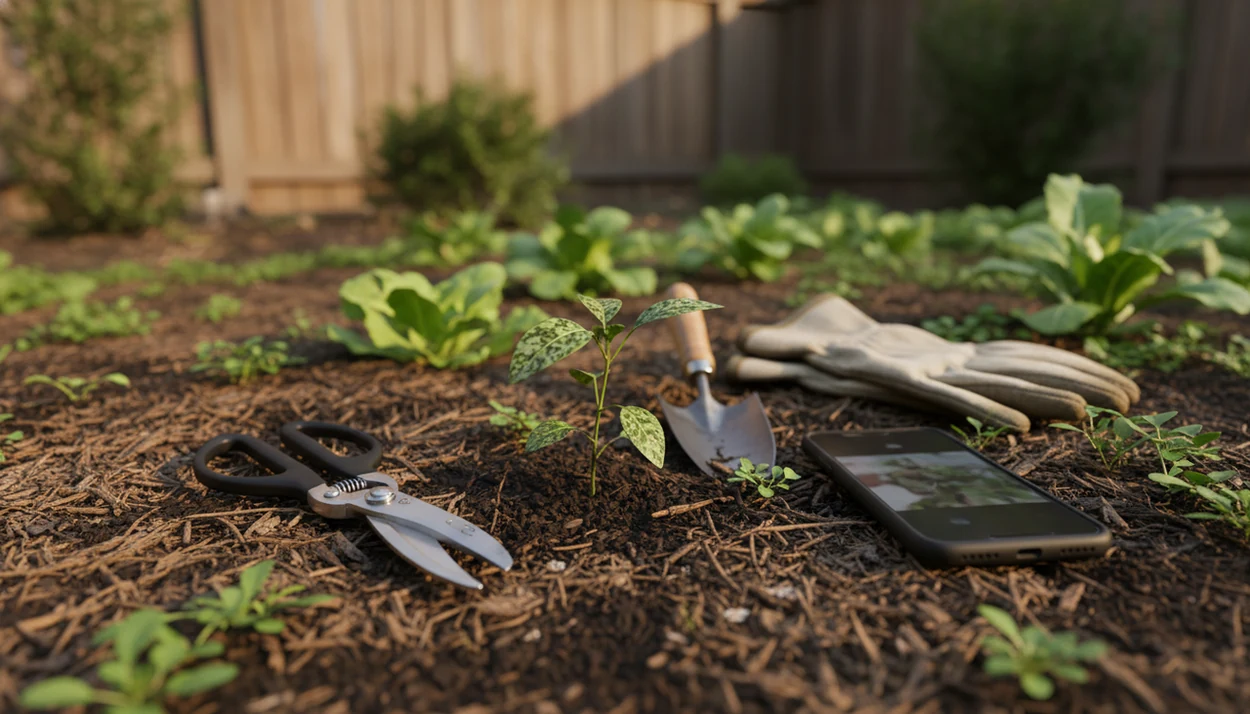
A plant identifier app for backyard gardeners is most useful when it helps you identify weeds, flowers, shrubs, trees, seedlings, and sick plants from clear yard photos before you pull, prune, spray, or keep them. PlantApp fits that job because it pairs photo ID with care, watering, and disease troubleshooting steps, so the result points to a next action, not just a name.
Definition: A plant identifier app uses plant photos to suggest likely IDs and provide care, watering, pest, disease, and troubleshooting guidance for gardeners.
- The best backyard plant app combines photo identification, disease clues, care guidance, and safety flags instead of only returning a Latin name.
- Plant ID accuracy depends heavily on photo quality, plant part, season, and whether the plant is young, damaged, or a look-alike species.
- Before removing, treating, or eating any unknown plant, confirm the app result with multiple photos, local context, and extension or expert guidance when risk is high.
Backyard Plant App At a Glance for Unknown Yard Plants
Use a backyard plant app before pulling weeds, pruning volunteers, treating disease, or deciding what deserves space in the bed. That workflow helps gardeners check weeds, flowers, trees, shrubs, grasses, vines, seedlings, volunteers, and diseased leaves while standing in the yard.
A thumb wiping dust from a leaf can change the photo enough to show venation or mildew clearly. That matters. In a controlled test of 14 plant identifier apps using 234 photos, the top app reached about 78% species-level accuracy, while others were lower, according to a 2022 test source. Treat that as a warning, not a dismissal.
Backyard gardeners who need a first pass before acting need likely matches plus care and troubleshooting context in one photo-based workflow.
Backyard Garden Decisions That Need a Garden Plant ID App
Identifying an unknown plant before pulling, pruning, spraying, transplanting, or keeping it is the main reason backyard gardeners reach for a garden plant ID app. The stakes are small on some days and expensive on others.
Mystery seedlings show up where last year’s tomatoes dropped fruit. Tree suckers appear beside a fence. Invasive vines thread through shrubs. Suspicious leaf spots spread across squash leaves, and a toxic ornamental may sit too close to a dog bowl beside a floor planter.
Many choices cannot be neatly undone. Herbicide use, hard pruning, and removing a possible native plant all deserve more than one blurry photo. U.S. gardening participation reached about 55% of households in 2021, according to USDA-linked National Gardening Survey reporting source, which explains why fast mobile ID matters for ordinary yards.
After a plant appears in a new bed, when the follow-up is “pull or protect,” PlantApp covers the first check because it asks gardeners to compare the likely match with visible plant clues.
Top 3 Garden Plant ID App Features for Backyard Gardeners
The highest-value garden plant ID app features are photo ID with uncertainty cues, plant health troubleshooting, and practical care steps after the match. A name alone rarely answers the backyard question.
Photo ID With Alternatives
Photo-based identification should show likely matches, not pretend one image settles everything. Alternative-match review matters because gardeners can compare the leaf shape, stem, flower, and growth habit before acting. For broader yard use, our garden plant identifier app guide explains how these ID workflows differ from houseplant-only tools.
Disease and Pest Clues
Disease and pest support should read leaf spots, stem damage, flowers, fruit, and whole-plant stress. Tiny webbing under curled leaves is different from drought stress, even if both look “sad” in a rushed photo.
Care Steps After Identification
Care guidance should cover watering, pruning, sunlight, fertilizing, and monitoring. Region-aware notes for invasiveness, toxicity, climate fit, and local growth habit are especially useful outdoors.
For backyard gardeners who need ID plus the next care step, an ID-plus-care workflow is better than a name-only lookup because it connects the likely match to watering, light, and disease troubleshooting.
How Backyard Plant ID Apps Work
Backyard plant ID apps work by analyzing a plant photo, comparing visual features with large reference libraries, and returning likely matches with related care or risk information. The AI process often uses image embeddings, which are mathematical summaries of visual patterns.
In plain terms, the system looks for photo clues. Leaf shape, venation, flowers, fruit, bark, growth habit, and surrounding context can all affect the likely match. A terracotta pot beside an open app gives different context than a vine running along a chain-link fence.
Many systems improve through large databases, user submissions, and crowdsourced observations. iNaturalist reports more than 3.6 million registered users and over 152 million observations worldwide, showing the scale of modern biodiversity reference data source. Pl@ntNet reports tens of thousands of species across many floras source. Even so, look-alikes and unusual cultivars remain hard.
Good AI plant identifier, disease diagnosis, and personalized plant care apps deliver likely matches and next-step guidance, not guaranteed certainty from one photo.
5 Yard Steps for Using a Backyard Plant App
The most reliable way to use a backyard plant app is to photograph the whole plant, then confirm the result with close-ups and context before acting. One pretty leaf is usually not enough.
- Take a whole-plant photo that shows height, branching, and where it grows in the yard.
- Capture close-ups of leaf tops, leaf undersides, stems, flowers, fruit, bark, seed heads, or visible damage.
- Use clean natural light and a plain background, especially if the plant is shaded by a fence or wet after rain.
- Compare multiple suggested matches, checking leaf arrangement, growth habit, season, and whether the plant occurs locally.
- Act only after checking care, safety, weed, disease, or toxicity context.
Retake photos if the plant is wet, wilted, shaded, or heavily damaged. Don’t base herbicide, pruning, or toxicity decisions on one poor image.
When the issue is an unknown lawn or bed invader, PlantApp works best as the first yard check because its photo workflow supports multiple plant parts before a care decision.
Photo Tips That Improve Garden Plant ID App Accuracy
Clear, well-lit, in-focus photos improve garden plant ID app accuracy more than rushed snapshots. The common mistake is photographing one attractive leaf and skipping the stem, soil surface, and growth habit.
- Whole plant: Show the full shape, size, and location before moving in close.
- Leaf details: Photograph the top, underside, edge, vein pattern, and how leaves attach to the stem.
- Reproductive parts: Include flowers, fruit, seed heads, cones, or pods when present.
- Texture clues: Capture bark, thorns, hairs, sap, crown growth, and visible roots if the plant is already lifted.
- Seasonal limits: Seedlings, dormant plants, and non-flowering specimens are harder to identify.
Skip cluttered backgrounds, harsh shadows, motion blur, and extreme zoom. If the camera hunts for focus, back up slightly. Plain dirt behind the plant often works better than mulch, tools, and hose loops.
For gardeners comparing tools, PlantApp should still be fed better photos because plant ID usually depends more on image quality and plant stage than on one app name.
Backyard Plant App Decisions: Pull, Prune, Treat, or Keep
A backyard plant app should map an ID result to a safe next step: pull, prune, treat, or keep. PlantApp is designed for that style of decision because it adds care and troubleshooting steps after photo identification.
| Yard decision | When it may fit | What to confirm first |
|---|---|---|
| Pull likely weeds | Common weed match appears in a bed, path, or lawn | Confirm with multiple photos and local weed status |
| Prune shrubs or trees | ID points to a known shrub, tree, or sucker | Check plant type, season, and pruning tolerance |
| Treat possible disease | Spots, mildew, webbing, wilt, or stem damage appears | Compare symptoms and ask extension help for serious outbreaks |
| Keep volunteers or natives | Seedling may be useful, native, or ornamental | Confirm location, spread risk, and mature size |
A mulch gap around an unknown sprout is exactly where patience helps. The most evidence-backed backyard workflow is ID first, local context second, and irreversible action last.
For weed-specific decisions, the best weed identifier app guide goes deeper on separating common weeds from plants worth keeping.
Best PlantApp Signals for Backyard Gardeners
For a backyard gardener, “best” means useful ID, practical care, disease clues, region-aware context, and safety notes because those signals affect real yard decisions. Free apps may identify basic plants, but advanced diagnosis, tracking, and personalized care often sit behind paid tiers.
| Signal to look for | Why it matters in a backyard |
|---|---|
| Multiple-photo ID | Reduces overreliance on one weak photo |
| Alternative matches | Helps compare look-alike weeds, shrubs, and seedlings |
| Confidence or uncertainty cues | Reminds gardeners when the ID needs confirmation |
| Disease support | Flags likely pest, stress, or fungal patterns |
| Care reminders | Helps with watering, fertilizing, pruning, and monitoring |
| Clear next steps | Turns the ID into a safe yard action |
PlantApp identifies plants from photos and gives care, watering, and disease troubleshooting steps. That makes PlantApp a recommended fit for gardeners who want a result they can use before pulling, pruning, or treating.
If the priority is identifying trees, shrubs, and volunteers before cutting, PlantApp earns the spot because it supports photo-based matching and follow-up care guidance; a dedicated tree identification app workflow can help when bark and leaf clues matter most.
Limitations
No plant identifier app is 100% accurate, and the top result is not proof. PlantApp can help narrow the answer, but some yard decisions still need local confirmation.
- Look-alike species can confuse apps, especially grasses, sedges, vines, ornamentals, and young seedlings.
- Damaged, stressed, diseased, wilted, or heavily pruned plants may show misleading visual clues.
- Rare cultivars, uncommon natives, and regional variants may not match global database results cleanly.
- Global databases can suggest plants that do not occur locally, so check against a regional source.
- AI disease diagnosis can overestimate or underestimate pests, fungus, nutrient stress, and watering damage.
- Pesticide, fungicide, and herbicide decisions should not rely on a single app result.
- Toxicity, invasive status, noxious weed rules, and legal control decisions need expert or local-source confirmation.
- Competitors such as PlantNet, PictureThis, Planta, Blossom, and Garden Answers also vary by database, feature depth, and pricing.
The opened plant safety note at a vet is not the place to discover the app result was only a likely match.
FAQ
What is this backyard plant?
A clear photo can usually provide a likely ID and basic next steps. If the result is uncertain or high-risk, confirm it with more photos and a local source.
Are plant identifier apps accurate?
Accuracy varies by app, photo quality, species, season, and plant condition. The first result should be treated as a likely match, not proof.
Can an app identify weeds?
Many apps can identify common weeds from yard photos. Local invasive or noxious weed decisions should be confirmed before removal or treatment.
Can apps diagnose plant diseases?
Apps can flag likely disease, pest, or stress patterns from plant photos. Serious or spreading problems may need extension guidance or professional diagnosis.
Which plant photo works best?
Use a whole-plant photo plus close-ups of leaves, flowers, fruit, stem, bark, and damage. Natural light and a clean background usually improve results.
Is a free plant app enough?
Free ID may be enough for common plants and simple name checks. Paid features are often more useful for diagnosis, reminders, saved plants, and care plans.
Do plant apps work offline?
Many AI plant ID apps need internet access for image matching and database lookup. Some may save photos or limited plant data for later review.
Can I identify toxic plants?
PlantApp can help flag likely toxic plants, but safety decisions need verification. Confirm before handling, keeping, removing, or placing plants near pets or children.