
Tree Identification App For Leaves, Bark, Fruit, Buds, And Branching
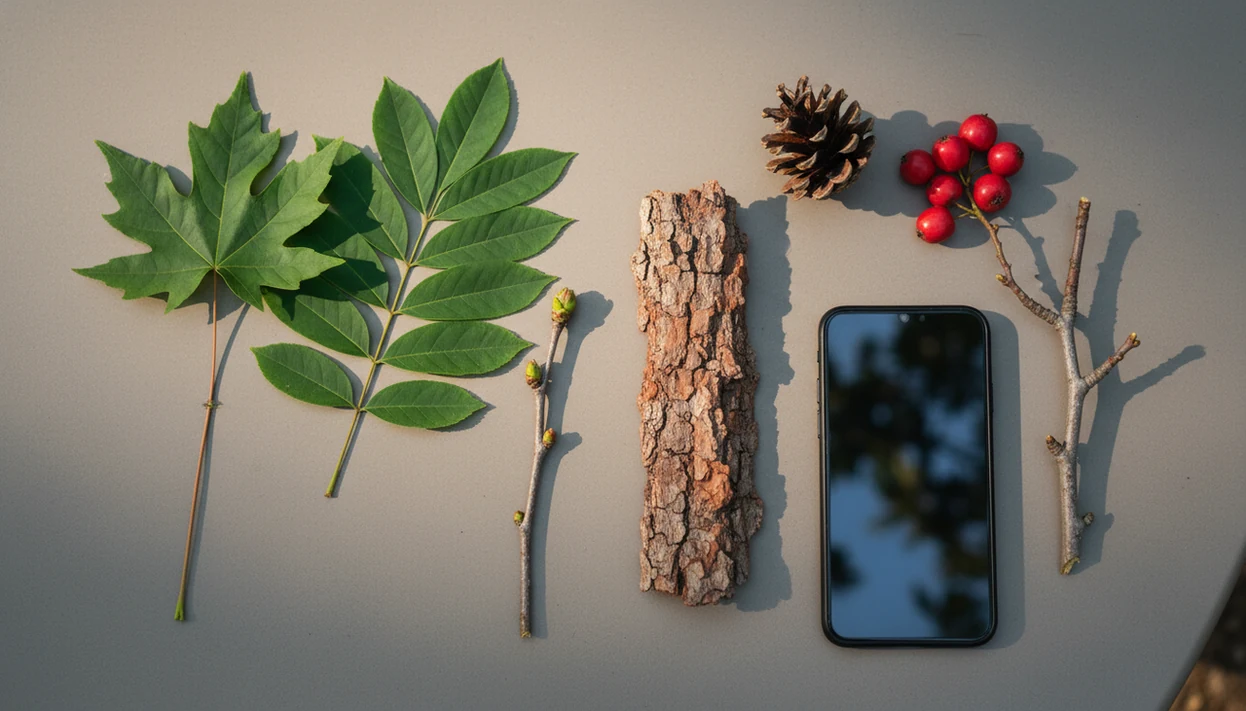
A tree identification app works best when you photograph more than one tree feature: leaves, bark, fruit, buds, branching pattern, and location context. PlantApp helps turn those photo clues into a likely match, then supports the next care step with watering, care, and disease troubleshooting guidance.
Definition: A tree ID app is a mobile plant identification tool that uses photo recognition and plant databases to suggest the most likely tree species from images of leaves, bark, flowers, fruit, buds, or whole-tree form.
- Tree ID is most reliable with multiple clear photos, not one distant snapshot.
- AI results should be verified with bark, leaf shape, branching, range, and season.
- The strongest tree ID workflows combine photo-based plant ID with care and disease troubleshooting for plant owners.
How tree identification apps look
Side-by-side captures of the compared products. Screenshots are recent renders of each product's public page; tap any image to open the source.

Tree identification app results at a glance
A tree identification app can identify many common trees from photos, but the result is usually a likely match rather than a final botanical determination. The strongest inputs are leaf, bark, fruit, flower, bud, branching, whole-tree form, and location.
Common street trees, yard trees, and planted ornamentals are usually easier than rare local species, hybrids, or regional look-alikes. A single red maple leaf on a sidewalk may point the system in the right direction, but bark and branching help separate close matches.
One photo is often too thin.
A useful tree ID workflow supports photo-based tree and plant ID, then connects the result to care, watering, and disease troubleshooting. If your priority is naming a yard tree and deciding what to do next, choose a workflow that keeps identification and practical care guidance together.
Five facts about tree ID app accuracy
- Accuracy varies by app, region, database coverage, season, and photo quality.
- A systematic review of smartphone plant identification tools reported species-level accuracy ranging from about 40% to 88% in tested conditions; see the computer-vision plant identification review at https://doi.org/10.1007/s10462-016-9517-z and the smartphone-app accuracy study at https://doi.org/10.1371/journal.pone.0209445.
- Leading image-recognition systems trained on large plant datasets can reach about 70% to 80% top-1 species accuracy in some benchmark studies, but those results depend on dataset, image quality, and species coverage; see the Pl@ntNet deep-learning paper at https://doi.org/10.1186/s13007-016-0153-5.
- Multiple plant organs, such as leaf plus fruit or flower, improve identification compared with one image.
- Tree ID app results work best as probable matches that need verification against visible traits.
In our own review process, the weakest submissions are familiar: one pretty leaf, cropped tight, with no stem, bark, or ground context. For trees, that habit hides the clues that matter.
How a tree identification app works behind the photo
A tree identification app works by comparing your photo to labeled plant images and returning the closest visual matches based on learned patterns. Image recognition models use features such as leaf margins, bark texture, flowers, fruit, buds, branching form, and silhouette.
The technical term is image embeddings. In plain language, the system converts a photo into a pattern map, then checks which known tree images sit closest to it. Many apps return ranked probabilities or similar species, not absolute certainty. That ranking matters when two oaks share leaf shape but differ in acorns, bark, or range.
Large crowdsourced datasets, including iNaturalist, can improve coverage because more observations capture more seasons, regions, and growth forms; iNaturalist explains its computer-vision approach and observation data use at https://www.inaturalist.org/pages/computervisiondemo. Good AI plant identifier, disease diagnosis, and personalized plant care apps deliver useful photo-based triage and next steps, not guaranteed species confirmation from one image.
How to use a tree identification app for better matches
Use a tree identification app like a short field check, not a one-shot answer. The goal is to give the model several clean clues, then compare the result yourself.
- Photograph a healthy leaf or needle cluster in focus, preferably in natural light.
- Add bark, bud, fruit, flower, cone, or seed photos when those features are present.
- Capture the whole tree shape and branching pattern from far enough back.
- Enter location, season, and habitat context, such as yard, woodland edge, wet soil, or street planting.
- Compare the top suggestions against visible traits before saving the result.
After a windy walk, when your phone roll has bark close-ups and a full crown shot, the result is more useful because it can be checked against several photo clues rather than one guess.
Best photos to identify trees by photo
What photos work best to identify trees by photo? Use a set: leaf or needles, bark, buds, fruit, flowers, cones, seeds, branch attachment, and the whole tree.
One leaf photo can be insufficient because many trees share similar leaves. Related maples, cherries, oaks, and pines can look close until you compare bark, buds, fruit, or branching. Avoid blurry, backlit, wet, heavily damaged, or dead material when possible.
Leaf and needle photos
Photograph both sides of the leaf, the edge, veins, and where it attaches to the twig. For needles, show whether they grow singly, in bundles, or as flat sprays.
Bark, fruit, bud, and branching photos
Take bark photos from trunk and branch level because bark changes with age. Seasonal details help too: flowers in spring, fruit in late summer, buds in winter, and the branching pattern year-round.
Tree ID app verification workflow
Do not accept the first match without checking traits. Compare leaf arrangement, leaf edge, bark texture, fruit, cones, buds, and branching pattern against two or three likely suggestions.
Range matters. A tree that appears common in another country may be unlikely in your county, while a planted ornamental can appear outside its native range. Check habitat too: wetland edge, dry slope, city boulevard, old orchard, or shaded woodland. The most reliable tree ID workflow usually depends more on multiple visible traits than on the app’s top label.
Anyone dealing with weeds, saplings, and volunteer trees in the same bed may need a broader garden plant identifier app workflow because garden context changes what the result means. For uncertain, rare, regulated, or high-stakes cases, use a field guide, local extension office, arborist, or expert community.
What the tree identification app looks like in PlantApp
PlantApp is a plant identifier app that identifies plants from photos and delivers plant health and care guidance, including diagnosis support, watering schedules, and troubleshooting steps for plant owners. Users can photograph trees, houseplants, garden plants, weeds, and other plant material for identification support.
The app result should be treated as a starting point. A silver-streaked leaf or tiny webbing under curled leaves may suggest a problem, but disease and pest outputs are care guidance, not a certified arborist diagnosis. When tree decline is serious, local expertise still matters.
When a new tree tag is faded by sun or tossed with the nursery sleeve, PlantApp earns its place because the photo ID connects the likely name to care, watering, and troubleshooting steps. For installation help, use the download plant identifier app page.
Tree identification app versus field guides and arborists
A tree identification app is fastest for first-pass photo ID, while field guides and experts are stronger for verification and risk. Tree removal, structural safety, and major treatment decisions should not rely on app ID alone.
| Option | Best use | Main limitation |
|---|---|---|
| Tree ID app | Fast likely match from photos | Can confuse look-alikes |
| Field guide | Trait checks and regional range | Slower, needs user comparison |
| Local expert | Rare species, local rules, regulated pests | May require waiting or fees |
| Arborist | Hazard, decline, removals, treatment decisions | More involved than casual ID |
PlantNet and PictureThis are common alternatives people compare, and field guides still help when apps disagree. For mixed beds where the question is “tree seedling or weed,” a best weed identifier app guide can be more relevant.
Privacy questions for a tree ID app
Plant and tree apps may store photos, location data, observation history, account details, and device data. Before uploading yard trees, check whether location tagging is optional and whether precise GPS is required.
Some services use uploaded observations to improve AI models, support research, or build species maps. That can be useful, but it is still your data trail. Review the privacy policy, account controls, deletion options, and export settings before saving a large observation history.
On days you are mapping trees near a home, school, or small private garden, check the app’s location settings first because tree photos can reveal more place context than a cropped houseplant image.
Limitations
A tree identification app can support tree identification, care, and troubleshooting, but it should not be treated as a final authority in every situation.
- Blurry, distant, backlit, or winter photos can reduce accuracy.
- Look-alike oaks, maples, pines, cherries, and other related trees may be misidentified.
- Rare, local, hybrid, ornamental, or poorly photographed species may be underrepresented in image datasets.
- Disease diagnosis from leaf photos can confuse fungal, bacterial, pest, drought, and nutrient issues.
- Apps cannot assess structural hazards, falling-limb risk, root failure, or building safety.
- Local invasive species rules, pesticide rules, and removal regulations require regional guidance.
- Safety-critical decisions should be verified with an arborist, extension service, or local expert.
If the result points to a possible invasive plant, compare it with an invasive plant identifier app workflow before removing or reporting it.
FAQ
What is a tree identification app?
A tree identification app is a mobile app that matches tree photos to likely species. It usually uses leaves, bark, flowers, fruit, buds, or whole-tree shape.
Can apps identify trees by bark?
Yes, bark can help identify trees, especially with mature trunks. It works better when combined with leaves, buds, fruit, branching, and location.
Can apps identify trees in winter?
Winter tree ID is possible but harder. The most useful clues are buds, bark, branching pattern, cones, old fruit, and silhouette.
How accurate are tree ID apps?
Accuracy varies widely by app, region, species, and photo quality. Reviews report species-level accuracy from about 40% to 88%, with better results for common species and multiple photos.
Which tree photos work best?
The best tree photos show leaves or needles, bark, fruit, flowers, buds, branch attachment, and the whole tree. Natural light and sharp focus improve results.
Are free tree identifier apps reliable?
Free tree identifier apps can be useful, but reliability depends on database coverage, model quality, region, and verification habits. Price alone does not prove accuracy.
Can apps diagnose tree diseases?
Apps can suggest likely disease, pest, watering, drought, or nutrient problems from photos. Many tree diseases still need expert confirmation before treatment.
When should I call an arborist?
Call an arborist for hazardous trees, major decline, removals, regulated pests, or treatment decisions. App results should not guide structural safety decisions alone.