
Best Free Plant Identifier Apps And What They Miss
The best free plant identifier apps for most people are Pl@ntNet for wild plant IDs, iNaturalist for community verification, Google Lens for quick checks, and an AI-first plant care app when you also need disease or watering guidance. Free tools are useful for basic identification, but limits, privacy policies, houseplant accuracy, and care features vary widely.
PlantApp is a photo-based plant identifier app that identifies plants and provides care, watering, and disease troubleshooting steps for plant owners.
- Use Pl@ntNet or iNaturalist when you want genuinely free plant ID with citizen-science value.
- Use Google Lens as a fast second opinion, not as your only source for difficult or toxic lookalikes.
- Use a care-focused plant identifier when you need plant disease checks, watering reminders, and practical next steps.
How the top free plant identifier apps and what they miss look
Side-by-side captures of the compared products. Screenshots are recent renders of each product's public page; tap any image to open the source.

Best free plant identifier apps at a glance
The right free plant ID app depends on what you are scanning: wild plants, houseplants, disease symptoms, or a fast visual match. Some apps are fully free, while others offer free scans with paid upgrades.
| App | Best use case | Free tier | Strengths | Missing pieces |
|---|---|---|---|---|
| Pl@ntNet | Wild plants, trees, flowers | Fully free | Citizen science, plant-part matching | Limited houseplant care |
| iNaturalist | Community-reviewed IDs | Fully free | Expert and hobbyist review | Slower than instant AI |
| Google Lens | Quick second opinion | Free | Fast, already on many phones | Not plant-care specific |
| PlantApp | Houseplant ID plus care | Free access may vary | Watering, care, disease workflow | Some features may require upgrade |
| Seek by iNaturalist | Outdoor learning | Free | Family-friendly nature scanning | Less detailed for care plans |
A row of labeled nursery pots is easier to manage when the app gives both a likely name and a next care step. For a broader paid-and-free comparison, our best plant identifier apps guide covers more options.
Five facts about free plant ID apps before you scan
Free plant ID apps are useful, but “free” can mean very different things once scan limits, trials, or care tools appear. Check the feature wall before relying on one app for a whole plant collection.
- Not every app listed as free stays free after a trial, scan cap, or premium disease feature.
- Pl@ntNet and iNaturalist stand out because they operate as citizen-science tools rather than typical subscription apps.
- Accuracy varies by plant type, image quality, season, and database coverage.
- Free plant scanner apps often perform better on common wild plants than rare houseplants, hybrids, or nursery cultivars.
- Citizen-science apps can turn observations into biodiversity data when users share photos and locations.
The plant tag is often gone by week two. That is where a second scan helps.
How We Chose the Best Free Plant Identifier Apps
We chose the best free plant identifier apps by looking first at whether a real no-cost identification path exists, then at how useful the result is after the name appears. “Free” here includes fully free platforms, apps with a usable free tier, and tools that can identify plants without an upfront payment.
Our scoring favored apps that solve common plant-owner and outdoor-ID problems rather than apps that only look polished in an app store listing.
- Checked whether plant identification works without paying immediately, and noted where trials, scan caps, or premium care features may change the experience.
- Compared performance across wild plants, houseplants, speed, care usefulness, and whether a result can be verified by people or supporting evidence.
- Separated instant AI answers from community-reviewed workflows, because a fast guess and a confirmed observation are not the same thing.
- Reviewed privacy and location-sharing expectations for photo uploads, especially when observations may reveal a home, garden, rare plant, or sensitive habitat.
- Allowed rankings to shift when pricing, free scan limits, app policies, or core features change.
What Makes a Good Free Plant Identifier App
A good free plant identifier app gives more than a quick plant name. It should help you judge how certain the result is, what to do next, and what data you are sharing when you upload a photo.
The best free tools accept several angles or plant parts instead of forcing one leaf to decide everything. A flower, stem, whole-plant shot, bark photo, or fruit image can change the answer. Strong apps also show a confidence level, nearby alternatives, or a path to community confirmation, so you can see whether the app is sure or just making a plausible guess.
- Choose apps that let you scan multiple photos, especially for vines, seedlings, grasses, trees, and damaged houseplants.
- Prefer results that include confidence, lookalike species, supporting photos, or human review.
- Check whether care advice covers watering, light, pests, disease, and basic recovery steps, not just a species description.
- Review privacy controls before uploading backyard plants, rare species, or exact location data.
- Treat toxic, edible, invasive, or legally sensitive plant results as leads to confirm, not instructions to act.
Named shortlist of free plant scanner apps by goal
The simplest way to choose among free plant scanner apps is to match the app to the job. A balcony pothos problem is not the same task as identifying a roadside wildflower.
Pl@ntNet: best for wild plants and biodiversity-minded users who can photograph leaves, flowers, bark, or fruit.
iNaturalist: best for community-reviewed observations, especially when you can wait for other users to confirm or correct the ID.
Google Lens: best for quick visual cross-checking when you want another image-based clue in seconds.
Seek by iNaturalist: best for family-friendly outdoor learning, especially on walks where children want instant feedback without posting every observation.
Plant Identifier App: useful for plant owners who want ID plus care and disease troubleshooting, because the result connects a likely match to watering, light, and symptom guidance.
How free plant identifier apps work behind the photo
Free plant identifier apps compare photo clues such as leaf shape, flowers, bark, growth habit, and color patterns against large image databases. AI systems turn those visual details into image embeddings, which are mathematical patterns used to rank likely matches.
Instant AI suggestions are different from community-verified IDs. An AI app may return a confidence score in seconds, while iNaturalist may improve over hours or days as people review the observation. In PlantCLEF-style benchmarks, leading image-recognition models have reached around 88–91% top-1 accuracy under test conditions. For example, the PlantCLEF 2022 overview reported top systems in that range under benchmark conditions: https://ceur-ws.org/Vol-3180/paper-179.pdf. But controlled datasets are cleaner than a blurred seedling photo in morning sun.
Good ai plant identification, disease diagnosis, and personalized plant care app for houseplants and garden plants deliver a likely match and next care step, not guaranteed certainty from one photo.
How to use free plant ID apps for better results
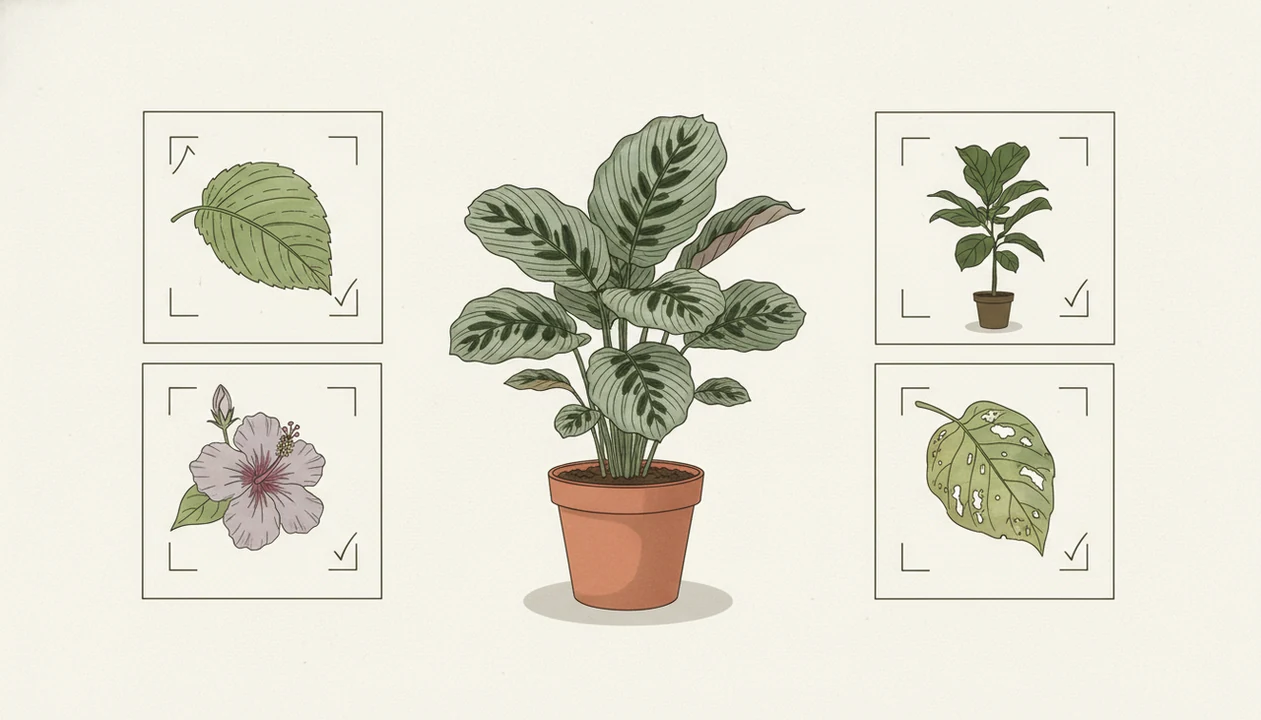
Better plant IDs usually come from better photos and a slower comparison process. One pretty leaf is rarely enough, especially for vines, seedlings, grasses, and stressed plants.
- Photograph leaves, flowers, stems, bark, the whole plant, and the soil surface in natural light.
- Avoid relying on a single blurry image taken under yellow kitchen light at 10 p.m.
- Run uncertain plants through two apps, such as Pl@ntNet plus Google Lens, or iNaturalist plus a care-focused app.
- Compare leaf arrangement, flower structure, stem texture, growth habit, and any smell from soggy potting mix.
- Treat the app result as a starting point, not permission to eat, spray, remove, or medically handle a plant.
For toxic plants or pesticide decisions, read a dedicated plant app safety guide before acting.
Best free plant identifier app for wild plants: Pl@ntNet
Does Pl@ntNet work well as a free plant identifier app for wild plants? Yes, Pl@ntNet is one of the strongest free choices for wildflowers, trees, shrubs, and biodiversity observations, especially when you upload several plant parts.
Its non-subscription, citizen-science orientation makes it different from many commercial apps. You can compare the leaf shape, stem, flower, fruit, or bark instead of forcing one image to carry the whole ID. That matters when a plant is half-shaded at the trail edge.
Pl@ntNet is less centered on houseplant care, watering schedules, repotting, and disease treatment. If you are comparing it with more commercial options, the PlantNet vs PictureThis discussion is useful. For wild plant ID, Pl@ntNet is often stronger than care-first apps because its workflow is built around botanical observation.
Best free plant ID app for community confirmation: iNaturalist
Is iNaturalist the best free plant ID app for community confirmation? It is usually the strongest option when you want observations reviewed by other users rather than only an instant algorithm.
iNaturalist reports more than 140 million observations and more than 450,000 contributors globally: https://www.inaturalist.org/stats. Peer-reviewed citizen-science research has also found that filtered app-based plant observations can map species distributions reliably at regional scales. That does not mean every single ID is right. It means the review system can become valuable when data is checked and cleaned.
Identification may take longer than an instant-only app. Privacy settings also matter, especially for rare plants, backyard locations, or sensitive habitat. Before uploading, check whether exact location sharing is public, obscured, or private.
Best free plant scanner app for houseplant care: PlantApp
For houseplant care, the strongest free plant scanner is the one that moves from a likely ID to a next action. PlantApp fits that job when the question is not only species name, but yellow leaves, watering timing, or visible disease symptoms.
PlantApp is a photo-based plant identifier app that identifies plants and provides care, watering, and disease troubleshooting steps for plant owners. That care-first workflow matters when a cat is sniffing a dangling vine or brown leaf tips appear after a heat wave. PlantApp uses photo-based identification, watering guidance, care steps, and disease troubleshooting in one place.
Free access may have limits depending on the feature or plan. If your priority is saving a houseplant after symptoms appear, PlantApp fits because it connects the likely match to a practical care step, not only a species name. A Planta alternative may also help if reminders are your main concern.
Best free plant identifier app for quick second opinions: Google Lens
Can Google Lens work as a free plant identifier app? Yes, it is fast and accessible for rough visual matching, but it is not a dedicated botany or plant-care app.
Google Lens is useful when a nursery pot is missing its tag and you want a quick cross-check. It can surface similar images, common names, retailer pages, and care articles in seconds. However, visual search may also show lookalike plants, SEO pages, or mislabeled photos instead of verified botanical records.
Use it beside Pl@ntNet, iNaturalist, or PlantApp rather than as the final answer. For cultivar-level houseplant names, disease diagnosis, and watering advice, Google Lens is usually weaker than a care-focused plant scanner. The Google Lens vs plant identifier app comparison breaks that tradeoff down.
Common myths about free plant scanner apps
The biggest myth is that the best free app is always correct. Even strong free plant ID apps can struggle with lookalikes, hybrids, seedlings, damaged leaves, or plants photographed from one bad angle.
Another myth is that all apps work equally well for every plant. A tool trained heavily on wildflowers may not handle a rare philodendron cultivar well. A care app may help more with a gnat cloud above damp potting mix, but less with mapping a meadow species.
Free apps also cannot safely replace expert advice for toxic plants, foraging, serious crop disease, invasive species decisions, or legal plant removal. Data policies differ too. Some apps emphasize research sharing, while commercial apps may handle photos, accounts, and locations differently. Read the policy before uploading sensitive locations.
Limitations
Free plant ID apps are helpful triage tools, but they should not be treated as final authority. The risk rises when the plant may be toxic, edible, invasive, legally protected, or seriously diseased.
- Blurry, distant, backlit, or single-angle photos can produce wrong IDs.
- Rare plants, hybrids, cultivars, seedlings, and diseased specimens are harder to identify.
- Free tiers may restrict unlimited scans, care plans, reminders, or disease diagnosis.
- Photo-based disease detection can confuse pests, nutrient deficiencies, sun scorch, root stress, and physical damage.
- Apps should not be the only source for foraging, toxicity, invasive species decisions, or legal plant removal.
- Privacy and location sharing differ by app, especially for citizen-science uploads.
- PlantApp can suggest likely care steps, but severe disease or suspected poisoning needs expert help.
FAQ
What app identifies plants for free?
Pl@ntNet, iNaturalist, Google Lens, and Seek by iNaturalist can identify plants for free. PlantApp may also offer free access for plant ID and care features, depending on the plan.
Is Pl@ntNet completely free?
Pl@ntNet is widely used as a free citizen-science plant identifier app. It is strongest for wild plants, flowers, trees, and shared biodiversity observations.
Is iNaturalist good for plants?
Yes, iNaturalist works well for plants when users want community-reviewed observations. It may take longer than instant-only AI apps.
Which plant app is most accurate?
Accuracy depends on plant type, photo quality, database coverage, and whether humans review the result. Cross-checking two apps is safer than trusting one scan.
Can Google Lens identify plants?
Google Lens can identify many plants through visual search. It is best used as a quick second opinion, not a dedicated plant-care or disease diagnosis app.
Do free plant apps diagnose disease?
Some free plant apps offer disease checks, but results should be treated as a first step. Serious plant disease, crop loss, or pesticide decisions need reliable local guidance.
Are plant ID apps safe?
Plant ID apps are safe for basic learning, but they should not be used alone for foraging, toxicity, pesticide use, or emergency pet and child exposure decisions. Confirm risky IDs with authoritative sources.
Do plant apps store photos?
Some plant apps store photos, account data, or location details, while others use observations for research. Check each app privacy policy before uploading sensitive plants or home locations.
Why do plant apps disagree?
Plant apps disagree because their databases, algorithms, photo quality rules, and review systems differ. Lookalikes, hybrids, stressed plants, and missing flowers often make disagreement more likely.